57
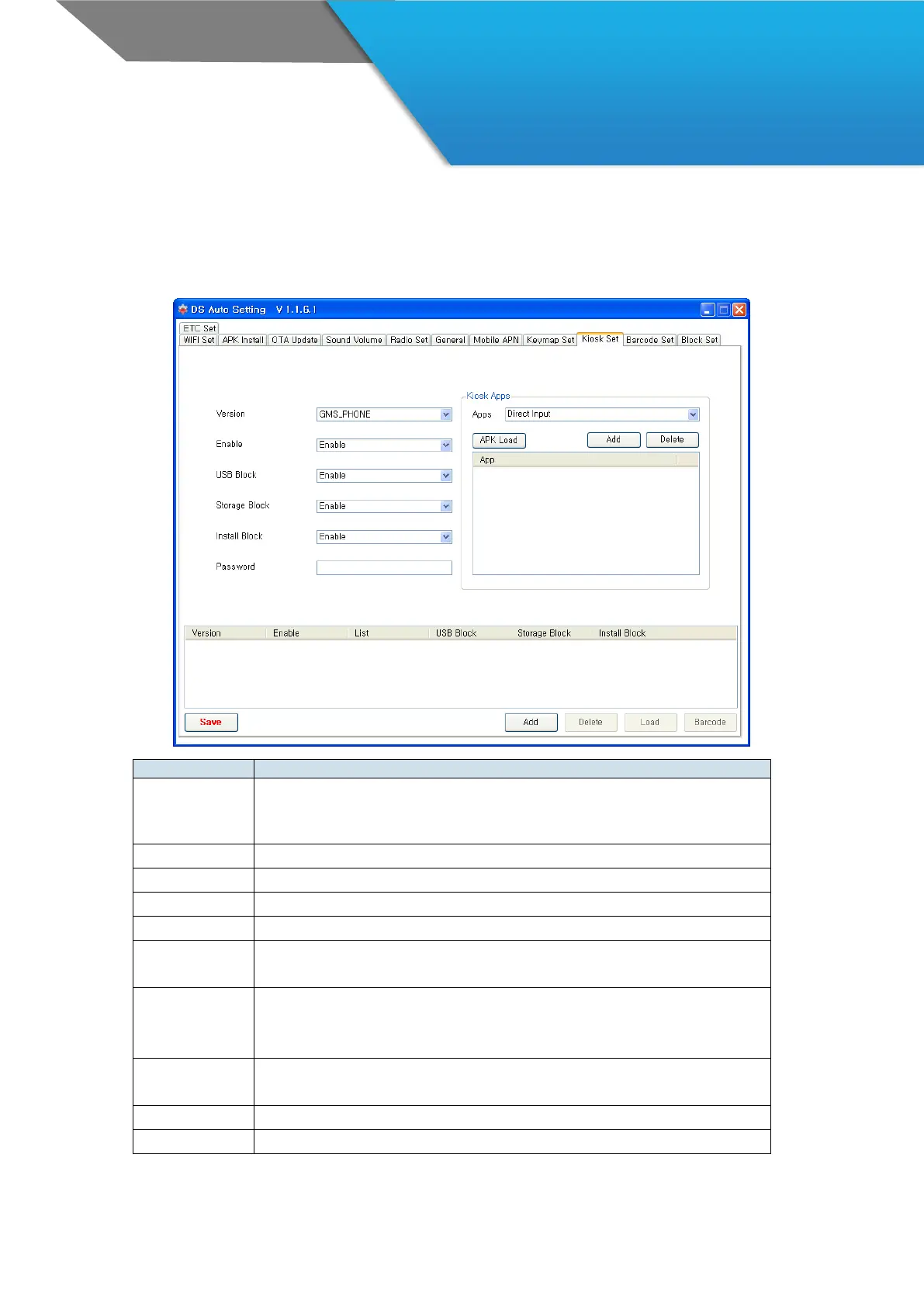
AutoSetting 9 – Kiosk Set
Set Kiosk mode to limit the users’ access to prevent the misusage.
· Choose your version of device
- GMS_PHONE / GMS_NOPHONE / NOGMS_PHONE / NOGMS_NOPHONE
· Each has different application list
· Select Enable/Disable of Kiosk mode
· Select Enable/Disable to allow the USB connection
· Select Enable/Disable to allow the storage
- Select Enable/Disable to allow the installation
· Password cannot be “null”
· The length of Password is 4~10 digits
· Select the Application from the list
· You can input the Application directly
- Example : com.dsic.test/com.dsic.test.MainActivity
· You can select the application from dialog box.
· The file extension is ‘.apk’
· Add the selected application to Kiosk app list
· Delete the selected application from Kiosk app list



 To Next Page