34
CHAPTER 6: SETTINGS
Most apps include their own settings, typically available from Menu > Settings on DS4A devices.
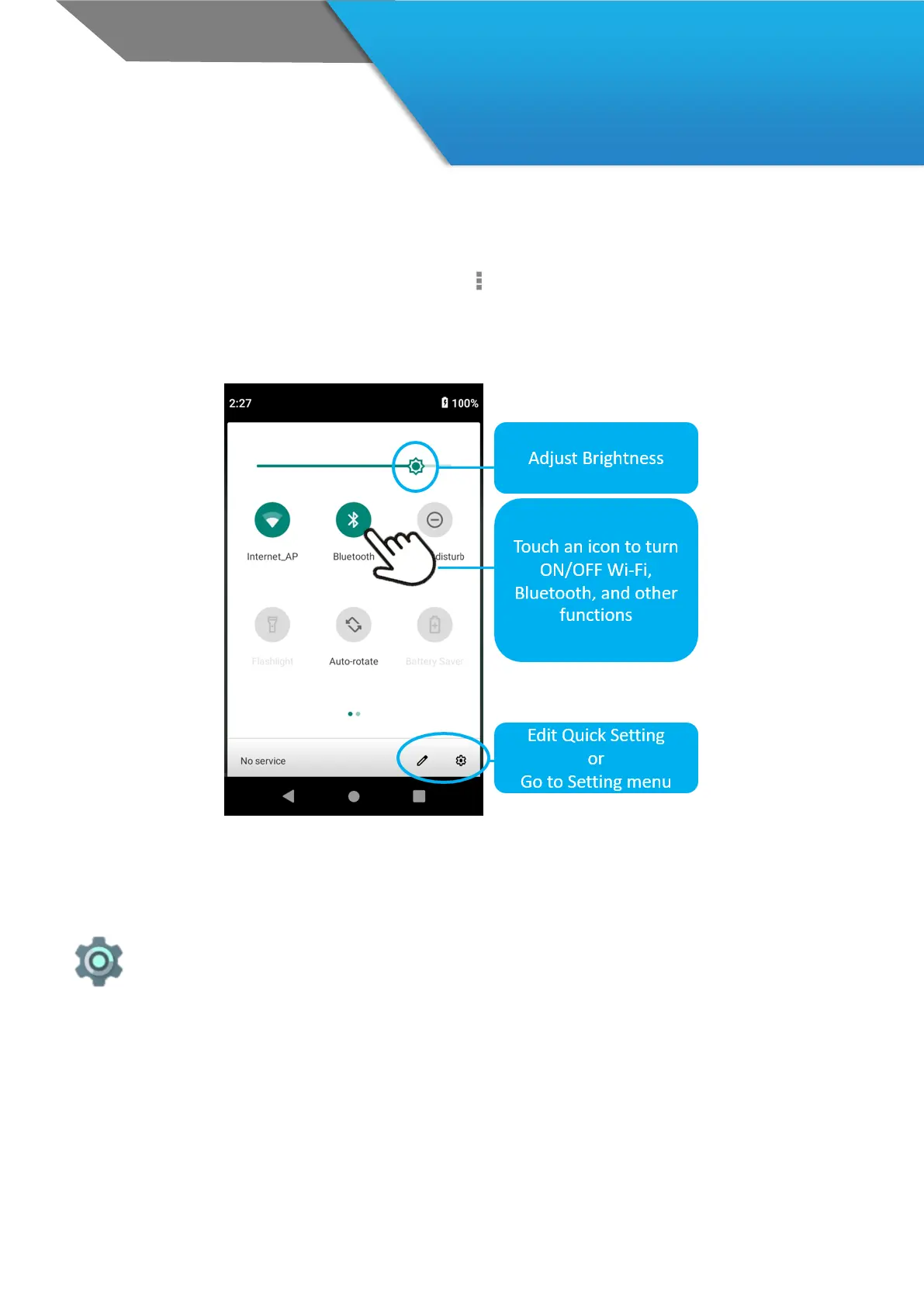
The fastest way to adjust system settings that you access frequently, such as Wi-Fi or brightness, is through Quick
Settings.
Here are the Quick Settings for a DS4A :
To open Quick Settings, swipe down from the top of the screen the Settings icon.
The Settings app controls the core Android settings for networks, hardware, location,
security, language, accounts, and so on.



 To Next Page