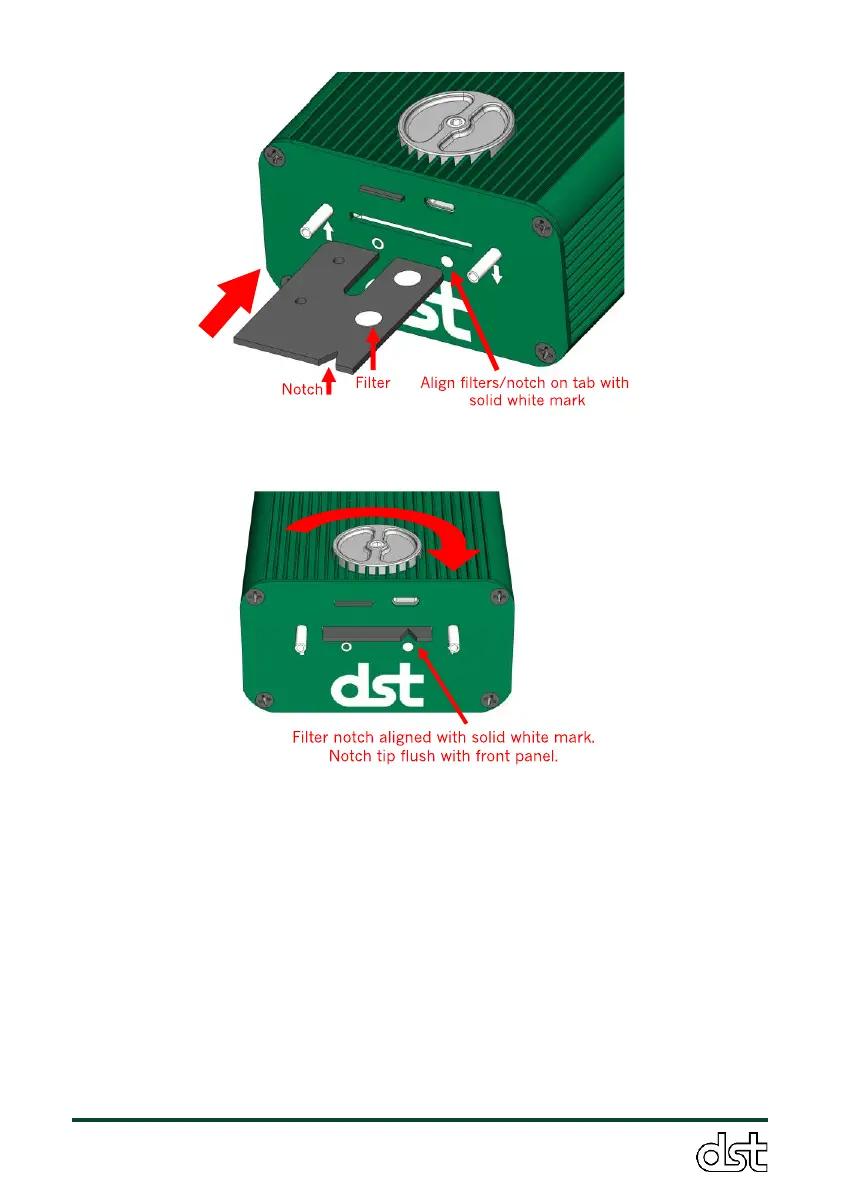
Figure 8. Step 2 of filter tab replacement: Insert a clean filter into the
sensor. Align filter notch with the solid white circle on the front panel.
s
Figure 9. Step 3 of filter tab replacement: Push the filter tab into the
sensor until it is fully seated (notch should be flush with front panel)
and tighten the thumbscrew firmly.
The filter can be changed while the sensor is on or off. If the sensor is on,
the LED button will flash purple rapidly while the filter is removed to
indicate that the filter is out. When the filter is replaced and tightened, the
LED will go back to the normal breathing mode, which indicates current
pollutant concentrations. About 30 seconds after filter replacement, the
LED will flash green twice to indicate it has automatically reset the
attenuation (see next section). If the LED flashes red rapidly after
replacement (indicating an error), check that the filter tab has been
inserted fully into the sensor and is properly aligned in the slot, as shown
in Figure 9). If the filter is changed while the instrument is off, it will take



 To Next Page