denotes different error codes. If the ObservAir displays an error, refer to
Section 6 for troubleshooting instructions to diagnose and resolve the
issue.
3.3. Filter tab replacement
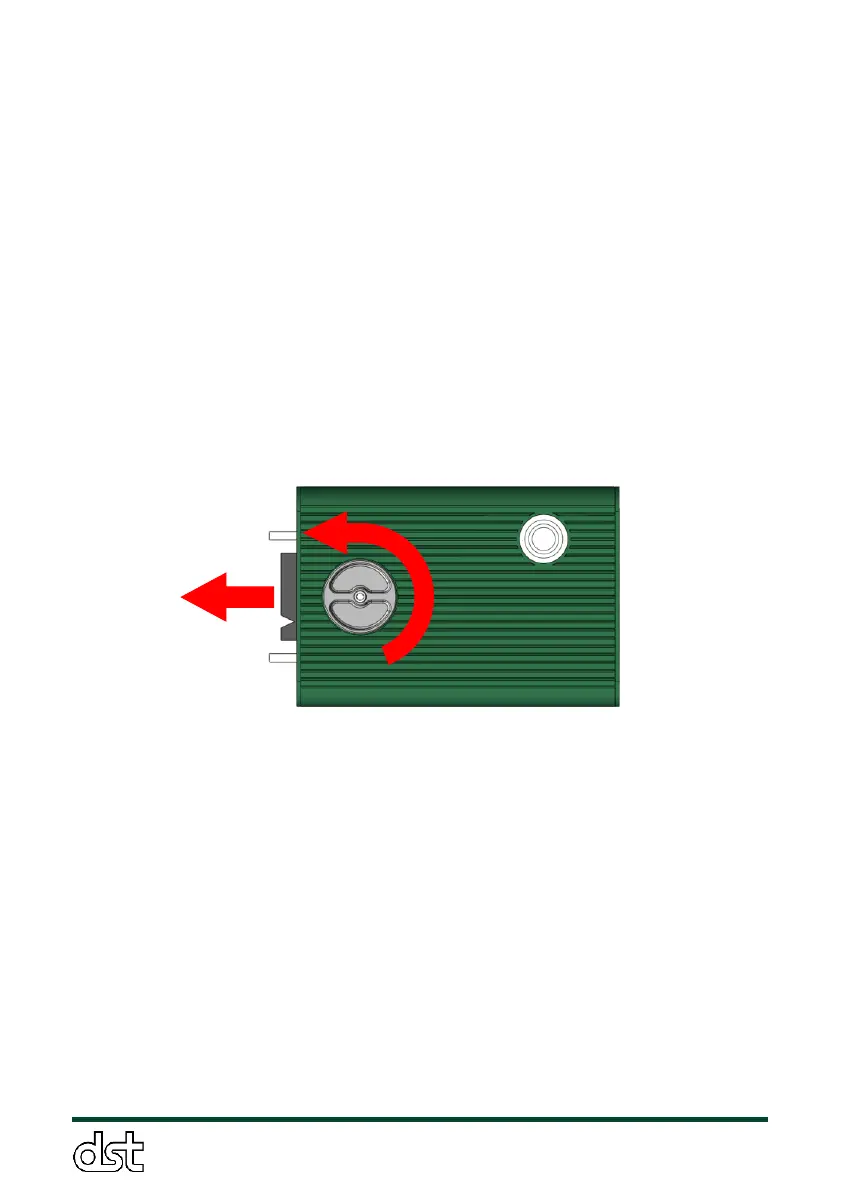
To change the filter tab, first release the thumbscrew by turning it
counterclockwise for about four full turns (Figure 7). Remove the filter tab
by pulling it straight out from the front of the sensor. The filter tab should
release from the sensor with little resistance. If there is any resistance,
further loosen and/or push down lightly on the thumbscrew to release the
filter tab. Second, insert a new filter tab with the notch aligned to the solid
white circle on the faceplate, as shown in Figure 8. Third, insert the new
filter as far as possible, such that the tip of the notch is flush to the front
panel, and hand tighten the thumbscrew firmly.
Figure 7. Step 1 of filter tab replacement: Loosen thumbscrew and
remove the filter tab



 To Next Page