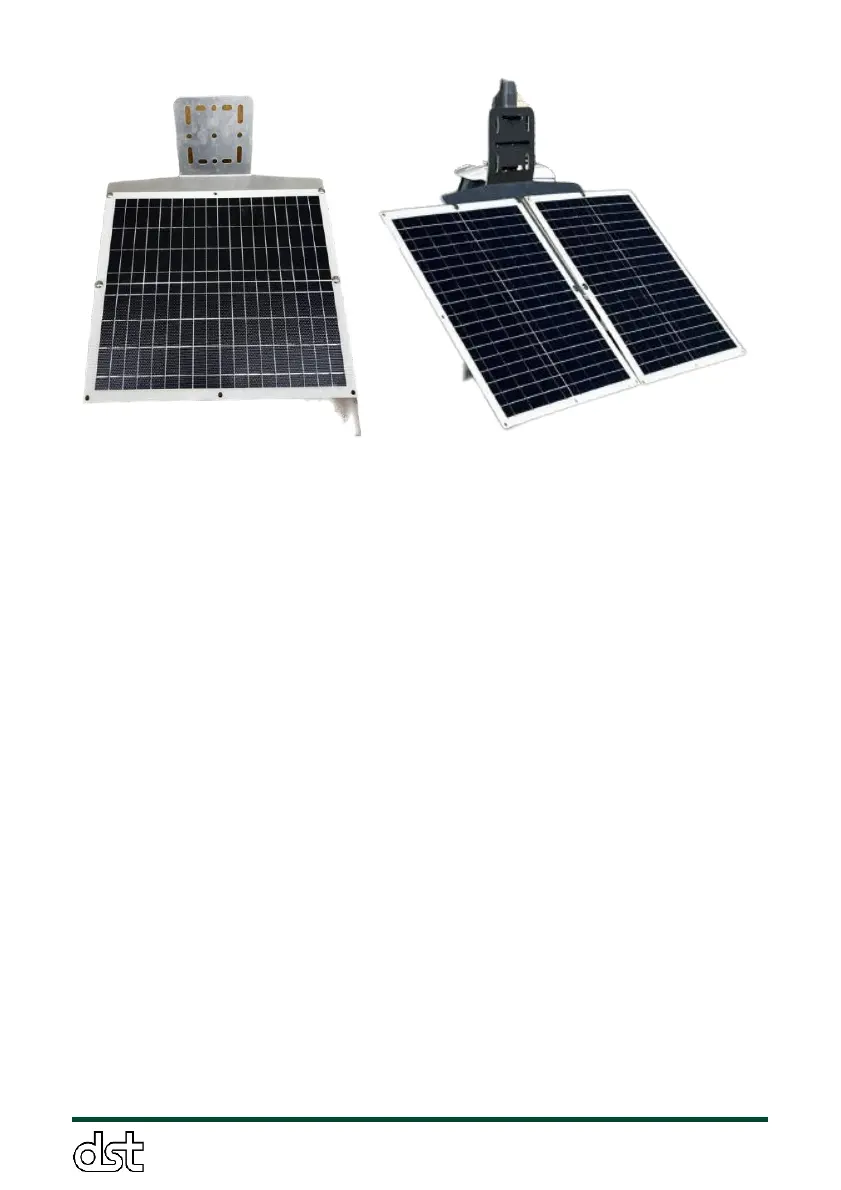
Figure 14. Solar Panel Mounting Configurations – The image on the left
displays the solar panel bracket with a single panel attached, oriented
horizontally. The image on the right demonstrates the dual-panel
configuration, with two panels attached vertically side by side.
3.6. Data collection from onboard SD card
While the ObservAir is operating, data is written to the onboard SD card
in real time as both a primary means of data collection and a reliable
physical backup when wireless data transmission protocols are
implemented. By default, the ObservAir creates a new data file every time
it starts up. Each file represents a data collection “mission”, and is called
“XXX_YYMMDD_HHhMMm.txt” where XXX represents the ObservAir unit’s
ID (or mission name), followed by the date and time of startup. The SD
card also contains a file called “Settings_DataXXX.txt” (where again XXX
represents the unit’s ID or mission name) that contains a running log of
the sensor’s operational settings. A comprehensive overview of both files’
contents is provided below.
3.6.1. Settings file
When a new mission name is entered, a new folder is created with the
name of the mission, and a new settings file is be generated within it. A
new mission is created either by restarting the instrument, or inputting a
mission name. The settings file is composed of four sections:



 To Next Page