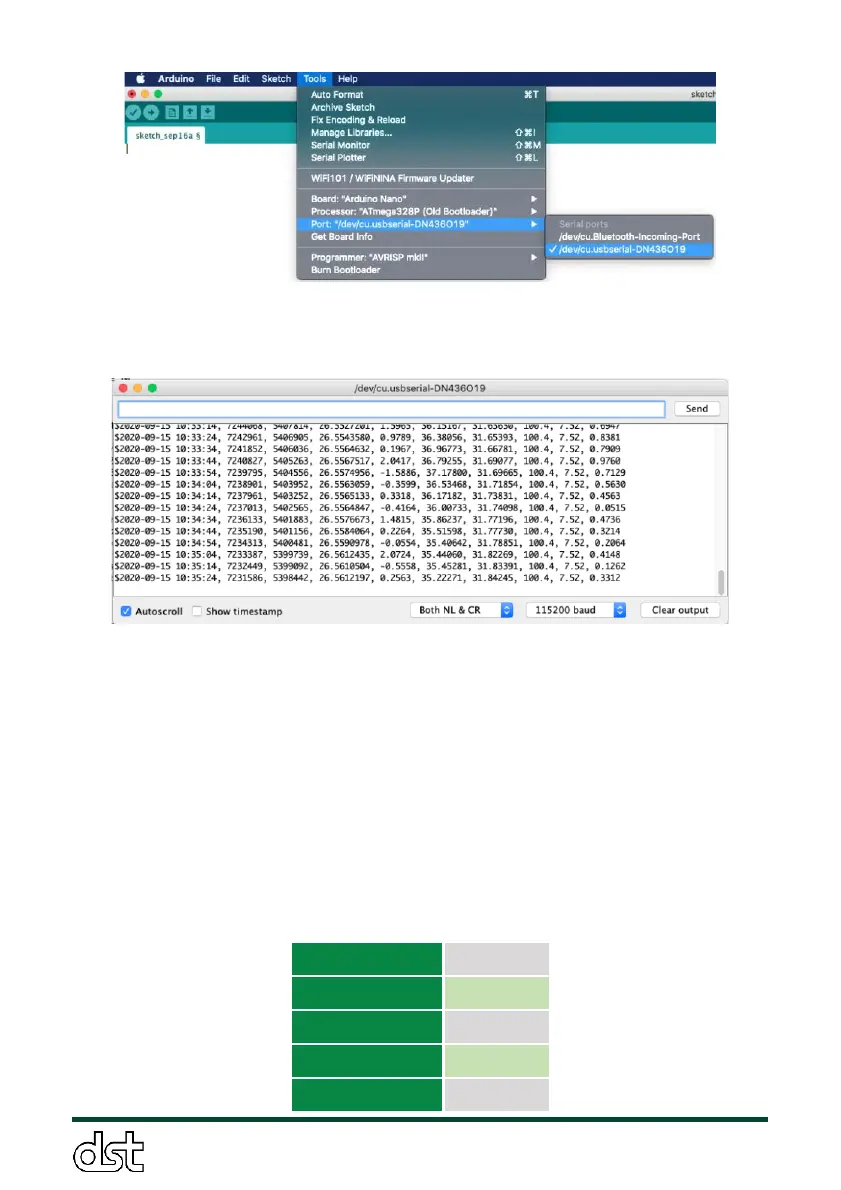
Figure 15. Step 3: Select the ObservAir communications port in
Arduino.
Figure 16. Step 5: Screenshot of the Arduino serial monitor. Select
“Both NL & CR” and “115200 baud” from the pull down menus, as
shown. The screenshot shows typical live data stream from the
ObservAir.
3.8.2. Serial data collection
Serial data is streamed in the same format as it is saved to the SD card
(Section 3.6.1). Please note that the Arduino Serial Monitor does not
have data logging capability. Any serial logging software can be
configured to save ObservAir data using the serial port settings in
Table 5.



 To Next Page