10
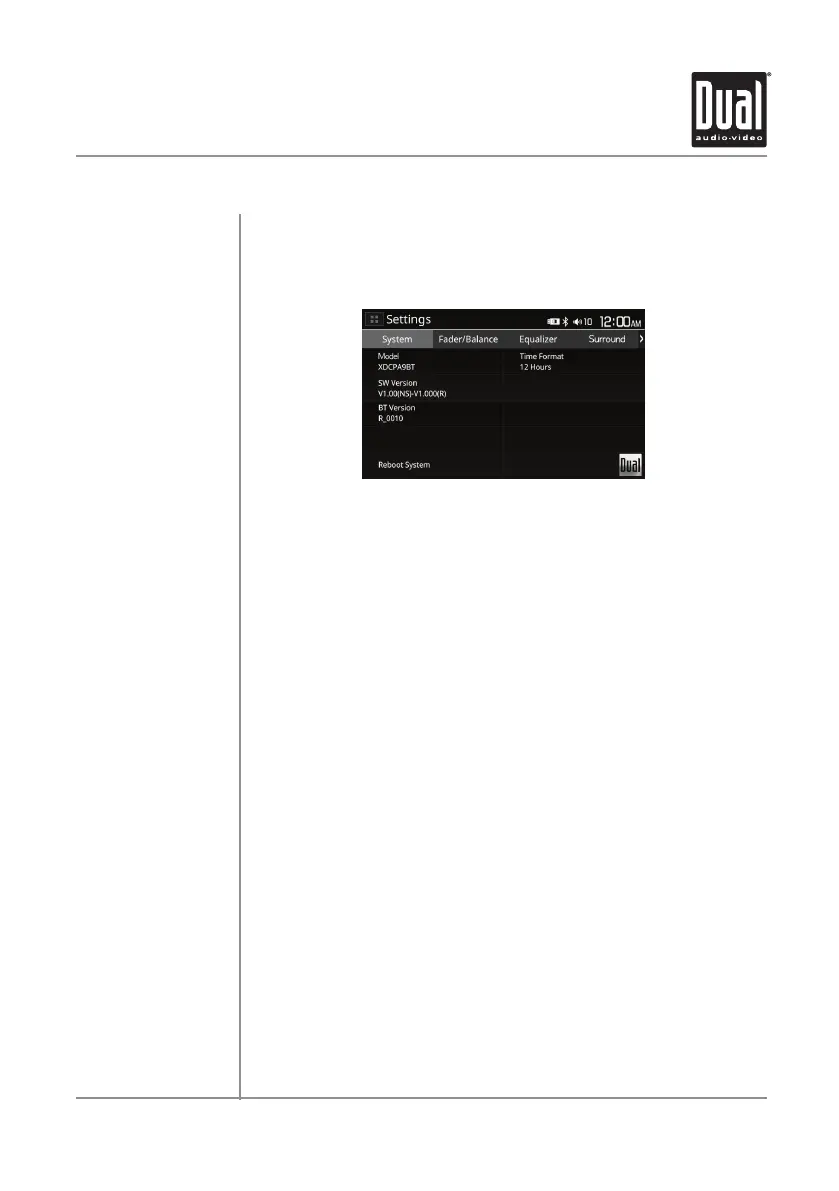
From the Main Menu screen, select Settings to access the Setup menu
and select from eight categories represented by the icons on the top of the
screen: System, Fader/Balance, Equalizer, Surround, Supwoofer, Display,
Time Settings and Miscellaneous. Select the category, and adjust any of the
available options using the touch screen.
System:
• Displays information on Model, SW Version and BT version.
• Reset Bluetooth Settings or Reboot System.
• Select between 12-Hour and 24-Hour Time Format.
Fader/Balance:
• Adjust the Fader (Front to Rear) and Balance (Left to Right).
Equalizer:
• Select between the following EQ presets: Classic, Rock, Pop, Jazz,
Beat, Flat or User (allows user to enter custom EQ settings).
Surround:
• Select between the following Surround options: Stadium, Cinema,
Opera House and Karst Cave.
Subwoofer:
• Subwoofer - Turn subwoofer On or Off.
• Frequency - Select subwoofer frequency: Flat, 80Hz, 120Hz or 160Hz.
• Gain - Adjust subwoofer to desired gain.
Display:
• Increase or decrease brightness settings for the display.
Time Settings:
• Adjust the date and time: Day, Month, Year, Hour, Minute and Format.
Miscellaneous:
• Beep Tone - Turn the Beep Tone On or Off.
• Camera - Turn the Rear Camera On or Off.
• Loudness - Turn the Loudness feature On or Off.
• Programmable Volume - Select the desired volume for each time the
unit is turned on.
General Operation
XDCPA9BT OPERATION
Setup Menu


 To Next Page
 Loading...