27
XML8150 OPERATION
Bluetooth
®
Operation
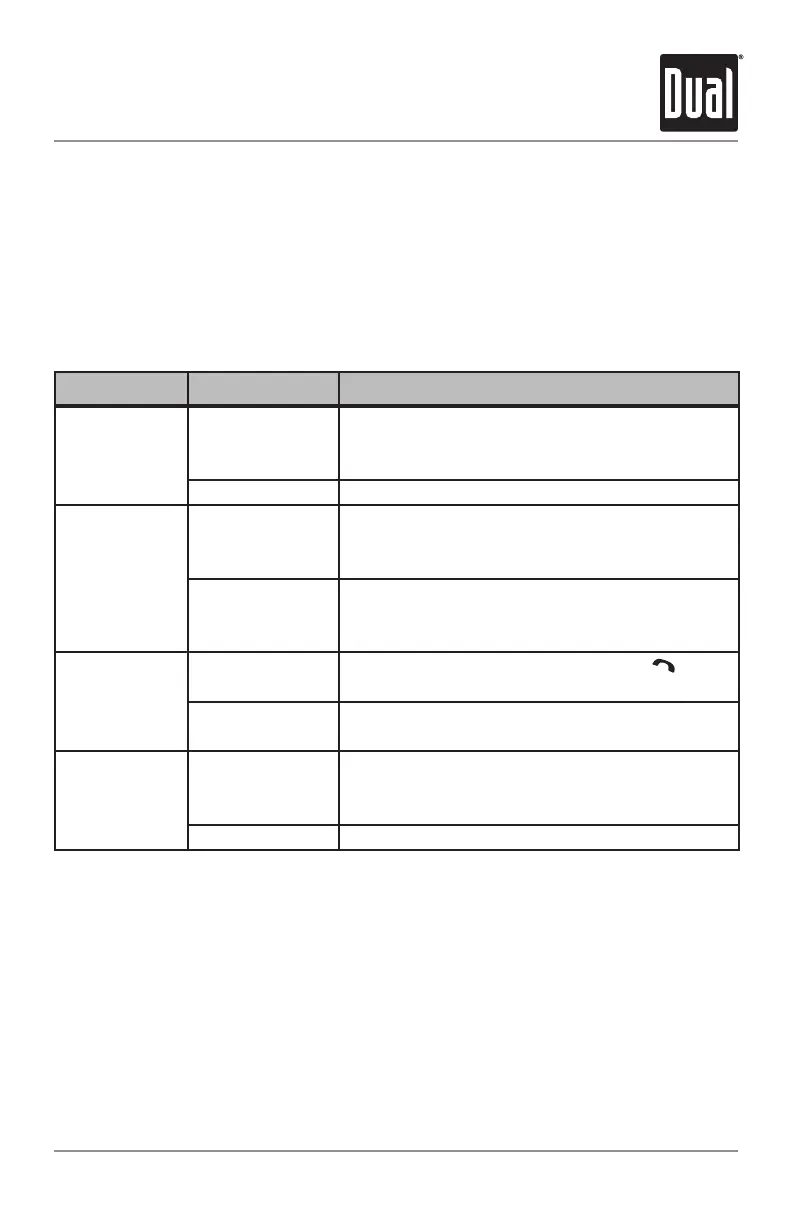
MenuFunction
Options Action
Bluetooth Mode
BL'TOOTHON
EnablestheBluetoothfeature.TheBluetooth
iconwillflashoccasionallywhennotpairedand
connectedtoamobiledevice.
BL'TOOTHOFF DisablestheBluetoothfeature.
Auto Connect
AUTOCONON
AllowstheXML8150toautomatically(re)connectto
themostrecentlyconnectedmobiledevice.Note:
Somemobiledevicesdonotsupportthisfeature.
AUTOCONOFF
Disablestheautoconnectfeature.Toconnect
aBluetoothdevice,youmustusethe"PAIRED
DEVICES"menueachtime.
Auto Answer
AUTOANSOFF
Disablestheautoanswerfeature.Press to
receiveanincomingcall.
AUTOANSON
Allincomingcallswillbeansweredautomatically
after2-3ringswithoutnotification.
Bluetooth Audio
BTSPKRSFRONT
DirectstheBluetoothaudiotoonlythefront
speakers.ThissettingaffectsthespeakerandRCA
outputs.
BTSPKRSALL DirectstheBluetoothaudiotoall4speakers.
Bluetooth Setup Menu
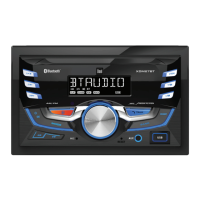
Toenterthesetupmenu,pressandholdAUDIO/MENUformorethan3seconds.Press
AUDIO/MENUtocyclethroughmenuoptions.Whendesiredoptionappearsinthedisplay,
rotatethevolume knobleft/righttoadjustoractivatethedesiredfunction.PressESC to
exitthemenuatanytime.


 To Next Page