File name: Installation DALMx000 IP_2G_3G EN r3 Page 12 (18)
5.2 Operation
This heading contains descriptions of the most common procedures in connection with installation,
commissioning, maintenance and troubleshooting of the DALMx000 EWM series.
5.2.1 SIM card
If a SIM card other than a Dualtech SECURE SIM is to be used, and if the SIM card has a PIN code activated,
it must be deleted before the card is placed in the alarm transmitter. This is most easily done using a
standard mobile phone.
5.2.2 Programming
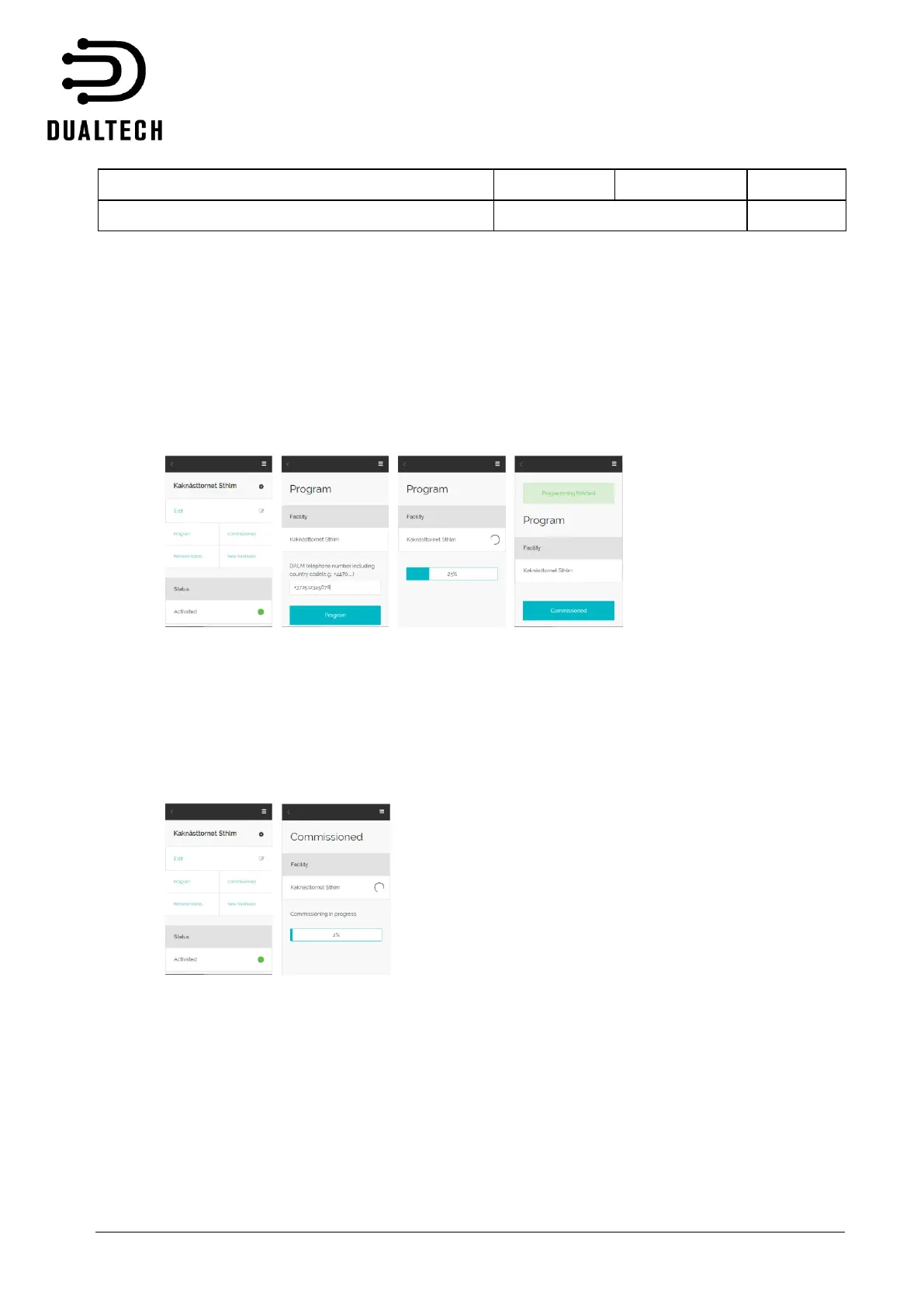
The alarm transmitter function is configured via the EWM portal, https://ewm.dualtech.se. Once the
configuration file is created in the portal, log into the system from your PC or mobile phone app EWM 2.0
using the same login details as in the portal, select the correct configuration file and then press ”Program”.
Enter the phone number for the device, i.e. the phone number including country code for the SIM card
inserted in the device, and then press the ”Program” button. The programming sequence is indicated via a
progress bar.
5.2.3 Commissioning
Commissioning is carried out after programming and means that the device connects to and registers itself
with the alarm receiving centre. Note that the product DALM5000 IP/GPRS EWM can be configured for
dual alarm receiving centres and that commissioning then must be carried out for each of the two ARC´s.
During commissioning at the alarm receiving centre the device uses the Transmitter code and Password
specified at configuration. The password is changed in connection with commissioning, i.e. the password
specified at configuration should be considered a one-time password.
Commissioning starts when the ”Commission” button is pressed in the app, see image to left. As the first
step of commissioning the device performs a check of all available communication paths. If any of the
communication paths are not available a warning is given via the app, where there is a choice to continue
commissioning with limited available communication.



 To Next Page