File name: Installation DALMx000 IP_2G_3G EN r3 Page 13 (18)
5.2.4 Status request
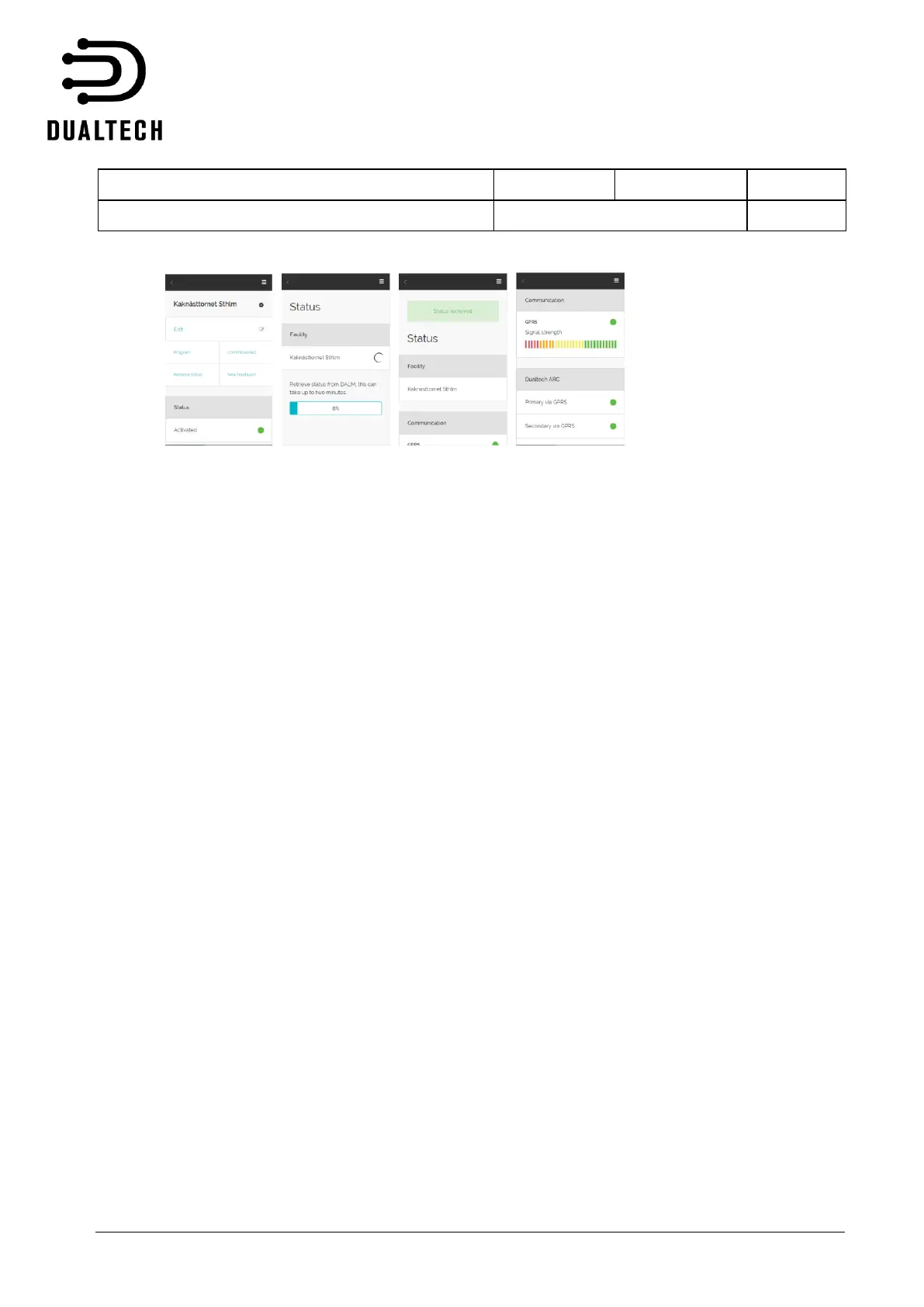
When the device has been programmed, a status request can be performed from the PC or from the app
at any time. Log into the system and select configuration. Current status of the device is obtained after
pressing the ”Status” button.
At a status request, the following is presented
GPRS/3G signal strength
Status fixed network connection
Status of both communication paths to alarm receiving centre
Latest heartbeat to ARC: date, time and result
Current status of inputs (alarm or standby)
Current status of outputs (active or not active)
Current status of device error sources (alarm or standby)
SW version of the device
5.2.5 SIM card replacement
To replace a SIM card in DALMx000, carry out the following steps:
1. Power off the device
2. Install the new SIM card in the device
If the new SIM card is from the same mobile operator as the old SIM card, carry out the following steps:
3. Power on the device
4. Reprogram the configuration file to the DALMx000 unit, where the new phone number is entered
during programming
5. Done
If the new SIM card is from another mobile operator, carry out the following steps:
1. Update the configuration in EWM where the new APN is entered for the new mobile operator.
2. Reset the hardware to factory settings:
2.1 Set DIP3 to ON
2.2 Connect the power supply
2.3 Check that LEDs 2, 3,4 and 5 flash



 To Next Page