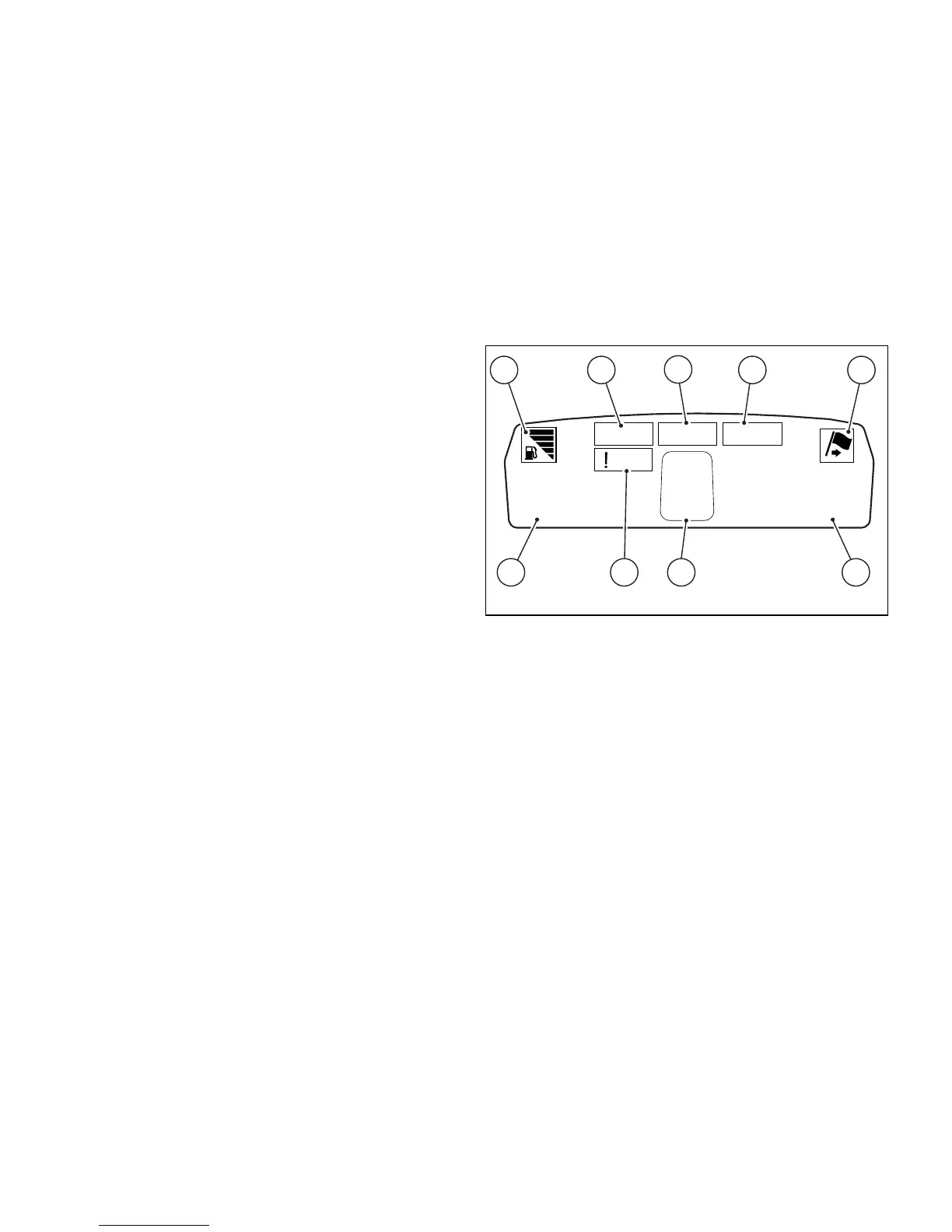
Instrument panel on fuel tank
Instrument panel on tank consists of a colour TFT
display housed inside tank fairing and displays trip
information (set riding mode, odometer, fuel
consumption, average speed, etc.) as well as the
"setting" menus to be used to enable and adjust the
different functions.
1) Menu 1 (TOT, TRIP1, TRIP2, RANGE).
2) Menu 2 (CONS.AVG., CONS., SPEED AVG, TRIP
TIME and AIR) if active.
3) Gear / Neutral indication.
4) Icon indicating fuel level.
5) Engine setting indication for the currently set
riding mode.
6) Currently set Riding Mode.
7) DTC (Traction Control) level indication for the
currently set riding mode.
8) Icon referring to the function indicated under
Menu 2.
9) Side stand open indication.










 To Next Page