EasyManua.ls Logo

Duke FBB-NC-120 - User Manual

Duke FBB-NC-120
36 pages
Print Icon
To Next Page IconTo Next Page
Loading...
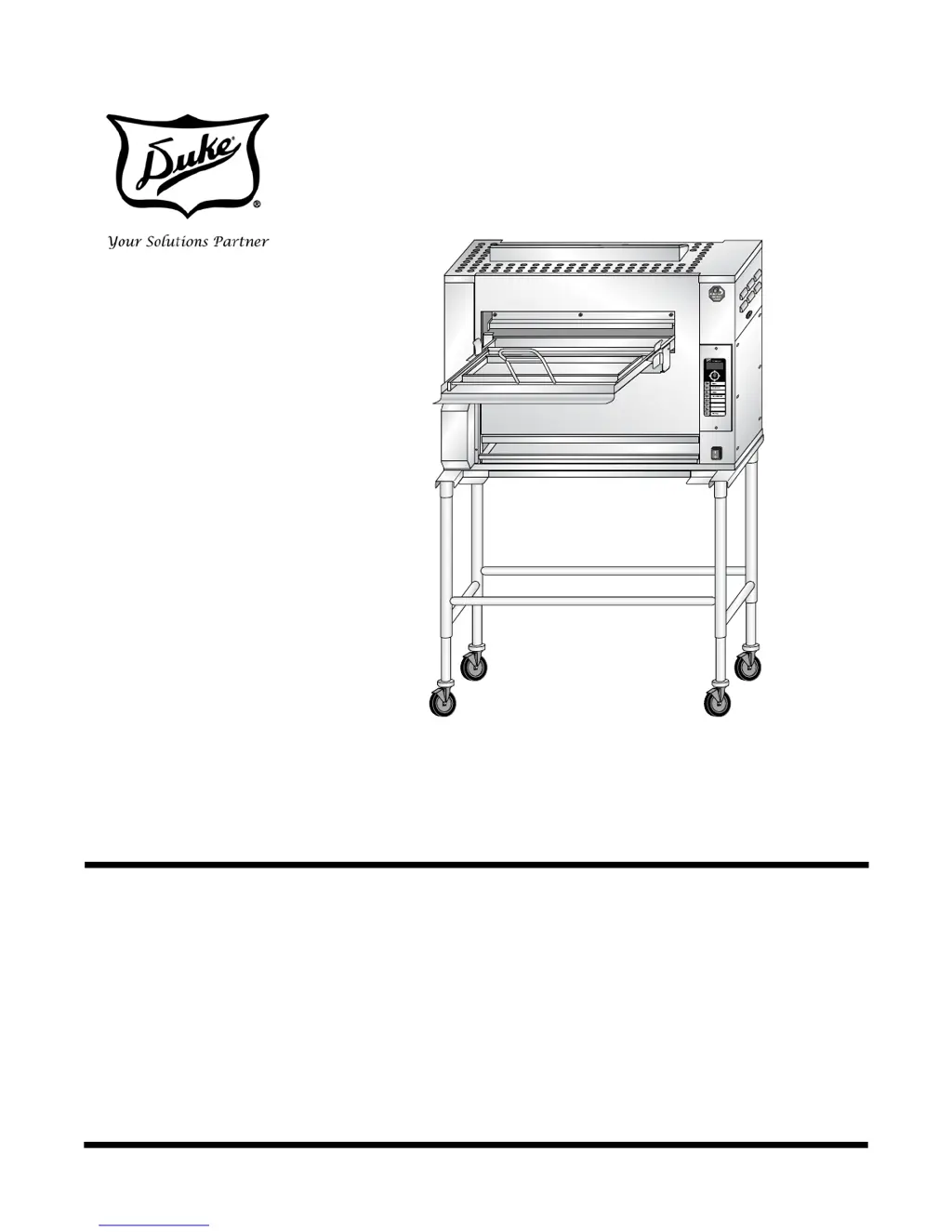
Installation and
Operation Manual
BURGER KING
FLEXIBLE
BATCH BROILER -
LOWER BURNER
UPGRADE
Please read this manual completely before attempting
to install, operate or service this equipment
This manual is Copyright © 2014 Duke Manufacturing Co. All rights reserved.
Reproduction without written permission is prohibited. Duke is a registered
trademark of the Duke Manufacturing Co.
Duke Manufacturing Co.
2305 N. Broadway
St. Louis, MO 63102
Phone: 314-231-1130
Toll Free: 1-800-735-3853
Fax: 314-231-5074
www.dukemfg.com
P/N 176483C
10/1/2014

Questions and Answers

  • F
    Felicia MilesAug 17, 2025
    Why is my product raw in the Duke FBB-NC-120 Broiler?
    • S
      Shelley MaysAug 17, 2025
      Raw or undercooked product may occur due to several reasons: * Improper loading technique. * Pressing the product button before loading the product. * Selecting the wrong product button. * Lower burner or infrared burners not lighting correctly. To resolve this: * Review the loading technique. * Ensure the product button is pressed immediately after loading. * Select the correct product button. * If the broiler is hot, clean the burner with a cleaning tool. If cold, remove and clean the lower burner after removing access panels, then reinstall. Clean the lower flame sensor with a soft cloth and isopropyl alcohol. Also, clean the two upper flame sensors and the flame sensor tube.
  • J
    Jacqueline ChavezAug 19, 2025
    How to fix a Duke FBB-NC-120 Broiler when the control display doesn't light up?
    • S
      Shannon ShepherdAug 20, 2025
      If the control display of your Duke Broiler does not light up, it is likely due to a lack of power. Ensure that the broiler is properly plugged into a receptacle with the correct voltage and Hz, according to the name plate rating. Also, check the dedicated circuit breaker.
  • N
    navarrorobertAug 26, 2025
    What does 'gAS bot' mean on my Duke Broiler display?
    • S
      sextonbradleyAug 26, 2025
      If your Duke Broiler control display shows “gAS bot”, it indicates an issue with the gas supply or the lower burner not lighting properly. First, cycle the broiler off and back on. If the error persists, ensure that the gas valves connected to the broiler are in the ON position. If the broiler is hot, try cleaning the burner in place with a broiler cleaning tool. If the broiler is cold, remove the lower burner by removing the access panels, clean it, and then reinstall it. Also, remove the lower flame sensor and clean it with a soft cloth and isopropyl alcohol.
  • S
    Stephanie HuffmanAug 28, 2025
    What does 'gAS toP' mean on my Duke Broiler display?
    • J
      Jennifer DavisAug 28, 2025
      If the control display of your Duke Broiler is reading “gAS toP”, it means that the broiler is not receiving a gas supply or the infrared burners are not lighting properly. Ensure that the gas valves in line with the broiler are in the ON position. Remove the upper control compartment panel and clean the two upper flame sensors with a soft cloth and isopropyl alcohol. Also, clean the flame sensor tube with a flame sensing tube cleaning brush.
  • P
    patrickamberAug 30, 2025
    What does 'tESt Prod' mean on my Duke Broiler display?
    • M
      Michael MarksAug 31, 2025
      If your Duke Broiler's control display reads “tESt Prod”, it indicates that the lower burner or infrared burners are not lighting properly. If the broiler is hot, attempt to clean the burner in place with a broiler cleaning tool. If the broiler is cold or allowed to cool down, remove the lower burner by removing access panels, clean, and reinstall. Remove the lower flame sensor and clean it with a soft cloth and isopropyl alcohol. Remove the upper control compartment panel and clean the two upper flame sensors with a soft cloth and isopropyl alcohol. Clean the flame sensor tube with a flame sensing tube cleaning brush.
  • M
    Michael SavageSep 2, 2025
    What does 'gAS SEnt' mean on the Duke FBB-NC-120 Broiler display?
    • M
      Michele BradleySep 2, 2025
      If the Duke Broiler control display shows “gAS SEnt”, it means the infrared burners are not lighting properly. To fix this, remove the upper control compartment panel and clean the two upper flame sensors with a soft cloth and isopropyl alcohol. Also, clean the flame sensor tube with a flame sensing tube cleaning brush.
  • L
    Lisa DeleonSep 5, 2025
    What does 'gAS SEnb' mean on my Duke Broiler display?
    • M
      Mark HawkinsSep 5, 2025
      If the control display of your Duke Broiler reads “gAS SEnb”, it indicates that the lower burner is not lighting properly. If the broiler is hot, try cleaning the burner in place with a broiler cleaning tool. If the broiler is cold, remove the lower burner by removing the access panels, clean it, and reinstall it. Also, remove the lower flame sensor and clean it with a soft cloth and isopropyl alcohol.
  • D
    Dakota RichardsSep 8, 2025
    What to do if the conveyor belt won't move to discharge product in my Duke Broiler?
    • V
      veronicajohnsonSep 8, 2025
      If the conveyor belt of your Duke Broiler does not move to discharge the product, it is likely being obstructed. Manually rotate the conveyor belt from the discharge end using a broiler cleaning tool to check for any obstructions. Also, ensure that the discharge scraper, docking plate, and flame arrestor are properly in place.
  • M
    Mr. Patrick OrtegaSep 12, 2025
    Why is product getting stuck when loading in my Duke Broiler?
    • C
      Christopher DiazSep 12, 2025
      If the product is getting stuck or mangled upon loading in your Duke Broiler, it is likely that the docking plate or flame arrestor is not properly in place. Ensure that the docking plate and locking tab are correctly positioned, and that the flame arrestor is correctly in place with the tabs slotted correctly.
  • B
    bparksSep 13, 2025
    Why can't I push the loader completely into the cooking chamber of my Duke FBB-NC-120 Broiler?
    • S
      Sarah FernandezSep 13, 2025
      If the loader cannot be pushed completely into the cooking chamber of your Duke Broiler, the docking plate is likely not properly in place. Ensure that the docking plate and locking tab are correctly positioned.

Summary

IMPORTANT WARNING AND SAFETY INFORMATION

General Safety Instructions

Essential safety guidelines for installation, operation, and maintenance.

INSTALLATION INSTRUCTIONS

Qualified Personnel Requirements

Specifies the qualifications needed for installation and service personnel.

OPERATION INSTRUCTIONS

Broiler Control Panel Overview

Identification and function of the broiler's control panel buttons and display.

Cooking Product

Step-by-step instructions for preparing and cooking product.

Entering Program Mode

Procedure to access the broiler's programming functions.

Level 1 Programming: Recipes

Instructions for programming product identifiers and cook temperatures.

Level 2 Programming: Settings

Guide for adjusting broiler functionality like temperature units.

TROUBLESHOOTING

Troubleshooting Guide

Common symptoms, causes, and remedies for broiler issues.

SERVICE AND REPAIR

Duke FBB-NC-120 Specifications

General IconGeneral
BrandDuke
ModelFBB-NC-120
CategoryBroiler
LanguageEnglish

Related product manuals