13
RFDU Operator’s Manual
RFDU OPERATING INSTRUCTIONS Continued
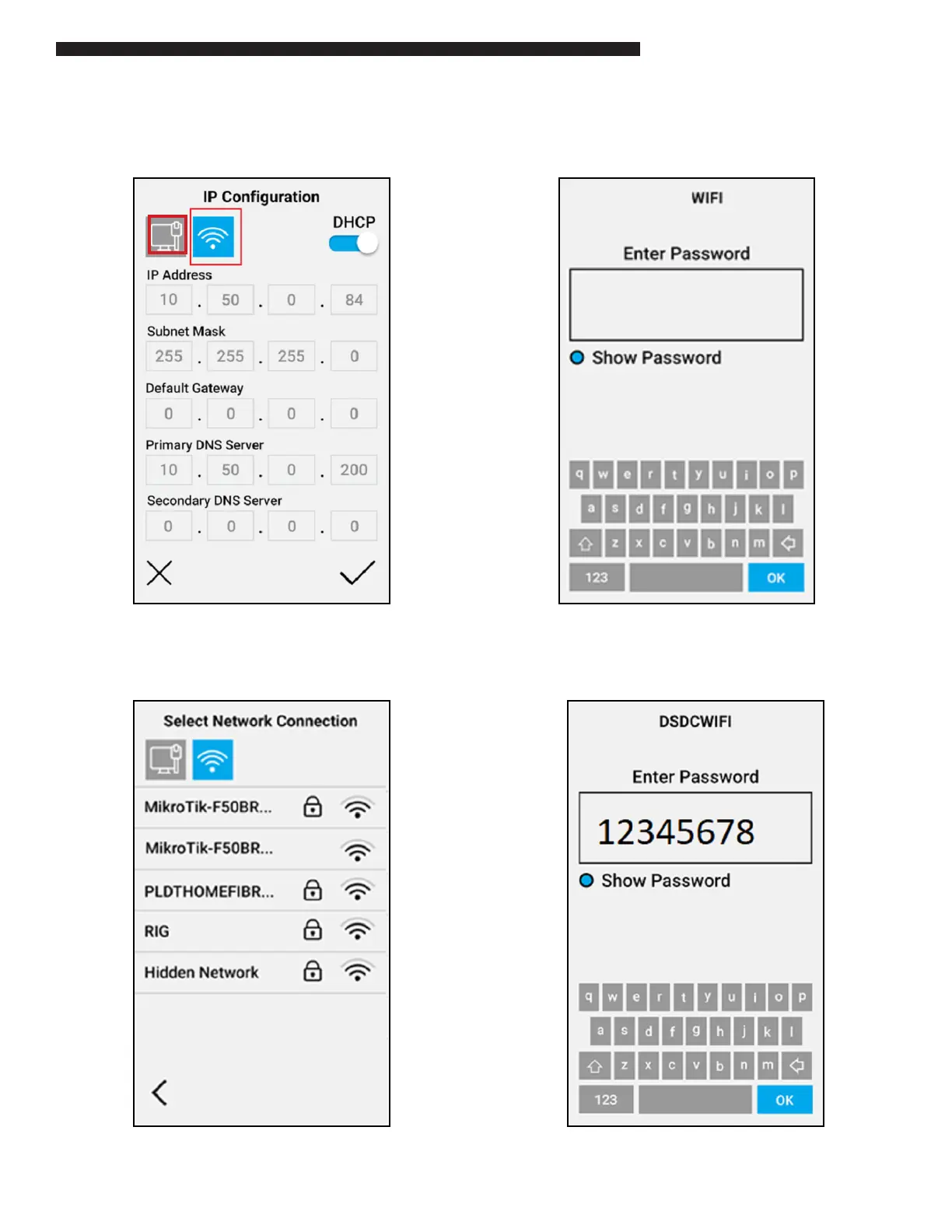
The current network selection will be highlighted,
either Ethernet or WiFi. For example:
To change to WiFi select the WiFi icon ( ) near the top
of the Network Cong screen. A list of available WiFi
SSID’s will then appear.
To connect to a WiFI SSID click on the SSID name.
The Wi SSID password will then be required.
Press anywhere within the “Enter Password” box
to load the on-screen keyboard to enter the WiFi
password.


 To Next Page