15
RFDU Operator’s Manual
RFDU OPERATING INSTRUCTIONS Continued
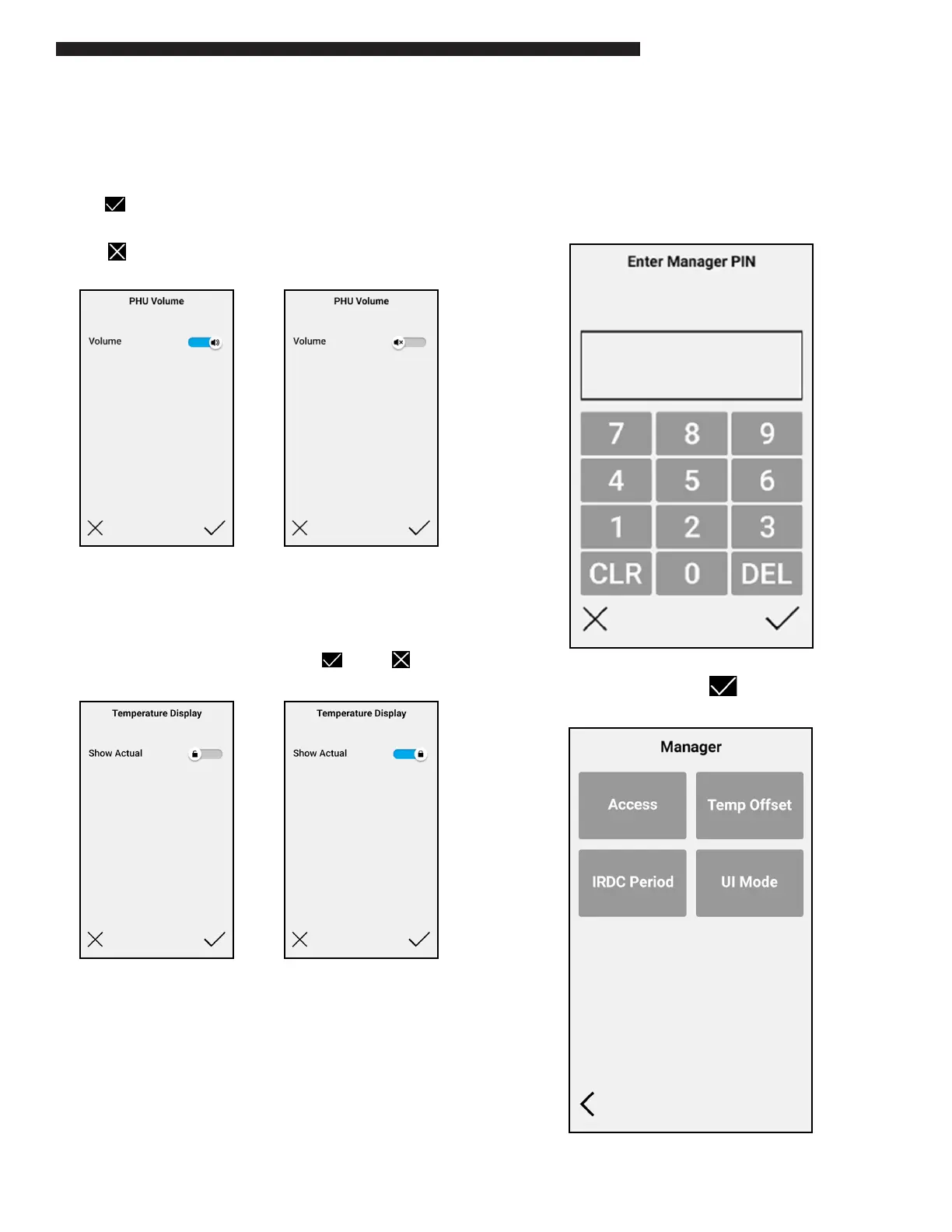
PHU Volume
The PHU Volume option will either enable or disable
sound on the RFDU.
The slider can be moved either on or o.
Select to save and update the PHU Volume
Conguration.
Select to exit without making a change.
Temperature Display
The Temp Display option will either enable or
disable the temperature display on the RFDU run
screen.
The slider can be moved either on or o .
Manager Menu
The MANAGER menu is PIN code protected and
allows the 'manager' access to the ACCESS, TEMP
OFFSET and IRDC Period functions.
Selecting "MANAGER" the following screen will be
displayed.
Enter PIN "8429" and select and the following
screen will be displayed.


 To Next Page