10 | 5.1 Loading Ribbon
DuraLabel.com | 800.788.5572
5. Loading Ribbon and Label Stock
To load your Toro with supplies, you will need to raise the hinged cover. The cover will
hold itself at the fully-opened position, which will require about 21 inches of vertical
clearance.
5.1 Loading Ribbon
The printing ribbon provides the “ink” for the printing process. As labels are printed,
colored resin will be transferred from the fresh ribbon onto the label stock, and the used
ribbon will be collected on a take-up roller for later disposal.
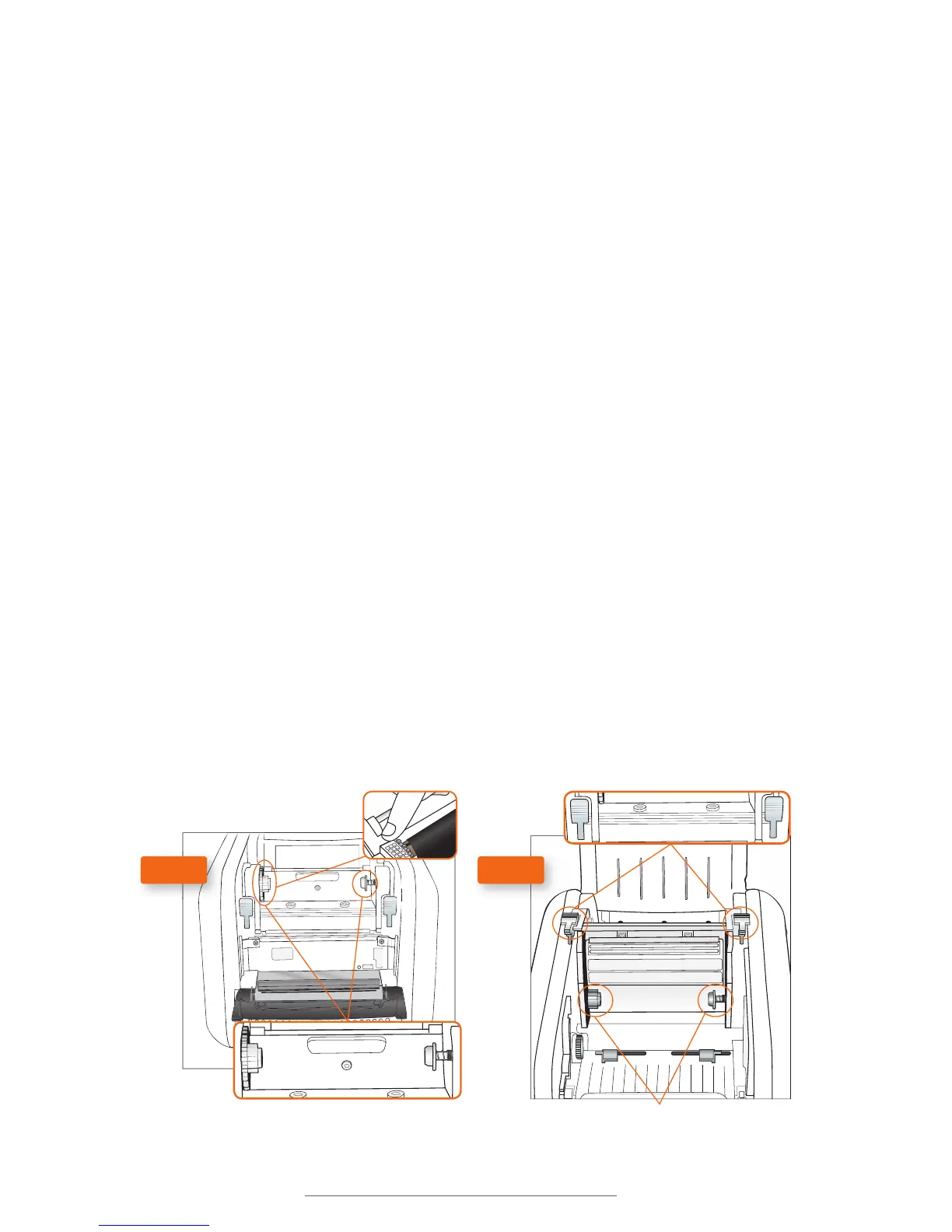
1. Start with a fresh, empty ribbon take-up core. Fit one end of the core onto the gray
spring-loaded holder on the top of the print head carriage. Then, fit the other end of
the ribbon core onto the wheeled holder (Fig. A). Turn the take-up core or holder by
hand, until the tab on the holder locks into the notch in the core.
2. Then, push the gray print head release tabs (Fig. B), to release the print head
carriage. It will spring upward. Hold the new roll of ribbon so the loose end falls to
the rear of the printer. Fit one end of the ribbon core onto the gray spring-loaded
holder (Fig. B) on the underside of the print head carriage.
3. Then, fit the other end of the ribbon core onto the geared holder. Turn the ribbon
core by hand until the tab on the holder locks into the notch in the core.
4. Pull the loose end of the ribbon up and around the print carriage and use a small
piece of label stock or tape to secure the end of the ribbon to the top of the empty
rewind core.
5. Pull the ribbon snug by turning the gray take-up wheel (Fig. A).
Ribbon Take-up Core Holders
Print head release Tabs
Ribbon Supply Core Holders
Take-Up Wheel
FIG. A FIG. B



 To Next Page