DuraLabel.com | 800.788.5572
5.2 Loading Label Stock | 11
LOADING RIBBON AND LABEL STOCK
5.2 Loading Label Stock
Your label stock is the base material for your labels, or the “paper” in the printing
process. For each roll of ribbon you use in the Toro, you will probably use three or four
rolls of label stock.
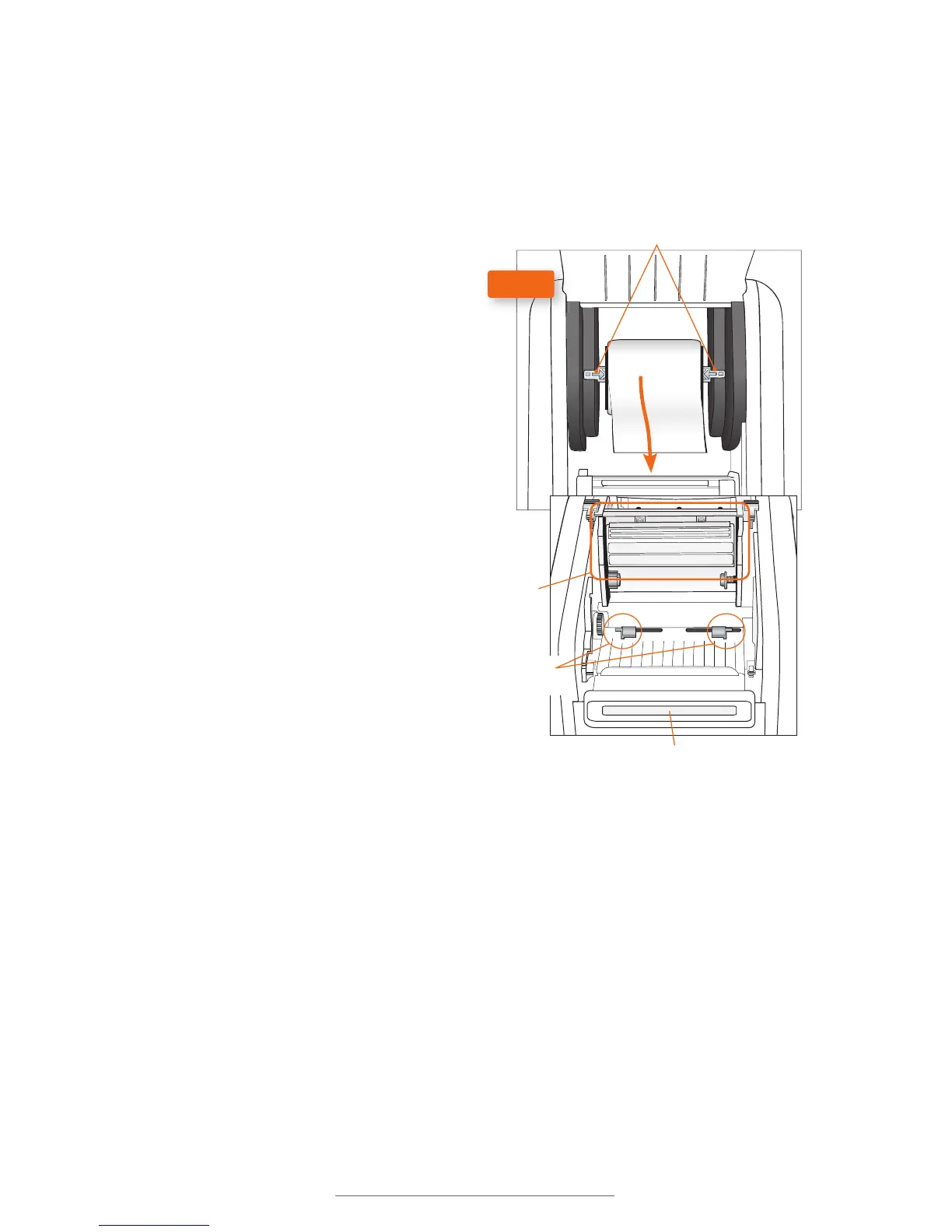
Cutter Module
Print
Carriage
Fixing Tabs
Adjustable
Label Guides
FIG. C
1. If you haven’t already done so, raise
the print head carriage by pressing
the two gray Print Head Release
Tabs (Fig. B).
2. Place label supply onto the supply
spindle and slide the fixing tabs onto
either side (Fig. C) to hold the roll in
the center of the spindle.
3. With the label supply unrolling
from the top of the roll and feeding
toward the print head carriage, rest
the supply spindle into its slots in
your Toro.
4. Feed the end of the label supply
under the print carriage, threading
it between and beneath the gray
adjustable label guides, and over
the top of the rubber roller near the
cutter module.
5. Slide the gray adjustable label
guides together to keep the label
stock centered, but not so tight as to
bend or wrinkle the label stock.
6. Close the print head carriage by
pressing it down into place, and then
close the Toro cover.
When loading supplies, you can also flip the cutter module down to provide more room.
Simply pull the top edge of the cutter module away from the rest of the Toro; it will rest
in its lowered position. If you lower the cutter module while changing supplies, be sure
to raise it back into place before closing the Toro lid.



 To Next Page