6
Configuring the Camera
To configure a unit, you will need to use the Device Configurator application (included
on the CD shipped with the camera) or the Latitude NVMS Discovery Tool (version 3.5
orhigher). You will also need a crossover or straight-through Ethernet cable. The
crossover cable is to directly connect the unit to a computer; the straight-through
cable is to integrate the encoder to your network. For detailed pinouts, see page 26.
Computer Requirements
The minimum hardware and software requirements for the host computer used to
configure a 9540 camera are:
An Ethernet network card
Internet Explorer 6.0
Microsoft DirectX 8.1 or higher
Windows 2000 Service Pack 2 or higher, or Windows XP Service Pack 2
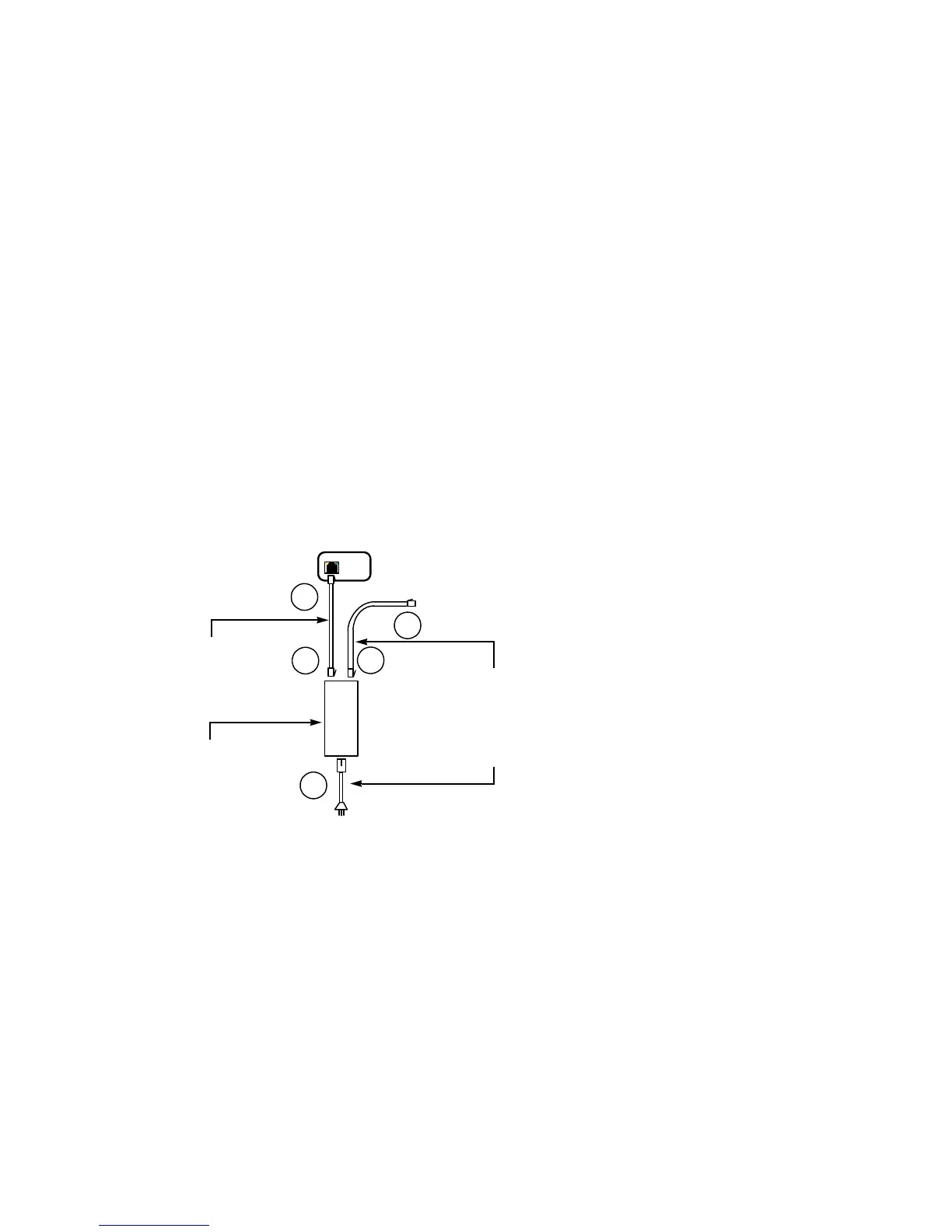
Connecting the PoE Kit
The supplied power-over-Ethernet (PoE) kit is used to power the camera and connect
it to the network. The PoE kit contains two items: an injector and a power cord.
To connect the PoE kit:
6. Plug a straight-through Ethernet cable into the LAN 10/100 connector on the back
of the 9540 IP Camera camera.
Note: The maximum length of this cable should be 164 feet (50 meters).
7. Plug the other end of the cable into the DATA & PWR port of the injector.
8. Connect another Ethernet cable into the DATA port of the injector. Use a straight-
through cable if connecting to a switch and a crossover cable to connect directly to
a computer
Note: The maximum length of this cable should be 82 feet (25 meters).
9. Connect the other end of the second cable into an Ethernet device (for example, a
switch) or a computer.
10.Power the 9540 IP Camera camera by plugging the injector’s power cord into an
AC outlet.
2
3 4
5
J2
DATA
J1
DATA & PWR
6
Power cord
PoE injector
Straight-through
Ethernet cable
Ethernet cable
(straight-through or
crossover)



 To Next Page