9
Using the Encoders
The 9540 can generate two seperate encoded video streams, enabling the following
usage scenarios.:
Note: You cannot use the web interface and Latitude NVMS at the same time.
Creating a Point-to-Point Connection
To view video on a monitor in a point-to-point context, you must create a connection
between the 7600 Series encoder and a 7501D decoder. Typically, both units reside in
the same IP subnet as Device Configurator and have the same VSIP port; to access
other units, refer to the Unit Discovery section in the Device Configurator User
Manual.
Note: The 7501D must be running firmware version 3.10 or higher.
For more information about connection setup, refer to the “Managing Connections”
chapter, in the Device Configurator User Manual.
To perform a point-to-point connection:
1. Launch Device Configurator.
2. In the Units tab, discover the desired devices.
The discovered devices appear in the Units box.
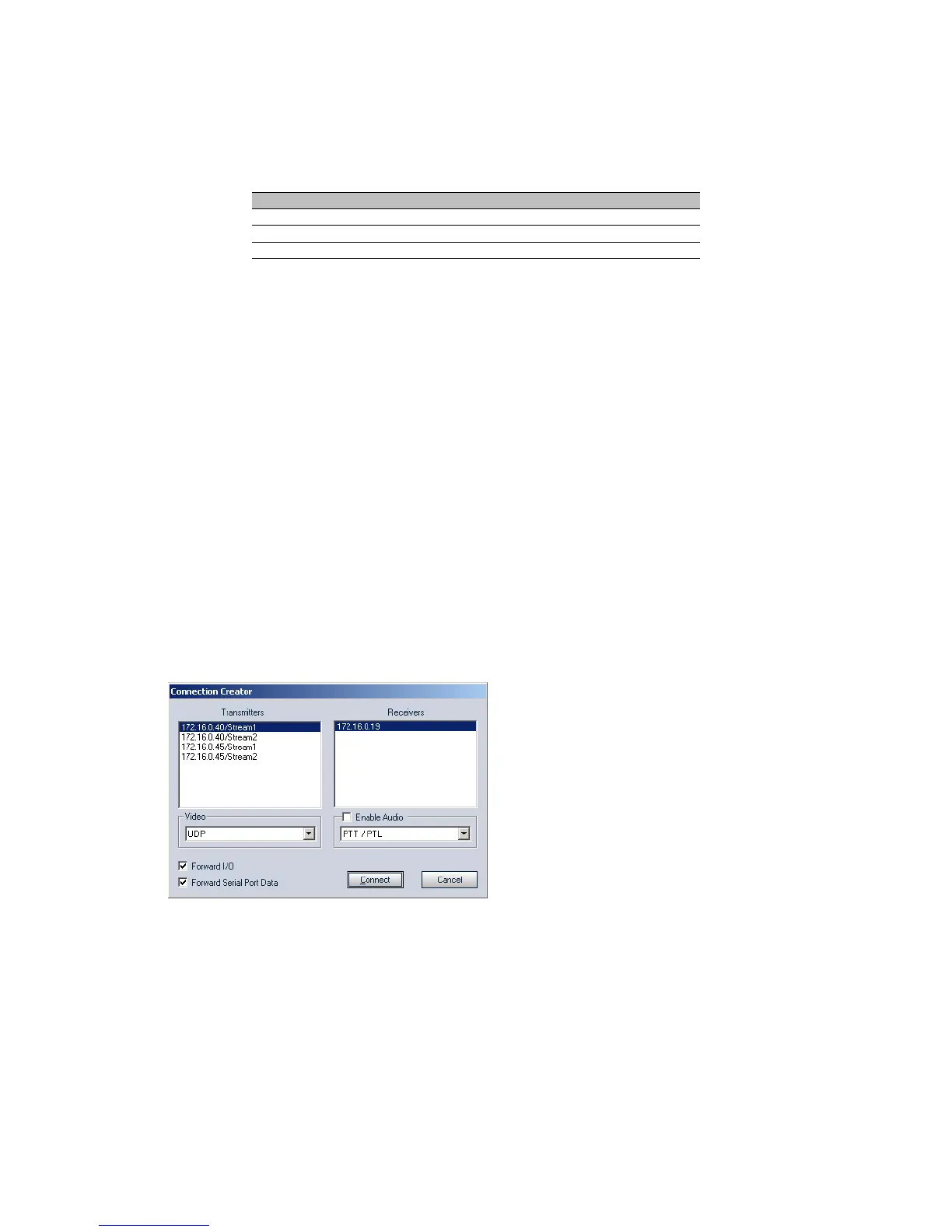
3. Select the Connections tab, then click Add.
4. Select a transmitter in the left column and a receiver in the right one.
In the Transmitters column, you have access to the two encoders of each input; the video stream is
the same for both. Stream1 is typically reserved for web viewing, therefore you should use Stream2
for point-to-point connections.
5. To disable I/O data transmission (for example, alarms) between the two selected
devices, clear Forward I/O.
6. Uncheck Forward Serial Port Data.
Note: You must clear this check box since the 9540 does not have a serial port.
7. Click Connect.
You should now be able to see video on the analog monitor connected to the decoder.
Scenario Encoder 1 Encoder 2
point-to-point point-to-point unused
Latitude NVMS view at rate A record at rate B
web interface web viewing point-to-point



 To Next Page