8
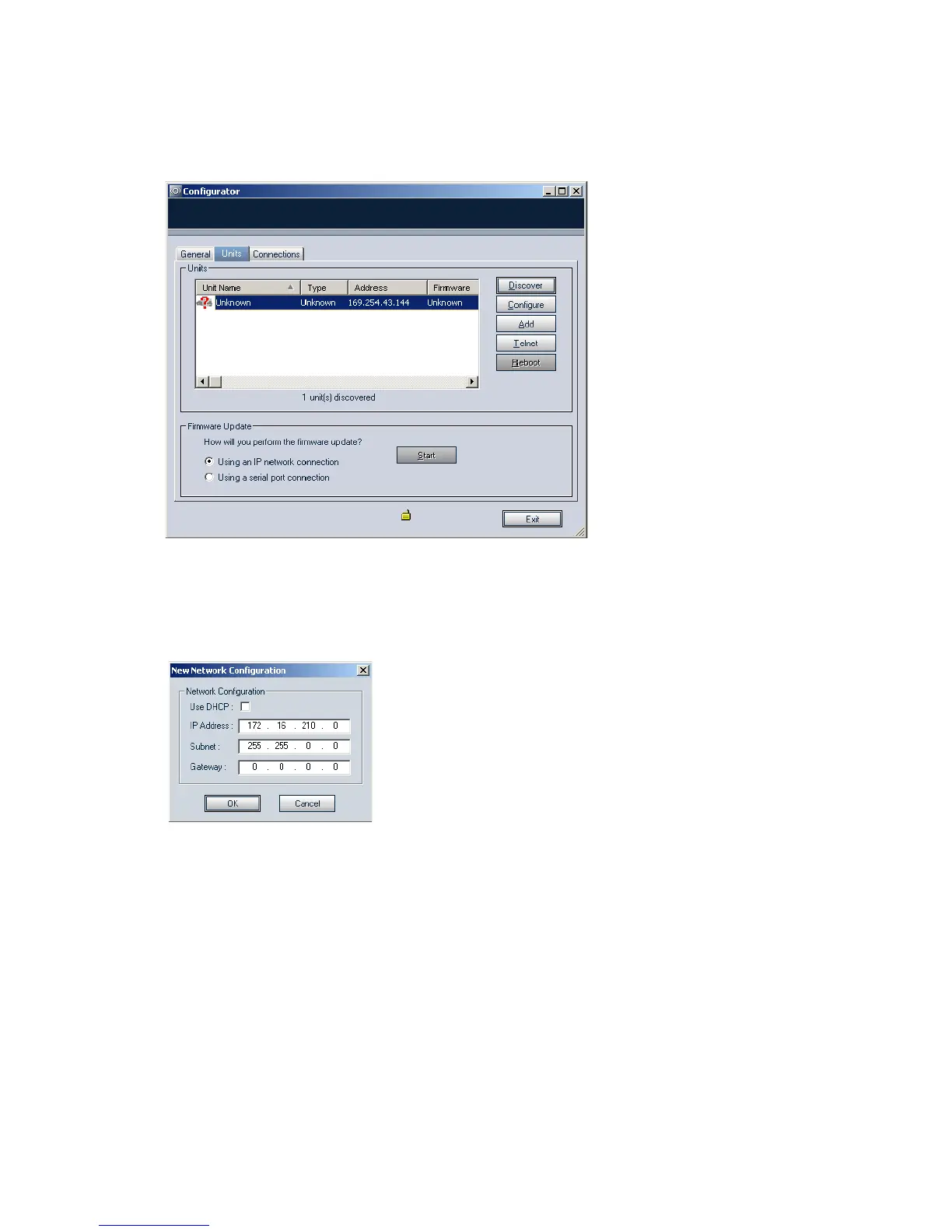
8. Choose the Units tab, then click Discover.
A unit of type “Unknown” with a 169.254.X.Y IP address should appear in the list;
it corresponds to your new unit.
9. Select the unknown unit, then click Configure. In the Reconfigure unit?
confirmation window, click Yes.
The New Network Configuration window appears.
10.To use DHCP (Dynamic Host Configuration Protocol), checkmark Use DHCP.
Otherwise, enter an IP address, subnet mask, and gateway for the unit, as
provided by your network administrator.
11.Click OK.
The unit should reboot with its new network configuration.
12.In the Units tab, click Discover.
The new 9540 IP Camera unit should appear.
The initial configuration of the unit is now complete. You can configure the unit further
with either Device Configurator or Latitude NVMS. See the products’ user manuals for
instructions.



 To Next Page