7
Setting Camera Parameters
The first step in installing a 9540 camera is to change its IP address to ensure
compatibility with an existing network. The camera’s default IP address is based on
the APIPA service and will be in the range 169.254.X.Y, where X and Y are based on
the MAC address of the individual unit; for more information about the APIPA service,
see page 33.
To work properly, cameras on the same network must have unique IP addresses. The
camera will not prevent you from entering a duplicate address. However, its system
status LED will turn to flashing red and it will default to an APIPA address instead.
To set the parameters of an IP camera:
1. Connect the injector to the camera to power it on and connect it to the network.
2. Start Device Configurator and log in with your password (the default one is dvtel).
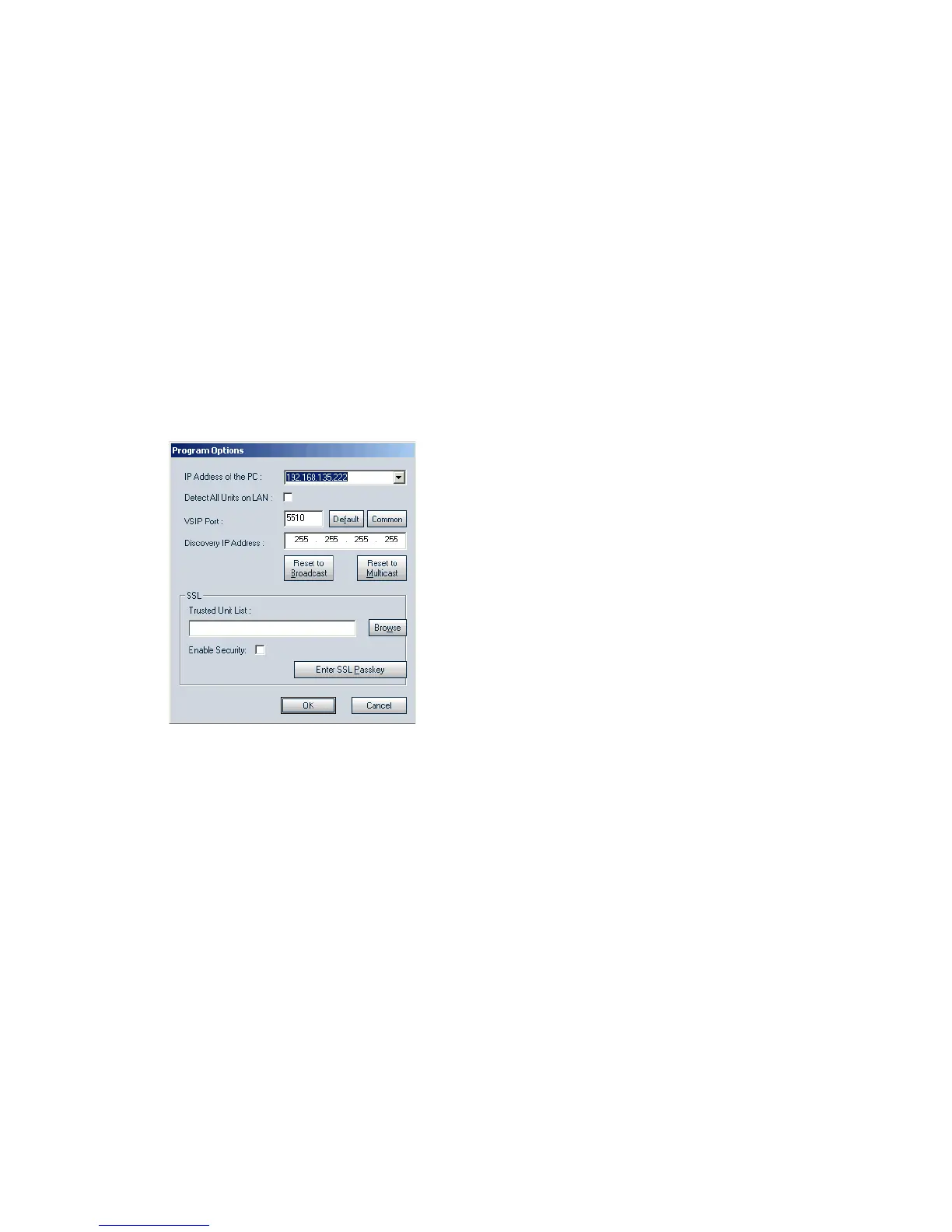
3. From the General tab, click Program Options.
The Program Options window appears.
4. Checkmark Detect All Units on LAN.
5. Ensure that the VSIP Port value is 5510; otherwise, click Default.
6. Ensure that the Discovery IP Address is 255.255.255.255; otherwise, click Reset
to Broadcast.
7. Click OK.



 To Next Page