17
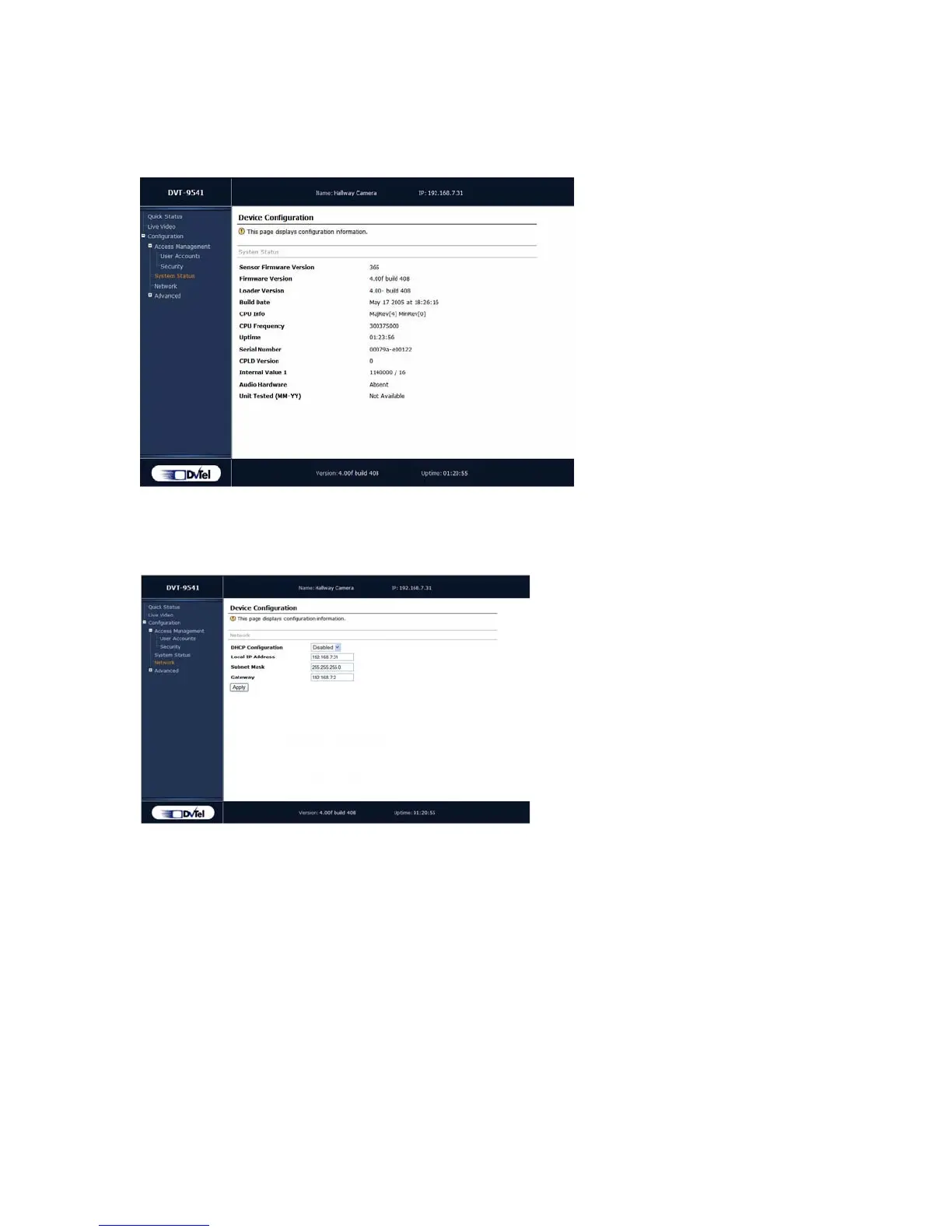
System Status
The system status information indicates the current values of internal 9540 IP camera
parameters, including the unit’s serial number and firmware version.
Network
The Network menu allows you to configure several parameters to ensure compatibility
between the 9540 IP Camera and its IP network. The parameters are:
DHCP Configuration—Used to enable or disable the use of DHCP (dynamic host
configuration protocol) to automatically get a valid network configuration for the
unit from a server. This option should not be enabled if the unit is connected to a
network that uses a DHCP server. For more information about DHCP, see
Appendix D on page 33.
Local IP Address—The unique IP address of the unit on the network. The IP
address format is a 32-bit numeric address written as four numbers separated by
periods. Each number is in the 0–255 range. Each device on a network must have
a unique IP address.
Subnet Mask—The binary configuration specifying in which subnet the IP address
of the unit belongs. A subnet is a portion of a network that shares a common
address component. Unless otherwise specified by your network administrator, it
is recommended you use a subnet mask of 255.255.255.0.



 To Next Page