16
User Name—An alphanumeric string identifying a web interface user.
Password—An alphanumeric string of at least four characters, associated with a
user.
Web Client x—Used to enable and disable a user’s access to the unit via the web
interface.
Security
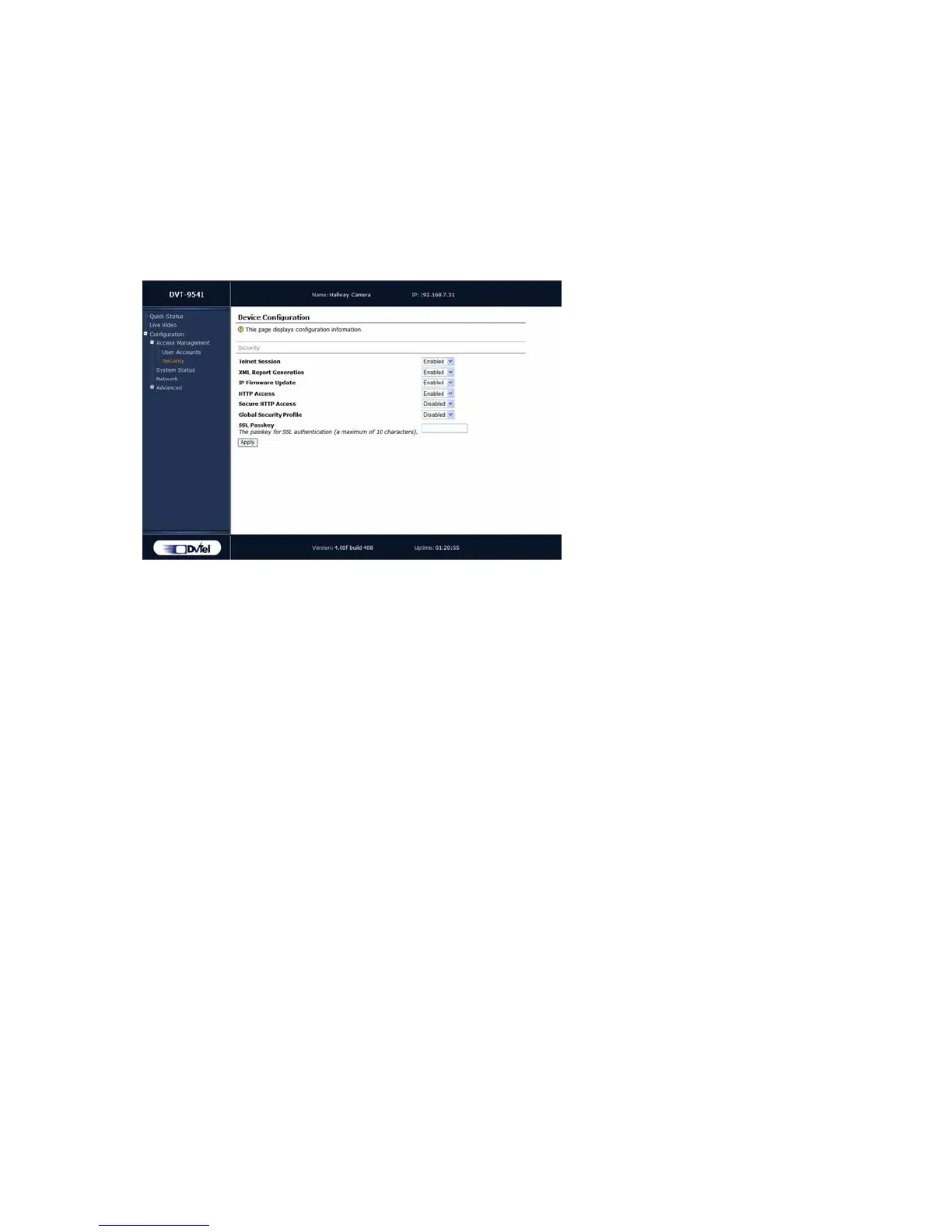
A number of different parameters are associated with unit security:
Telnet Session—This parameter stipulates whether the unit’s CLI can be accessed
via Telnet.
XML Report Generation—Enables/disables the generation of XML reports regarding
the current state of the unit.
IP Firmware Update—Enables/disables firmware upgrade via the network.
HTTP Access—Enables/disable access to the web interface of the unit. If you block
this access, you will be able to configure the 9540 only with Device Configurator or
the CLI.
Secure HTTP Access—Enables/disables access to the web interface of the unit in a
secure SSL context. If enabled, you can access the unit with
https:// in your web
browser; additionally, the user account mode is automatically activated (described
on page 15).
Global Security Profile—Enables/disables complete SSL security on the unit. Once
this profile is activated for a unit:
You can no longer access it via Telnet.
You can no longer perform firmware updates on the units through the IP
network.
You can access its web interface only in secure mode (that is, the secure HTTP
access mode is enabled).
SSL Passkey—The password used to secure SSL connections with the unit. The
passkey must be the same for all units and software tools to allow for the most
secure communication between them.
Warning: Changing the passkey through the web interface is not recommended. The most
secure way to change this parameter is by using the CLI or Device Configurator.



 To Next Page