19
Target Bit Rate—The maximum number of bits per second generated by the unit.
Valid bit rates range from 10 to 4000 kbps.
Target Frame Rate—The maximum number of frames per seconds (fps) that will
be encoded and transferred by the encoder. This parameter can be set to 1 to 7,
10, 15, or 30 fps in NTSC mode and 1 to 6, 8, 12, or 25 fps in PAL mode.
Minimum Quantizer—A parameter related to video quality. Ranges from 2 to 31.
Maximum Quantizer—A parameter related to video quality. Ranges from 2 to 31.
Transport Protocol—The protocol used to transmit video.
Input Filter Mode—The level of filtering applied to the video signal before it is
encoded, in order to remove high frequency noise from lower quality cameras or
noisy video feeds.
Resolution—The number of pixels (columns * lines) in each frame of the video
sequence.
Rate Control Mode—The mode controlling the bit rate variation. The available
modes are:
Constant Bit Rate—This mode is the most effective in maintaining a target bit rate. Video quality
may suffer and the frame rate may decrease. This mode should be used when transmitting video
over networks that have very limited bandwidths, and with an intra interval value of 0.
Constant Frame Rate—This mode maintains the target frame rate. Video quality may suffer and
the bit rate may exceed the target value.
Constant Storage Rate—This mode attempts to reach the target storage for a 24-hour period. The
target storage is the target bit rate multiplied by 86,400 (60 multiplied by 60 multiplied by 24).
The CSR mode will increase the bit rate and quality if there is still storage left.
Intra Interval—The frequency at which a complete video frame (called I-frame) is
sent by the encoder. Possible values are in the 0–1000 range. A value of 0
indicates that no I-frame will be sent; a value of X means that a complete image
refresh will occur every X frames.
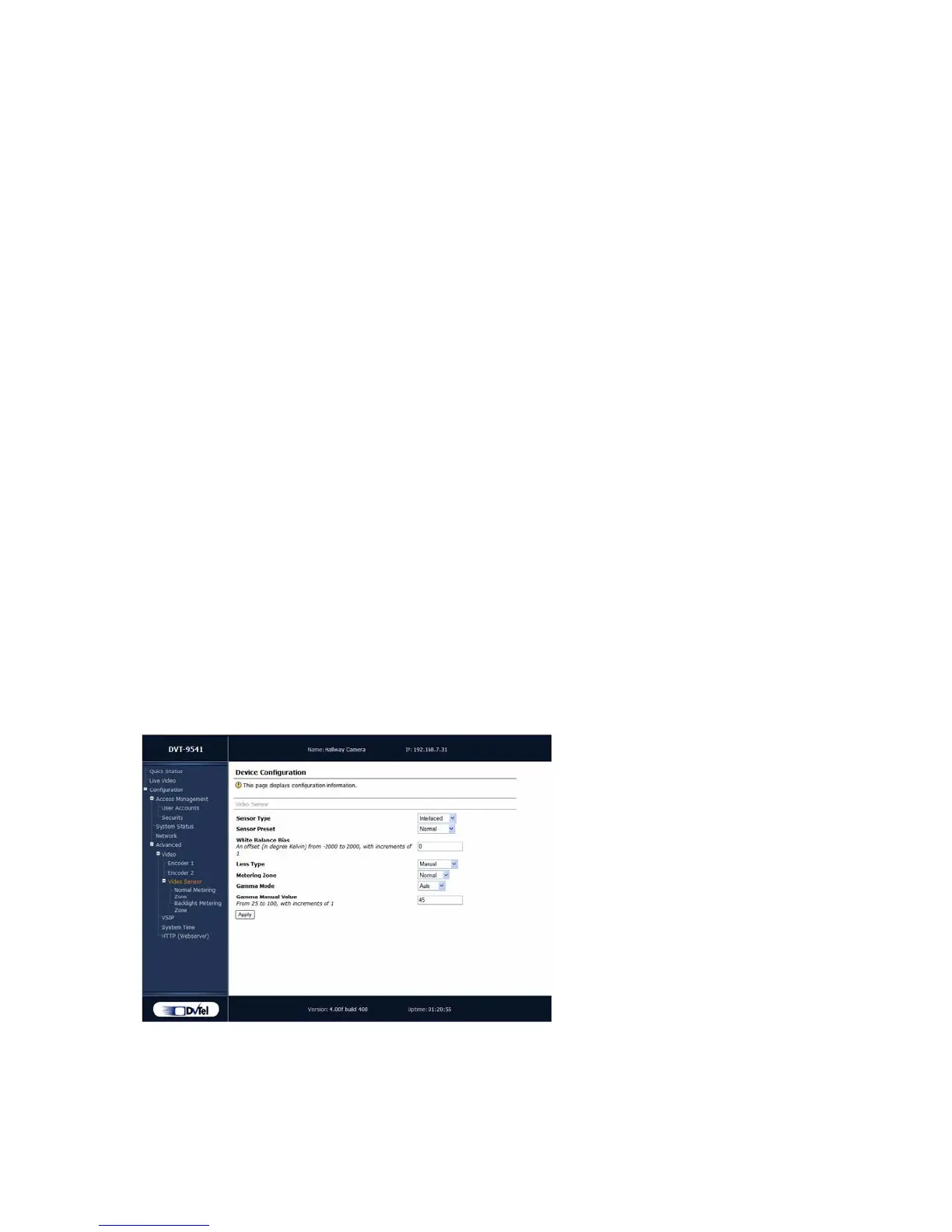
Video Sensor
The parameters used to configure the video sensor in the IP camera are:
Sensor Type—The scan type of the sensor. For better results, use the Interlaced
type if the video is displayed on an analog monitor, and Progressive for viewing on
a computer.



 To Next Page