34
Depending on whether the 9540 IP camera is integrated on a network or not, the
Ethernet cable varies:
If on a network, use a straight-through cable.
To link it directly to a computer, use a crossover cable.
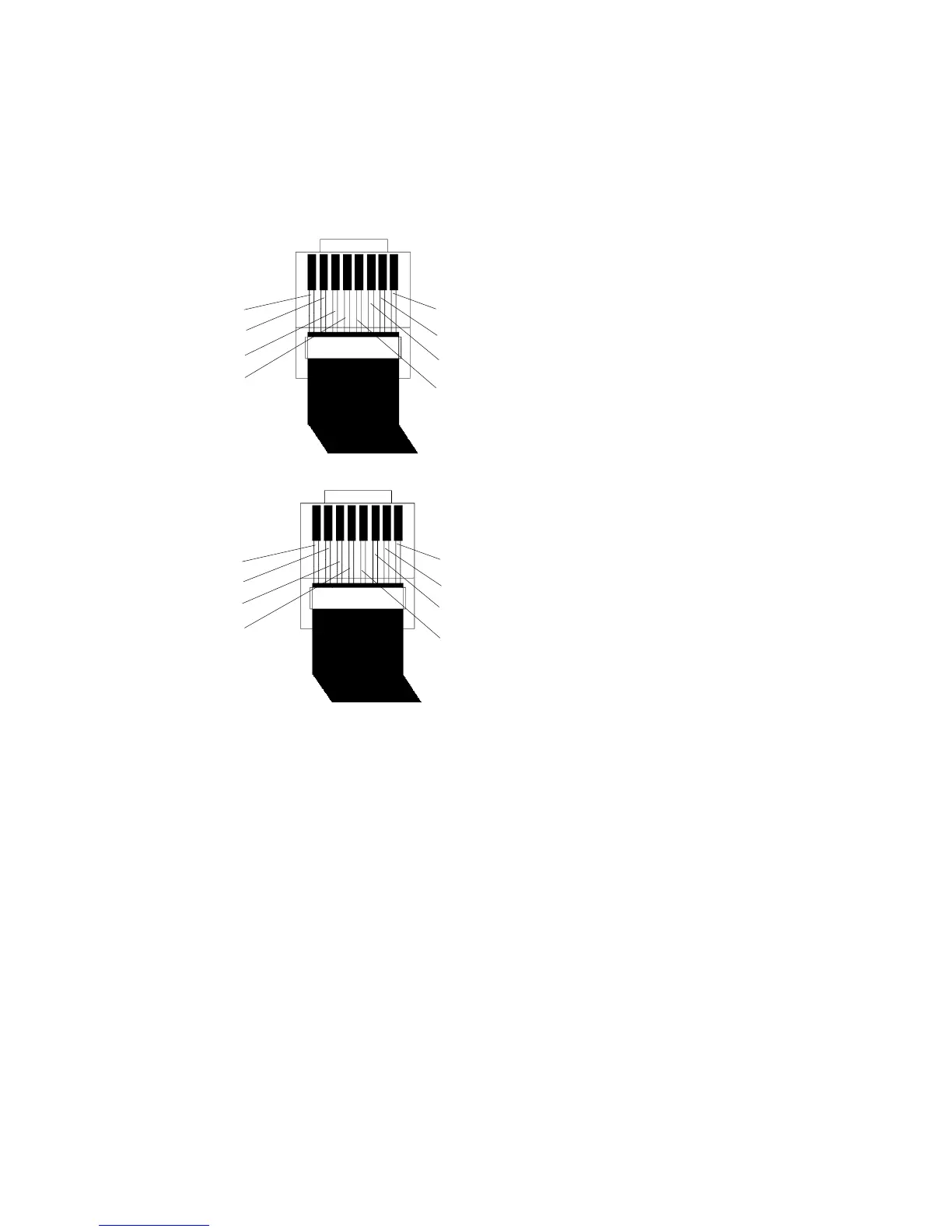
Here is the bottom view of the RJ-45 connectors on a straight-through cable:
Here is the bottom view of the RJ-45 connectors on a crossover cable:
white/orange
orange
white/green
blue
white/blue
green
white/brown
brown
white/oran
oran
white/gre
bl
white/green
green
white/orange
blue
white/blue
orange
white/brown
brown
white/oran
oran
white/gr
bl



 To Next Page