28 29
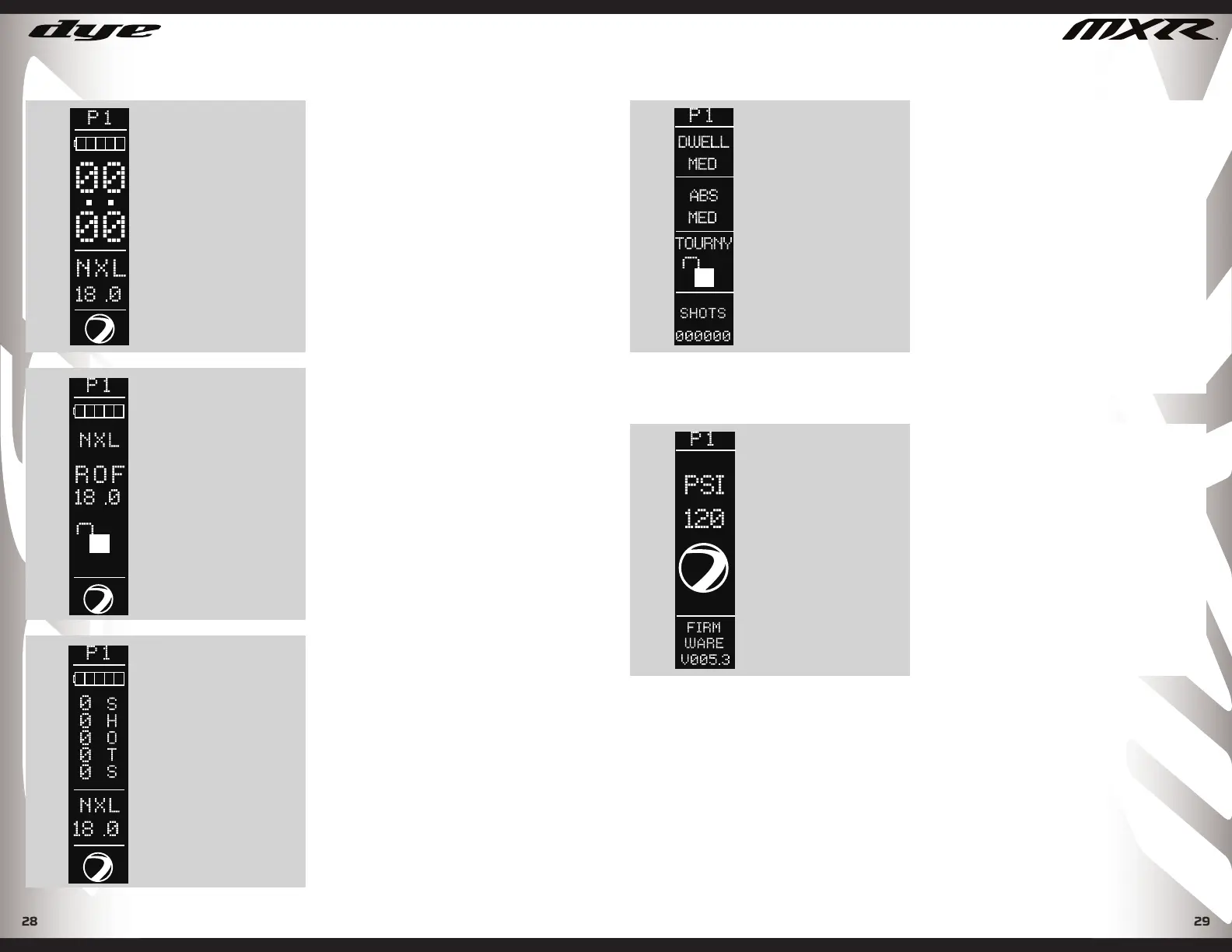
SELECTED PROFILE
BATTERY LEVEL
GAME TIMER
FIRE MODE
RATE OF FIRE
PLAY SCREEN
You are able to select between 3
play screens depending on what
information you wish to display.
Option 1 is the default setting. For
more play screen options select Play
Screen under profi le settings.
PLAY SCREENS
SELECTED PROFILE
BATTERY LEVEL
FIRE MODE
RATE OF FIRE
LOCK MODE
PLAY SCREEN 2
METHOD OS
SELECTED PROFILE
BATTERY LEVEL
SHOT COUNTER
RATE OF FIRE
FIRE MODE
PLAY SCREEN 3
DYEPAINTBALL.COM
METHOD OS
SYSTEM CHECK SCREENS
SELECTED PROFILE
DWELL SETTING
ANTI BOLT STICK
SETTING
TOURNAMENT
LOCK
TOTAL SHOT
COUNTER
SYSTEM CHECK SCREEN
From the play screen you can quickly
access the two Systems Check
Screens by tapping the joystick
LEFT. Tap once for Systems screen
#1, tap a second time for Systems
screen #2, the System Check Screen
gives you an overview of the gun’s
key performance setting, tourney
lock status, operating pressure, and
software version.
After 10 seconds of no activity, the
System Check display will revert to
the Play screen.
SELECTED PROFILE
HYPER 6 REG
OUTPUT
PRESSURE
FIRMWARE
VERSION
SYSTEM CHECK SCREEN 2
On the second System Check screen
the gun’s operating pressure is
displayed. The MXR has an internal
pressure sensor that takes real time
readings of the Hyper6 regulator’s
output pressure. The gun must be
aired up for the pressure sensor to
acquire a reading.
DYEPAINTBALL.COM


 To Next Page