Parts
Connections
9
Connections
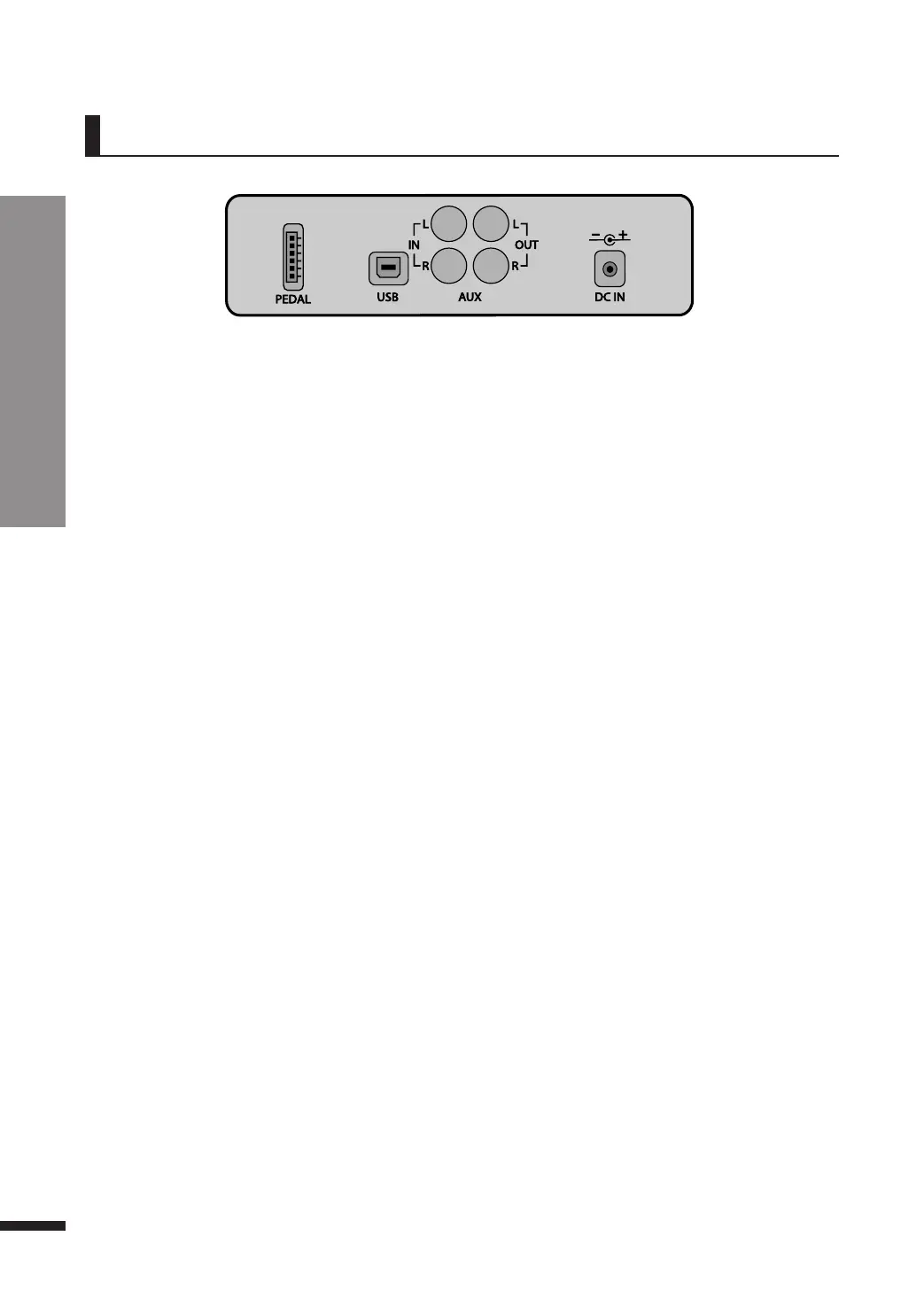
q Connecting to a Computer(USB TO HOST)
The piano features a USB-to-host terminal to allow connecting directly to a computer.
By using this jack, the piano and computer may exchange MIDI data via USB.
1 Use a USB cable (sold separately) to connect the piano to the computer.
2 To use the piano as a MIDI device, run the MIDI software installed on the computer, and set the
input/output device of the software to the USB audio device.
3 To use the piano as an audio device, go to ‘Function’ menu and turn on the ‘Hybrid USB
Audio’.(Refer to Page 23) Next, connect the piano to the computer via USB and set the computer’s
audio device to the piano.
☞
Some notes may be lost when connected via USB.
☞
If you use the piano as an audio device, the piano sound is able to be recorded on the computer.
☞
Usable on Windows XP or higher, and Mac OS X.
☞
No extra driver is required since it utilizes the common Windows device driver.
☞
If the device is not recognized, or the USB audio device is not seen on the list of the device setup menu, check the USB cable and
ensure proper connection.
☞
If connecting the instrument to a computer causes the computer to crash or stop functioning, do not reattempt the connection
(doing so may damage the computer or the piano) and immediately contact customer service.
w AUX IN(RCA)
By connecting external devices to this jack the piano may play via its internal speakers soundtracks
provided by external sources such as smart devices or MP3 audio devices.
Connect the output terminal of laptops, smart devices, MP3 players and the AUX IN of the piano using an
audio cable (sold separately) to reproduce the audio data of the devices through the piano's speaker
system.
e AUX OUT(RCA)
This jack is used when the use of a more powerful external sound producer (amplifiers etc.) is desired
to reproduce the audio output of the piano.
Use an audio cable (sold separately) to connect the AUX OUT of the piano and the input jack of the
external device to hear the piano through the external device.
☞ When connecting to an external device using the AUX IN/OUT terminal, always turn on the external device first before
turning on the power of the piano. When quitting the use of the external device, reverse the order and turn the piano
off first before turning off the external device.
☞ The audio connection jacks are RCA connectors.
External Connection Terminals(on the bottom of the piano)
q
w
e



 To Next Page