Demo / Etude
Adjusting Tempo / Adjusting Volume
19
Adjusting Tempo
Each piece has its own default tempo. Each tempo is adjustable.
Default Tempo
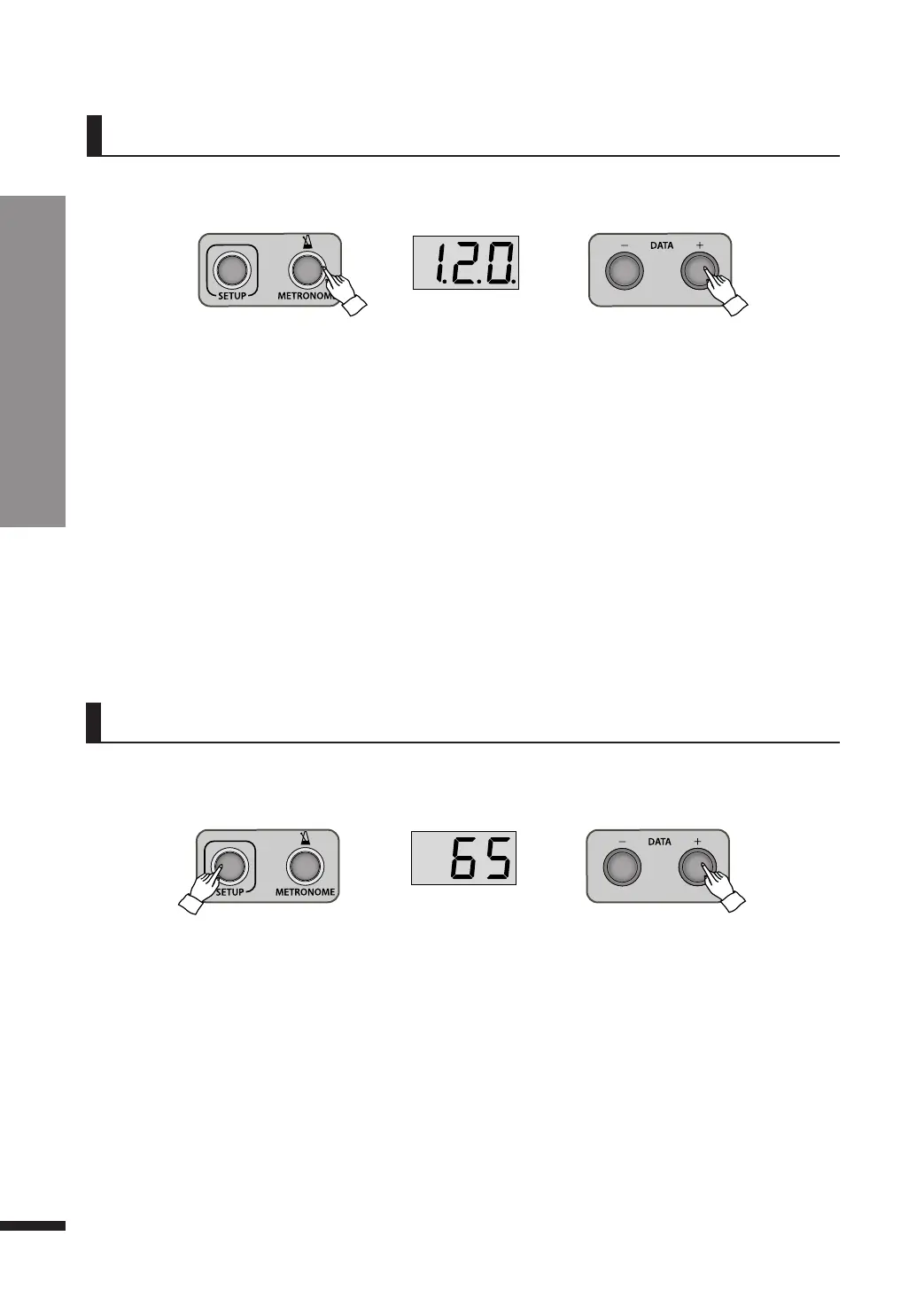
q While playing a piece, press METRONOME button.
If you press METRONOME button, you can hear metronome beats of each piece’s default tempo.
The screen displays the default tempo.
☞The pieces in ‘Pno’ folder are played freely by professional pianists. Its tempo is not mechanical but can be
adjusted.
w Use DATA buttons to adjust tempo.
If you stop playing, and then play it again or play another piece, the tempo will be set as its default.
Pressing both DATA buttons simultaneously will restore the default Tempo.
Adjusting Volume
The volume of the Demo/Etudes music may be adjusted.
Default Volume
q In Demo mode, press SETUP button once.
Pressing SETUP button will show the current music volume in the screen.
Use DATA buttons to adjust the volume.
☞ Keep a DATA button pressed to quickly run through the values.
☞ Pressing both DATA buttons simultaneously will restore the default volume (65) .
☞ The volume also may be adjusted in the Function menu(F06). Refer to page 25.
w Press SETUP button to exit the adjusting volume.
☞ If DATA buttons are not used for about 10 seconds, setup mode will be quitted automatically.
e Press METRONOME button once again to exit the metronome.
The screen returns to the previous display.



 To Next Page