Functions
Using SETUP
23
Functions
This piano offers extensive utilities designed to
allow adjusting the piano to suit either personal
preferences of a user or a given performance
condition.
Us
ing S
E
TUP
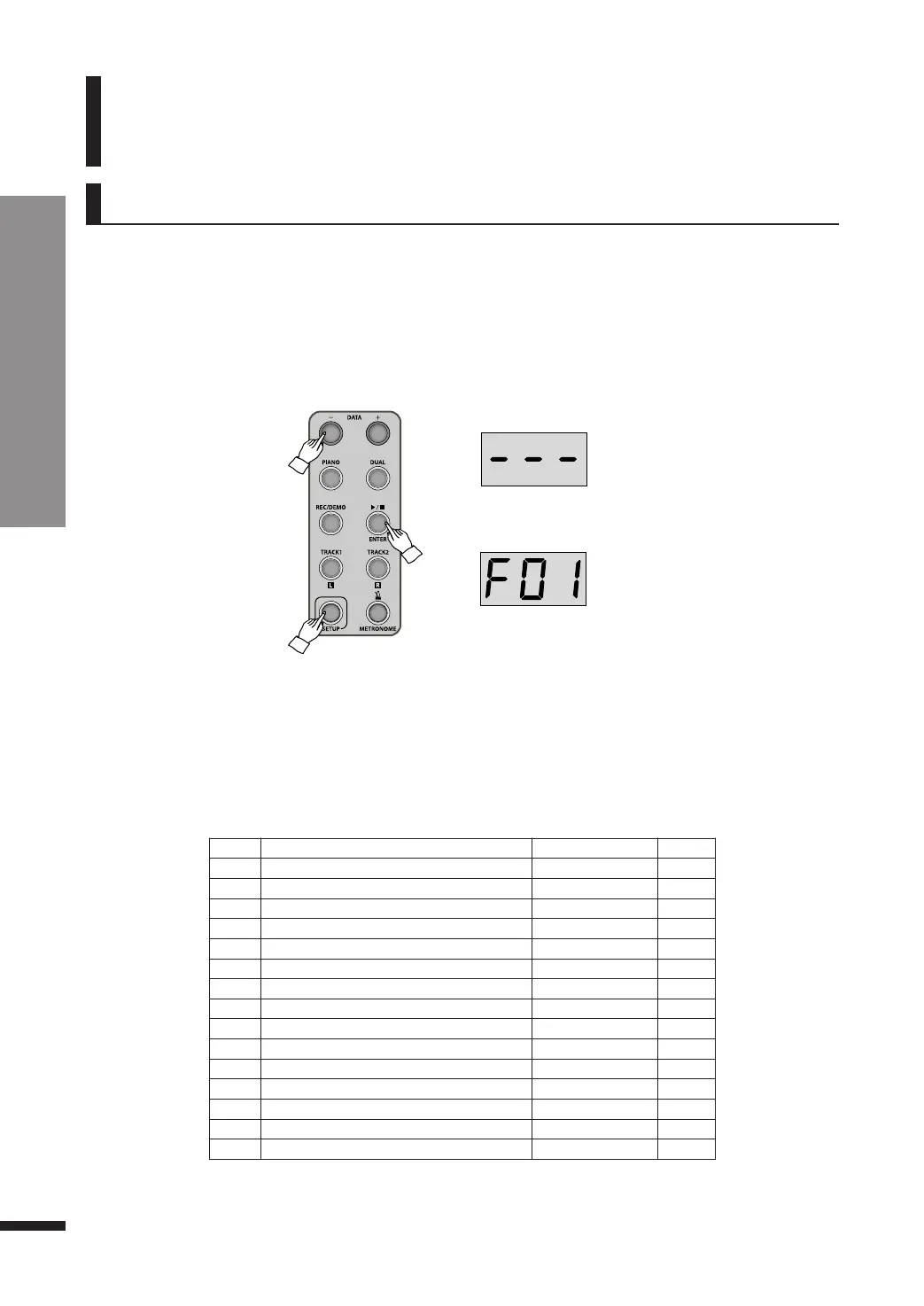
By using SETUP button, many diverse parameters of the piano may be set.
Press SETUP button once, it is lighted and the LED shows ‘---’.
Navigate through the parameters (F01, F02, ..., F15) by using DATA buttons.
Press ▶/■/ENTER button to enter a parameter and adjust its value with DATA buttons.
Press SETUP to quit setup mode and return to performance mode.
☞ The LED will show the current value.
☞ Pressing both DATA buttons simultaneously will restore the default value.
☞ If DATA buttons are not used for about 10 seconds, setup mode will be quitted automatically.
☞ Your last configurations will be retained until the piano is turned off.
Display Function Name Range Default
F01 Master Tune
-50 ~ 00 ~ +50 00
F02 Key Transpose
-12 ~ 00 ~ +12 00
F03 Brilliance
-50 ~ 00 ~ +50 00
F04 Touch
OFF, SOF, nor, Hrd nor
F05 Fixed Touch Velocity
20 ~ 127 80
F06 Demo Volume
20 ~ 100 65
F07 Play All Music
On, OFF On
F08 Metronome Volume
20 ~ 100 80
F09 Reverb Type
r-0 ~ r-5 r-2
F10 Effect Type
c-0 ~ c-3 c-0
F11 Reverb Volume
0 ~ 100 40
F12 Effect Volume
0 ~ 100 70
F13 MIDI Local Control
On, OFF On
F14 Hybrid USB Audio
On, OFF OFF
F15 Reset
Enter -
Pressing SETUP
Function Menu



 To Next Page