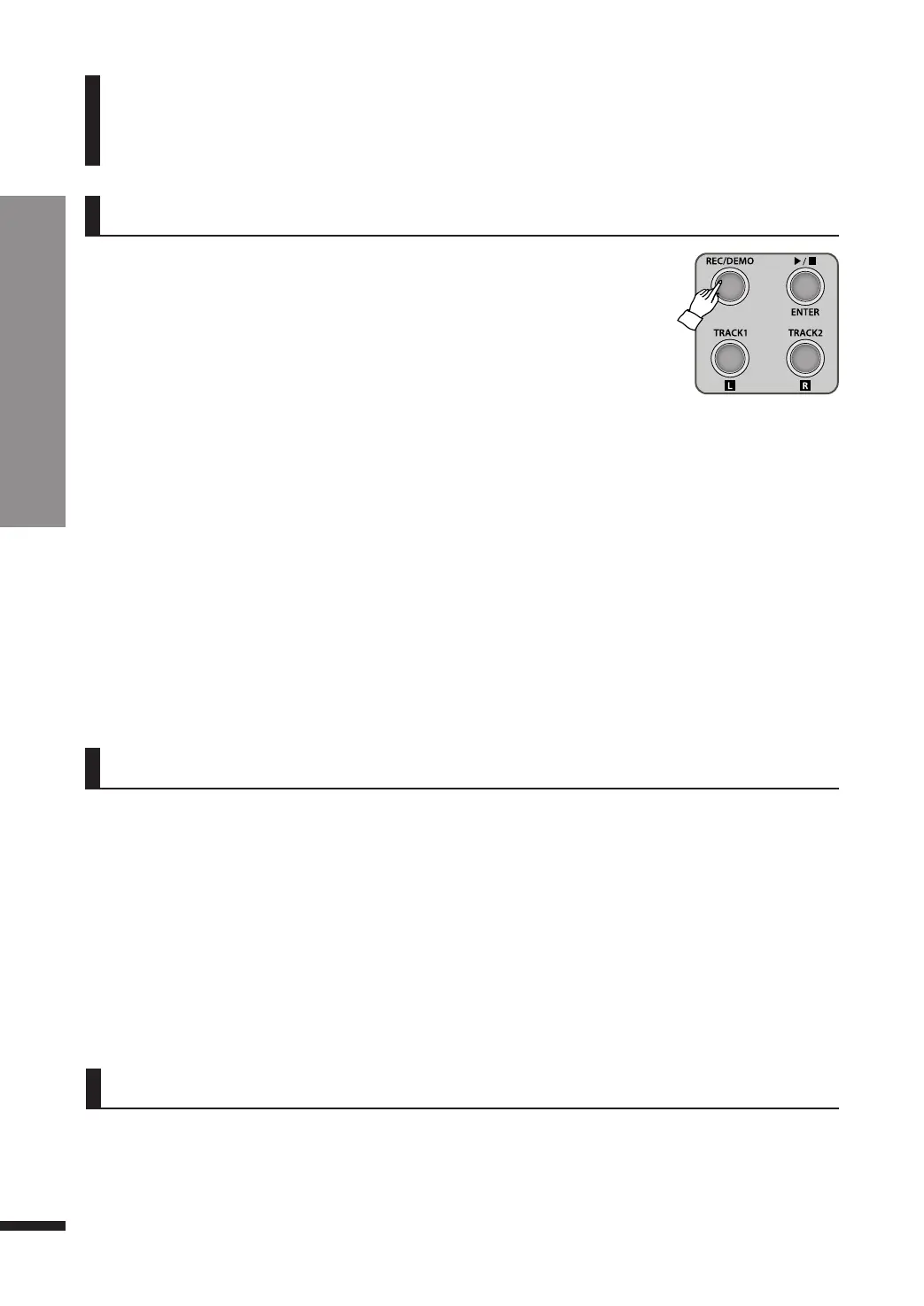
Record
Recording / Playing / Erasing
17
Recording
Record
This piano features an extensive recording
system to record the player's performance.
There are 2 tracks and each track may record up to
5,000 notes.
q Selecting Track
Select the desired track. After recording, both of the tracks are selected. Turn off the track you want to mute, then
the track won’t be played.
☞ Selected tracks are not be able to be changed while playing.
☞ When playback, ▶/■/ENTER button will keep flashing.
w Press ▶/■/ENTER button.
q Press REC/DEMO button.
The button will be lighted, and the TRACK1/L button will begin flashing. The Dual
features may be used for recording.
w Record to Track1.
Play a key, or press ▶/■/ENTER button to begin recording.
e
E
nd recording
Track1.
Pre
ss
▶/
■/
EN
TER
button
to stop
re
c
ord
i
ng to trac
k1
.
TRACK1/L
button
wi
l
l
turn
on.
If
d
e
si
ri
ng to he
ar what
i
s
re
c
ord
e
d
i
n T
rac
k
1
,
pre
ss
▶/
■/
EN
TER
button
onc
e
agai
n
.
☞ While recording, REC/DEMO button and ▶/■/ENTER button is flashing.
☞ Recording will terminate if the piano is not played for about 5 minutes.
☞ When the capacity limit is exceeded, the LED shows ‘FUL’ and recording will stop.
☞ If the piano malfunctions when exceeded, turn the piano off and on again.
☞ All settings are also recorded along. However, metronome clicks and tune are not recorded.
r
Record to Track2.
Pre
ss
TRACK2/R
button, and
the
n TRACK2/R
button
wi
l
l
be fl
ashi
ng
.
If
you want
to m
ute
trac
k
1
whi
l
e
re
c
ord
i
ng to
trac
k
2
,
pre
ss
TRACK1/L button
to turn i
t
off.
Re
c
ord to trac
k2
i
n the
sam
e
way
as
re
c
ord
i
ng
trac
k1
.
e Press REC/DEMO button again to quit recording and return to performance mode.
Press and hold down a TRACK button until a 'bell' rings to erase the corresponding track. TheLED will display‘dEL’.
Playing
Erasing



 To Next Page