20
Connecting loudspeakers
In home cinema systems the bass
management - meaning the distribution
of the low frequencies to the subwoofer
and the speakers - is handled by the
settings of the processor/receiver. If
your equipment does not provide bass
management, or if you want to use the
Sub3 together with a common stereo,
the low frequency adjustment of the
connected speakers can be managed
by the Sub3. This not only improves
the sound by matching subwoofer and
speakers, but also by freeing the power
amplier and connected speakers from
the effects of sound-compromising bass
reproduction. Also refer to the further
explanations in the chapter “Connecting
the subwoofer” on page 10.
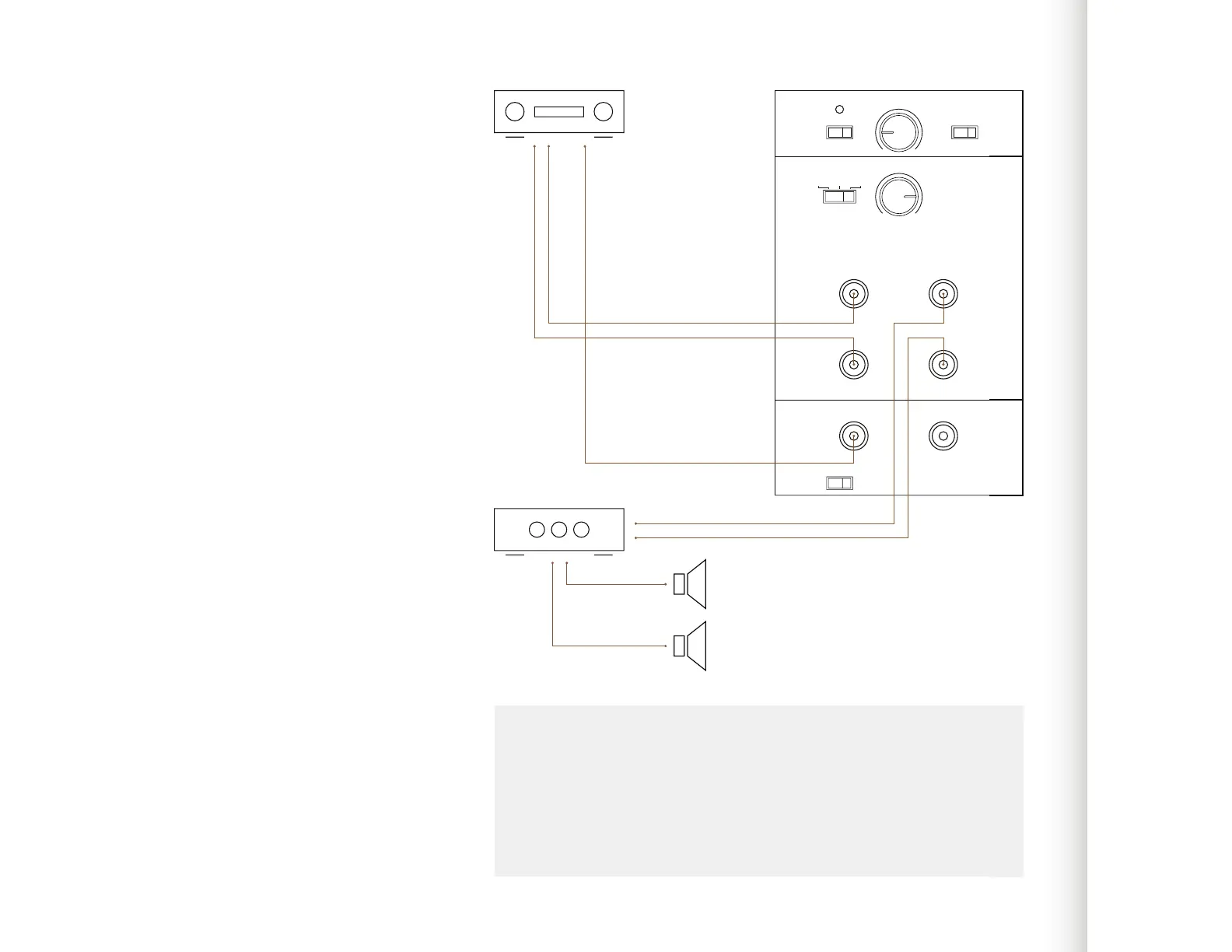
To connect speakers:
1. Connect the subwoofer with the
processor/receiver as explained in
“Connecting a single subwoofer” on
page 18.
2. From the Subwoofer SAT Output
connect a RCA cable to the Main
In of the power amplier you use for
your speakers.
ON AUTO
GAIN PHASEPOWER
SUB LowpassSAT Highpass
SAT/SUB Input SAT Output
LFE / Slave IN OUT
Min Max
50Hz 150Hz
0° 180°
LEFT
RIGHT
SUB I/O To Slave
LFE Slave
60HzFlat 80Hz
Note
Stereos do not have a LFE channel. In this case just connect the front outputs of
the processor/receiver (Front Out/Pre Out) with the subwoofer.
The signals connected to the SAT/SUB Input are provided at the OUT - To
Slave output for connecting another subwoofer. See page 19 to learn more about
connecting multiple subwoofers.
1.
2.
ve
f
ut



 To Next Page