23
Radio-Options
– Radio options
Through a brief
touch the box next to
the words the option
is Enable.
A hook
indicates that the
option is selected
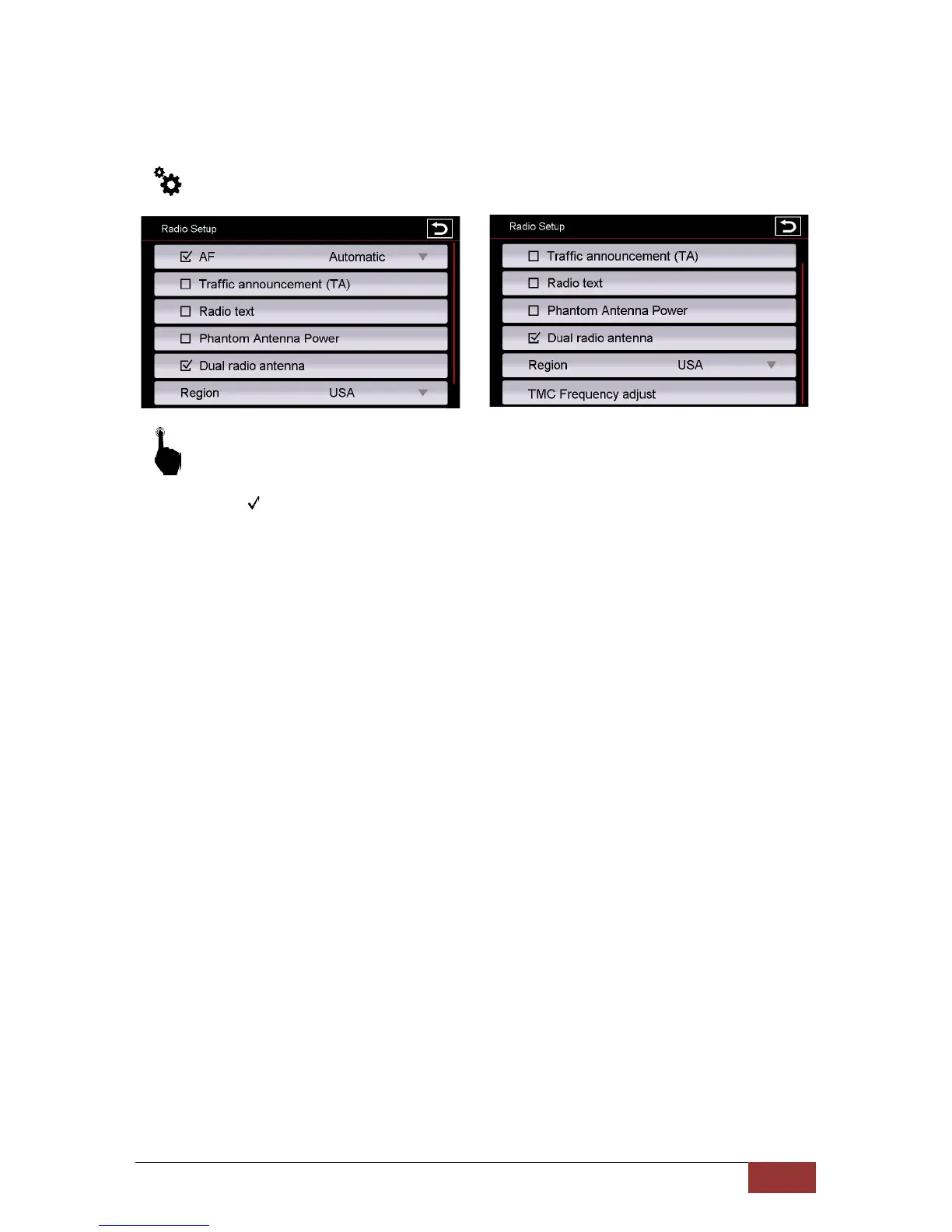
AF = Alternative
frequency
When choose it, will appear AF characters on the top of the radio menu. this allows a receiver
to transform a different frequency providing the same station when the first signal becomes too
weak.
Automatic
This additional function of AF,You can select whether the AF function of the station you are
listening is to be exchanged for another (Automatic) or that the station is to be maintained and
only a new stable frequency to be searched.
TA = Traffic Announcement
If this option is enabled, traffic messages can be recorded in the current
program automatically.
Radio Text
If you have activated this function, information can be transmitted by the radio station to your
radio. For example, information about played song or information about the current program
as well as the station name.
Dual Radio Antenna
If this feature is enabled, the original vehicle diversity system can still be used. For example, in
cars from Audi
Region
Select the region where you are located. This is necessary to the radio tuner to provide the
required frequency ranges.
TMC Frequency adjust
Here you can set whether always the strongest stations in the region to be selected for the TA
function, or the station you hear in the moment.



 To Next Page