Tower ESS User Manual
©Dyness reserves the copyright of this document.
19
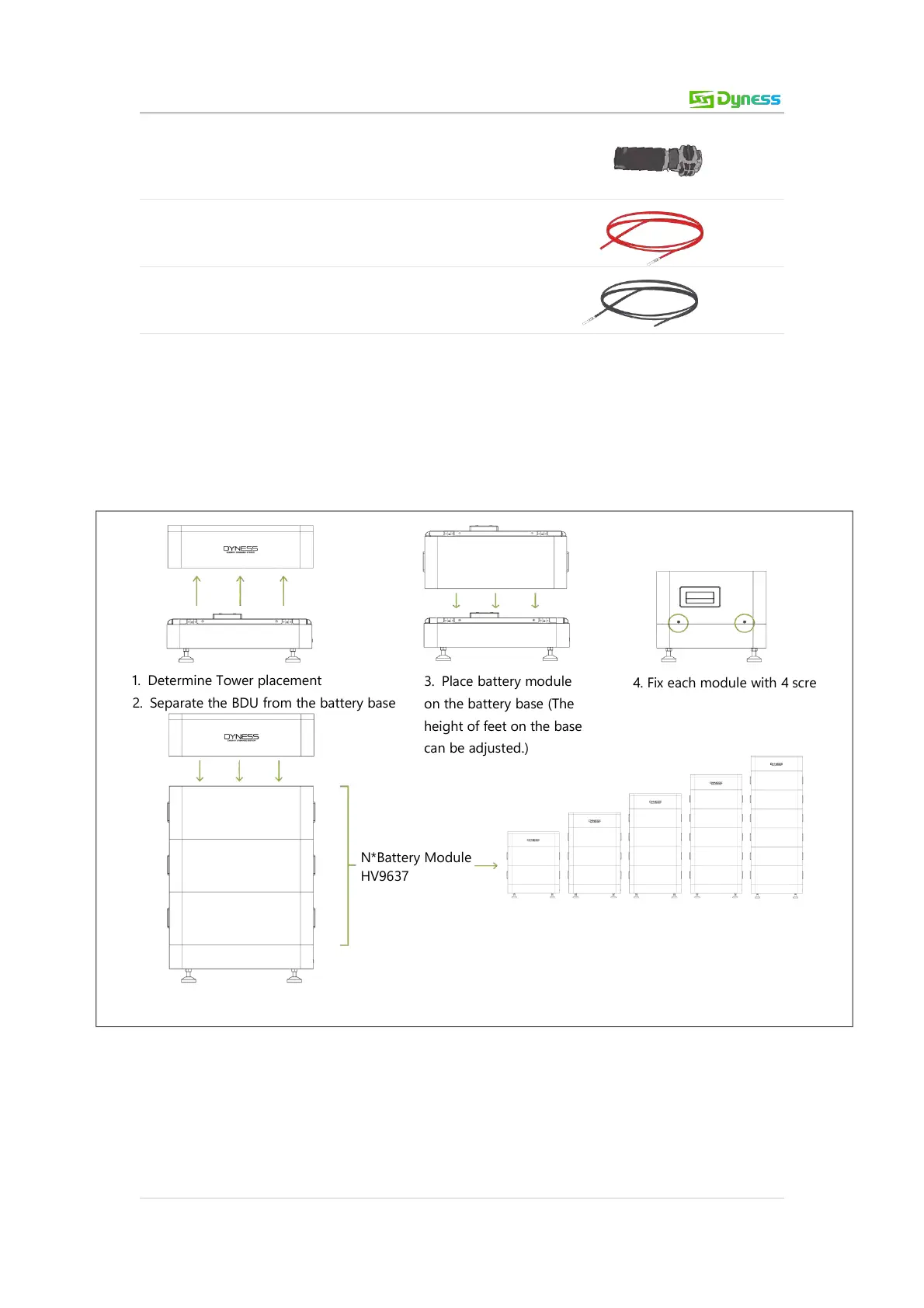
1. Determine Tower placement
2. Separate the BDU from the battery base
3. Place battery module
on the battery base (The
height of feet on the base
can be adjusted.)
4. Fix each module with 4 screws
5. Place Tower BDU on battery module
Positive cable
6mm², red, 2m
Negative cable
6mm², black, 2m
Equipment Installation
Installation Preparation
1. Make sure that the environment meets all technical requirements.
2. Prepare equipment and tools for installation.
3. Confirm that the DC breaker is in OFF position.
Mechanical Installation
Figure 3-5 Mechanical installation



 To Next Page