112
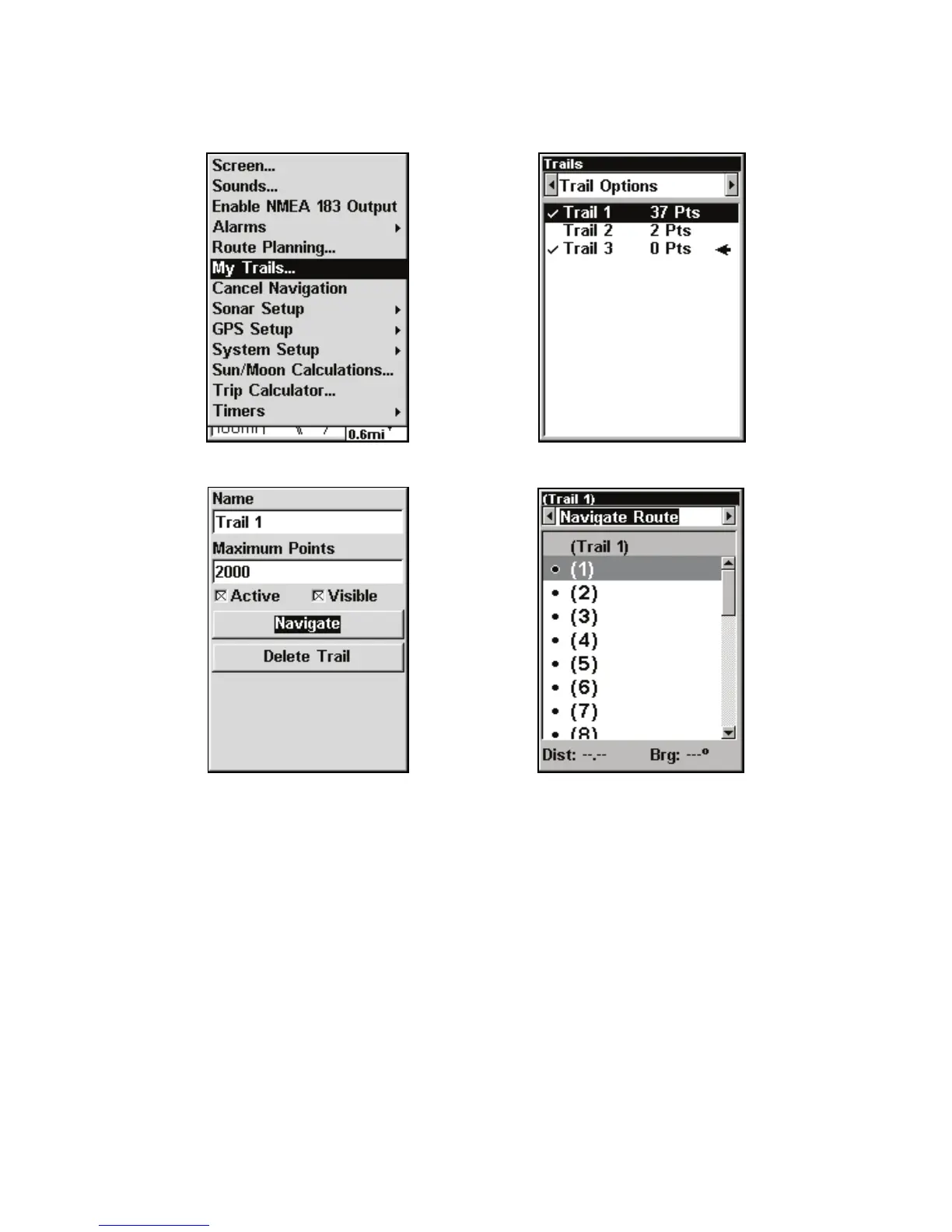
Navigate a trail menu sequence: Fig. 1, My Trails command. Fig. 2,
Trails Menu. Fig. 3, Edit Trail Menu. Fig. 4, Edit Route Menu with
Navigate command highlighted for Trail 6. A trail is always converted
to a route when you navigate the trail.
On the Map Page, the trail you are navigating is represented by a
flashing line. The Navigation Page will also show the navigated trail as
a flashing line. The bearing arrow on the compass rose points to the
next waypoint on the trail. The arrival alarm will go off when you nea



 To Next Page