116
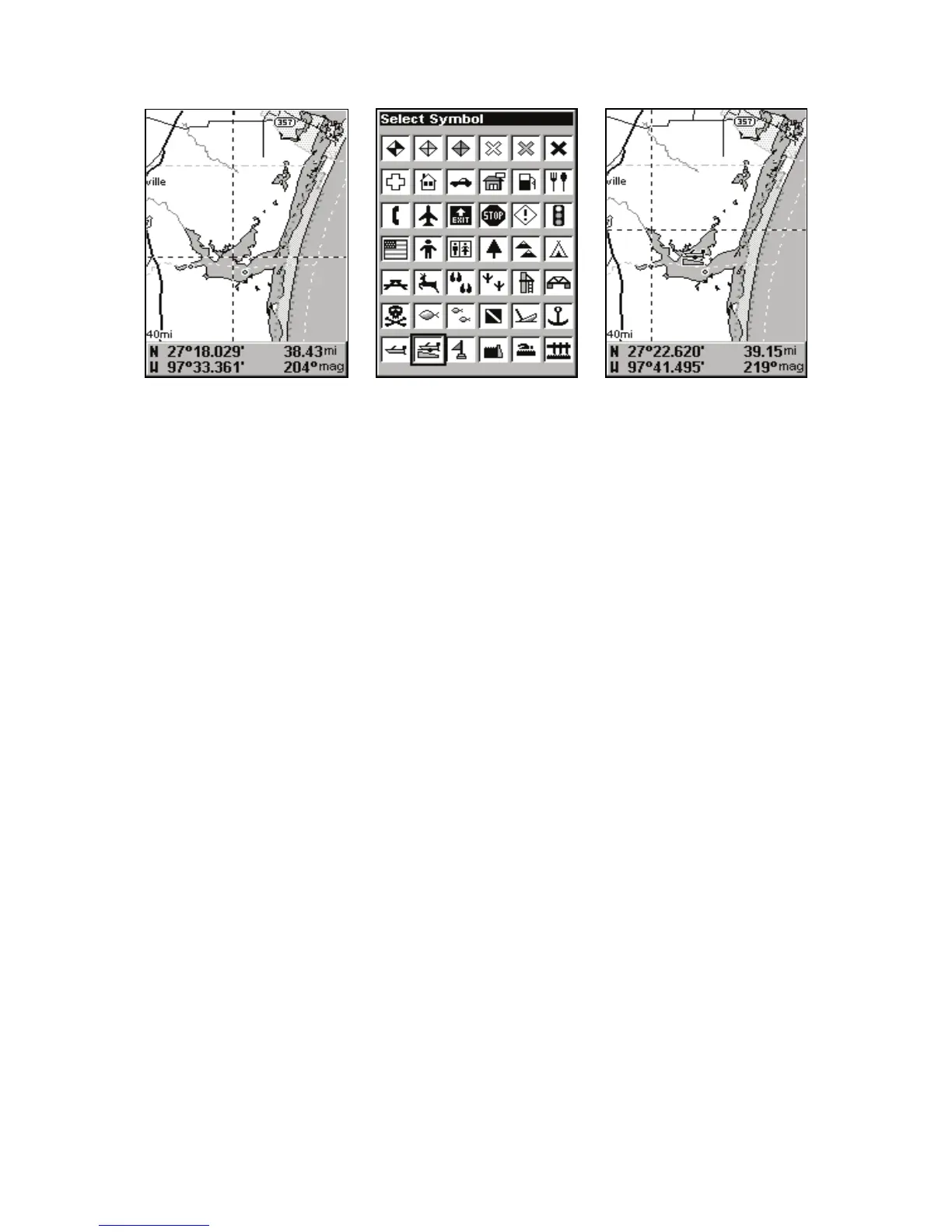
Cursor selects icon location (left); Select Icon Symbol menu (center);
Boat Ramp icon on map (right). (Cursor has been moved for clarity.)
Create Icon at Current Position
1. While you are traveling, press
ENT
and the screen shows the Select
Icon Symbol menu.
2. Use ← or ↑ or → or ↓ to select your icon symbol, then press
ENT. The
icon appears on the map.
Delete an Icon
ou can delete all the icons at one time, all icons represented by a par-
ticular symbol or use the cursor to delete a selected icon from the map.
1. Press MENU|↓ to DELETE MY ICONS|ENT.
2. Press ↓ to
DELETE ALL ICONS, DELETE BY SYMBOL or DELETE FROM MAP



 To Next Page