89
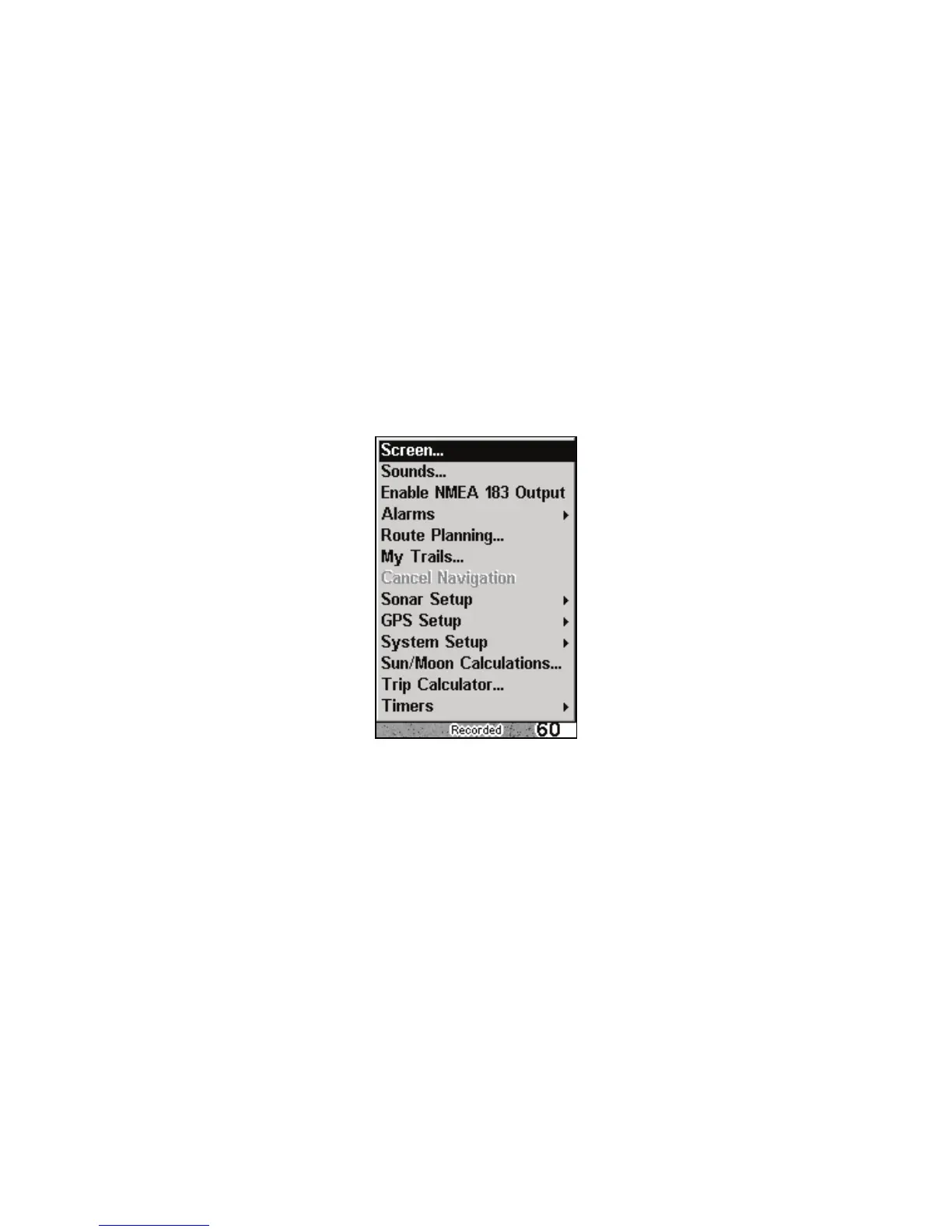
Main Menu
The Cuda 350 has a Main Menu, which contains function commands
and setup option commands. The instructions in this section will deal
with functions, the basic commands that make the Cuda 350 do some-
thing. The unit will work fine for this right out of the box with the de-
fault settings. But, if you want to learn about the various options, see
Sec. 8, System Setup and GPS Setup Options.
ou can access the Main Menu from any of the display options b
pressing MENU|MENU. To clear the menu screen and return to the page
display, press
EXIT.
Main Menu.
The Main Menu commands and their functions are:
Screen: changes the contrast or brightness of the display screen.
Sounds: enables or disables the sounds for key strokes and alarms an
sets the alarm style.
Enable NMEA 183 Output: enables NMEA 0183 output and disables
temperature 2, water speed and water distance.
larms: turns GPS or sonar alarms on or off and changes alarm
thresholds.



 To Next Page