71
The increased ping rate allows the screen refresh rate and chart scroll
speed to keep pace with the boat as it moves quickly over the water.
When using HyperScroll, you may also need to manually decrease the
sensitivity for optimum performance. Depending on water depth an
turn HyperScroll off, you can return to your original sensitivity level.
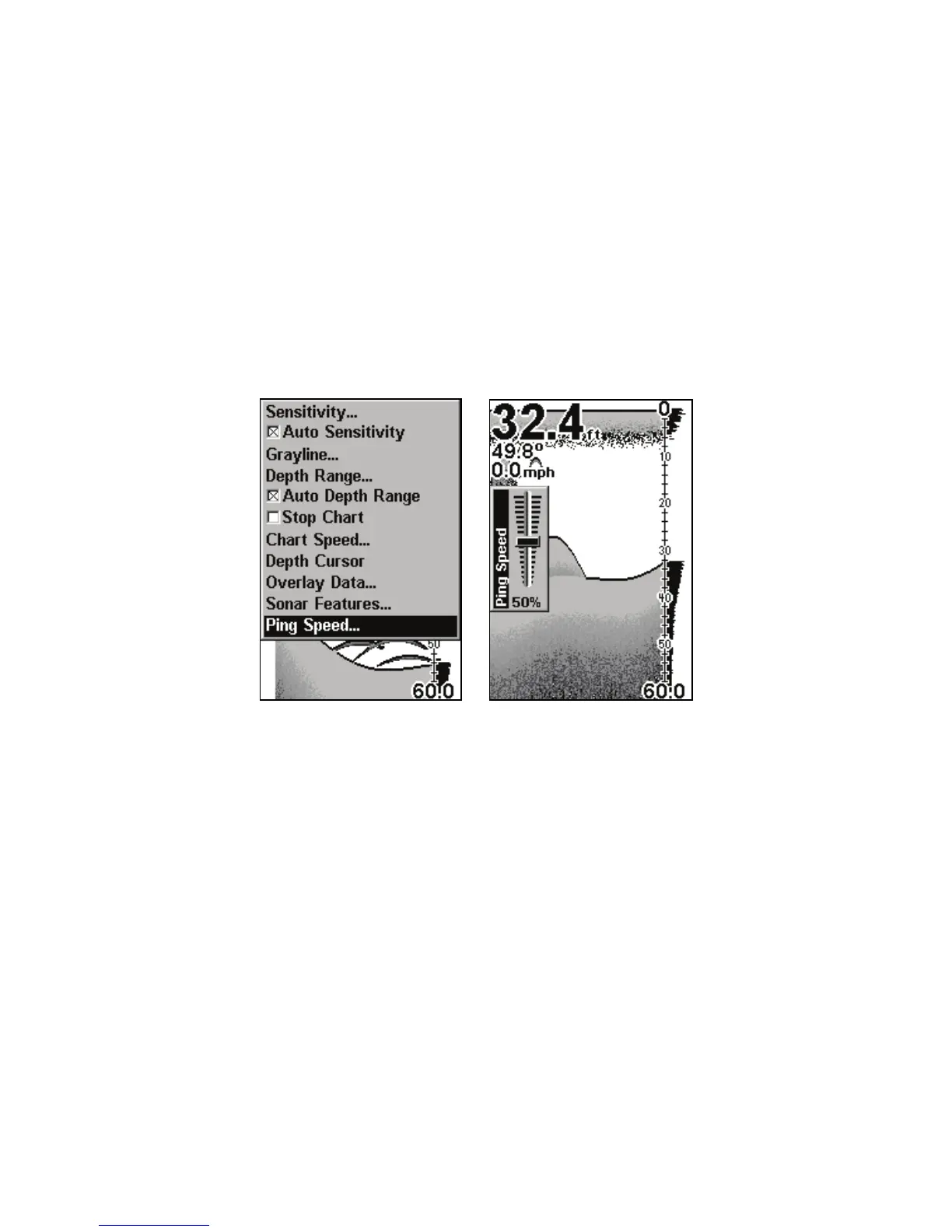
Sonar Menu with Ping Speed command selected (left).
Ping Speed Control Bar at default setting (right).
To change Ping Speed:
1. From the Sonar Page, press
MENU|↓ to PING SPEED|ENT.
2. The Ping Speed Control Bar appears. Press ↑ to increase ping speed.
Press ↓ to decrease ping speed. When it is set at the desired level, press
EXIT.
To turn off HyperScroll:
1. From the Sonar Page, press
MENU|↓ to PING SPEED|ENT.
2. The Ping Speed Control Bar appears. Press ↓ to decrease ping spee



 To Next Page