45
Memory
This unit has permanent memory that saves all user settings, even whe
power is removed. It does not require, nor does it use an internal backup
battery, so you never have to worry about replacement batteries.
Menus
our sonar unit will work fine right out of the box with the factory
settings. You only need to learn a few basic functions to enhance you
viewing. We'll discuss them briefly here, then discuss them and all the
other commands in more detail in Sec. 4, Advanced Sonar Operation.
Sonar Mode has two primary menus: the Main Menu
Menu.
Main Menu
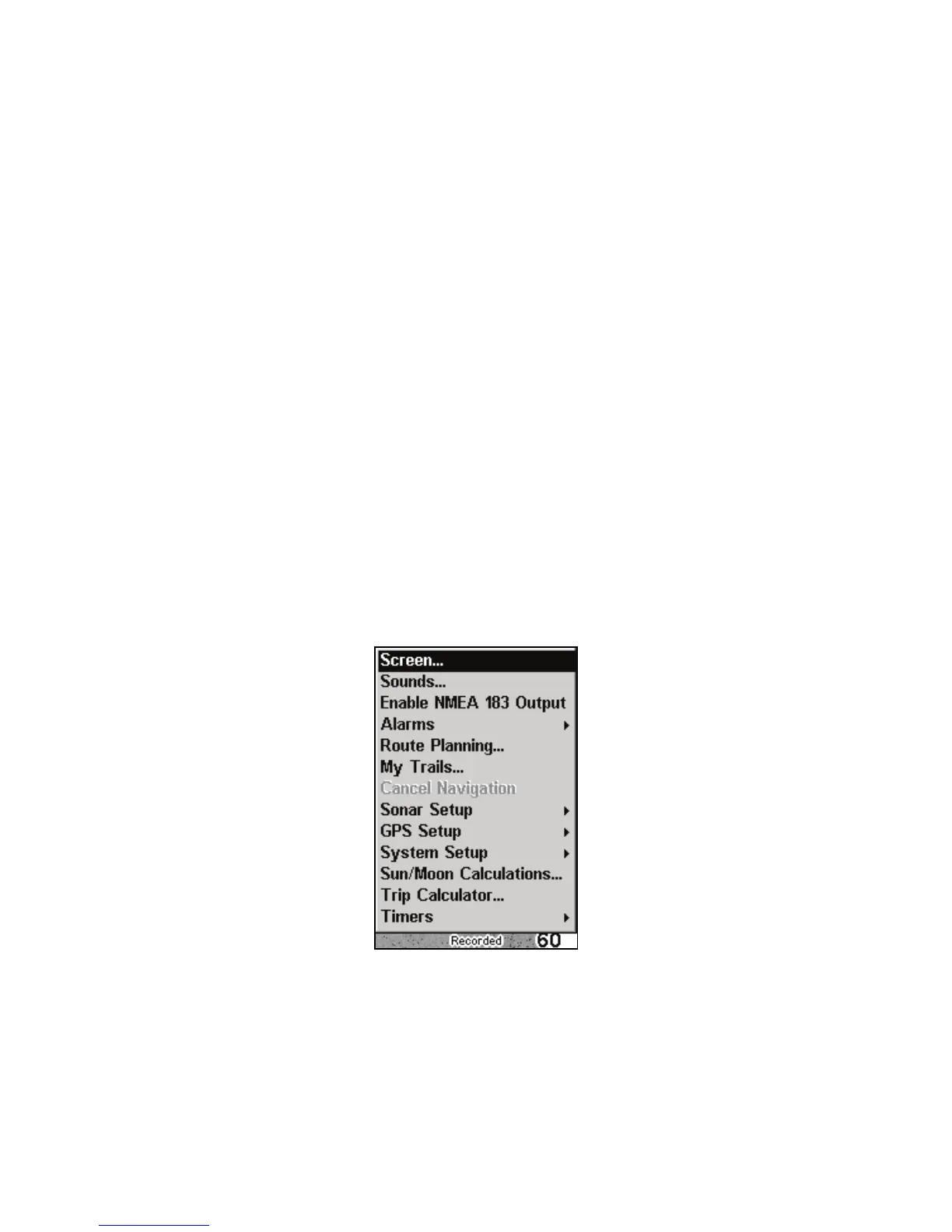
The Main Menu contains basic function and setup option commands. Yo
access the Main Menu by pressing MENU|MENU. You execute a comman
by using ↑ or ↓ to highlight a command and pressing ENT. To clear the
Main Menu screen and return to the main page display, press
EXIT.
Main Menu.
Main Menu Commands
Screen: changes the appearance of the display screen.
Sounds: controls sound levels for keystrokes and alarms.



 To Next Page