44
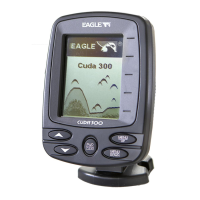
PWR/LIGHT – The PWR key turns the unit on and off and activates
the backlight.
PAGES – Pressing this and the arrow keys (4) switches the unit be-
tween the different page display screens.
MENU – Press this key to show the menus and submenus, which allow
you to select a command or adjust a feature. This also accesses search
functions for streets, intersections, addresses and highway exits.
RROW KEYS – These keys are used to navigate through the menus,
make menu selections, move the plotter cursor and sonar chart curso
and enter data.
ENT – This key allows you to save data, accept values or execute menu
commands. It is also used to create event marker icons.
EXIT – The Exit key lets you return to the previous screen, clear data
or close a menu.
PT – The Waypoint key is used to save and recall waypoints, search
for waypoints and access the waypoint list. It is also involved in some
navigation functions.
ZOUT – This key lets you zoom the screen out. On the Sonar Page, this
key returns you to a full sonar chart display, showing the entire wate
column from surface to bottom. On the Plotter Page, this lets you see a
larger geographic area on the display. Less detail is seen as you zoom
out.
ZIN – This key lets you zoom the screen in. On the Sonar Page, this
key enlarges fish signals and bottom detail. On the Plotter Page, zoom-
ing in lets you see greater detail in a smaller geographic area on the
display.



 To Next Page