123
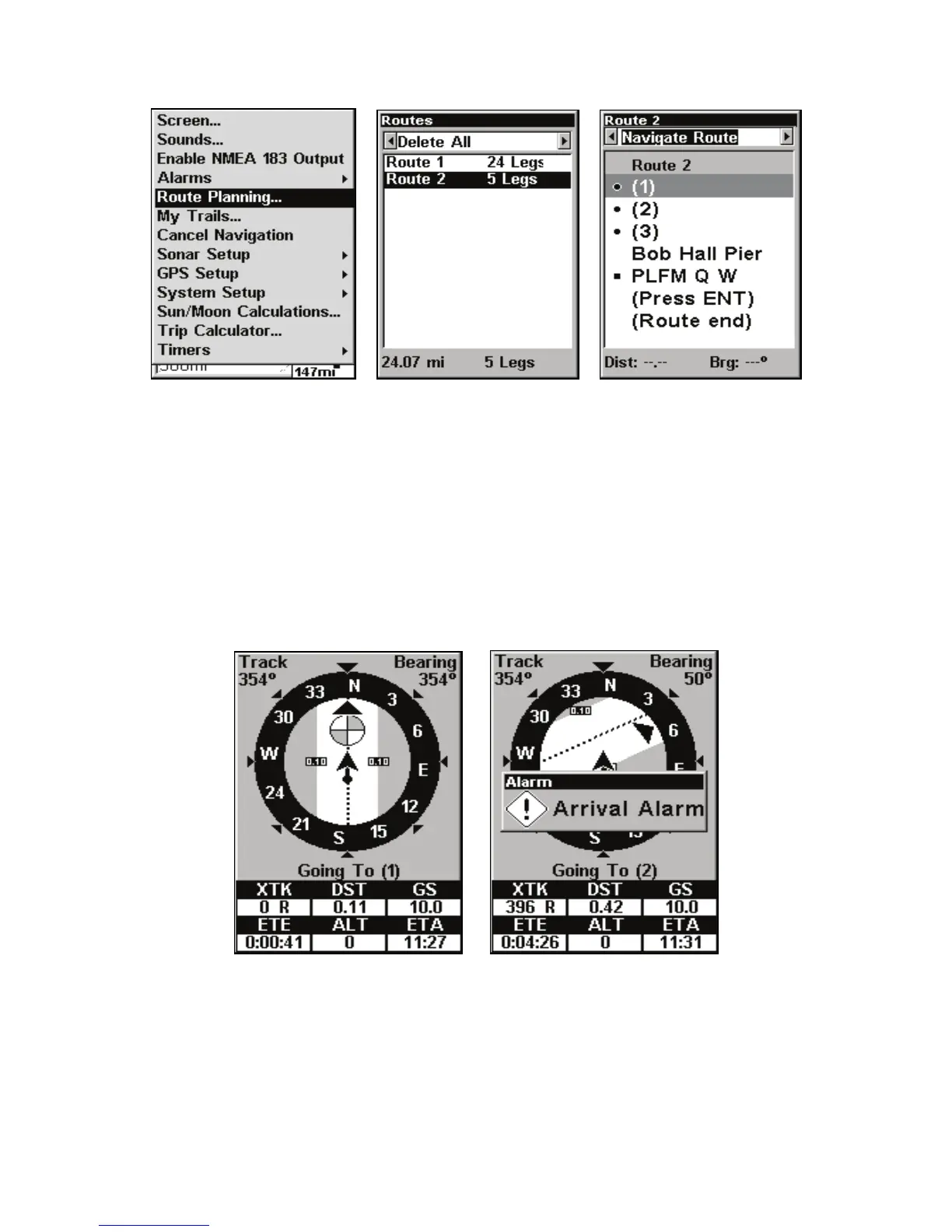
Route Planning command on Main Menu (left). Routes menu (center);
Edit Route menu (right). Navigate Route command is selected.
2. Press ↓ to select route name|ENT|ENT.
3. Upon arrival at your destination, cancel navigation:
press
MENU|MENU|↓ to CANCEL NAVIGATION|ENT|← to YES|ENT.
The following figures show what the Navigation Page and Map Page
look like while navigating a route.
Fig. 1 shows the Navigation Page at the start of a route, heading straight
the arrival alarm has been triggered and the bearing arrow on the com-
pass rose has turned to point toward Wpt 2, off to the northeast.
Figure 2.
Figure 1.



 To Next Page