133
NOTE:
When the position format is changed, it affects the way all positions
are shown on all screens. This includes waypoints.
To change the coordinate system, press
ENT while COORD SYSTEM is high-
lighted at the top of the Coordinate System menu. Use ↑ ↓
arrow keys
to select the desired format and press
ENT.
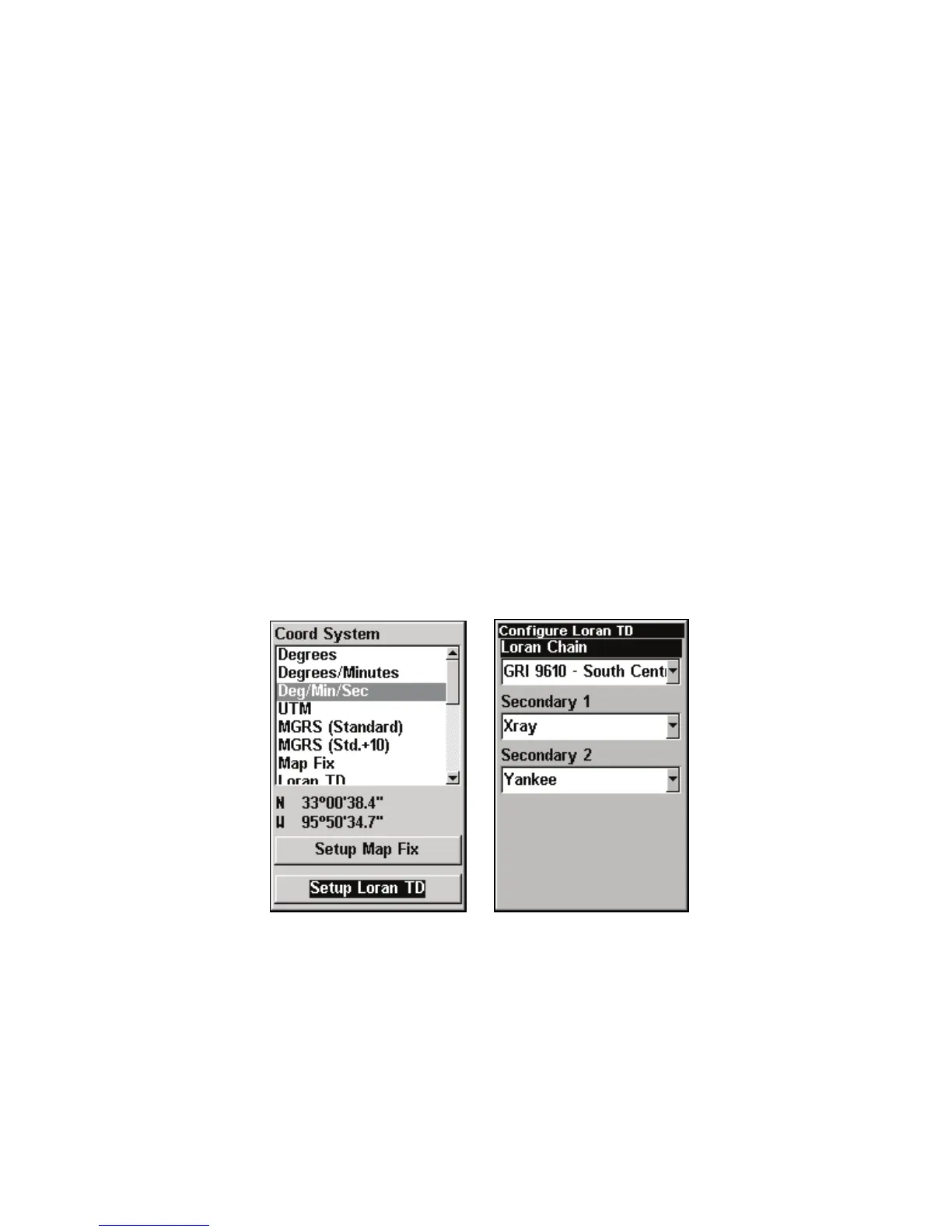
To setup Loran TD:
1. From the Coordinate System menu, press ↓ to
SETUP LORAN TD
press ENT.
NOTE:
If the Loran TD conversion is chosen, you must enter the local Lo-
ran chain identification for the master and slaves.
2. To access the Loran Chain, Secondary 1 or Secondary 2 menus, high-
light the category and press
ENT. Use the ↑ ↓ keys to choose the desire
setting and press ENT. Press EXIT to close the menu.
Setup Loran TD highlighted on Coordinate System menu (left). Con-
figure Loran TD menu (right).



 To Next Page