163
To activate NMEA Output:
From the Communication Ports menu, press ↓ to highlight NMEA Out-
put. Press
ENT to turn on (check) or turn off (uncheck) the NMEA Out-
put checkbox.
To activate NMEA GPS Input:
From the Communication Ports menu, press ↓ to highlight NMEA GPS
Input. Press
ENT to turn on (check) or turn off (uncheck) the NMEA
GPS Input checkbox.
To return to the main page display, press
EXIT repeatedly.
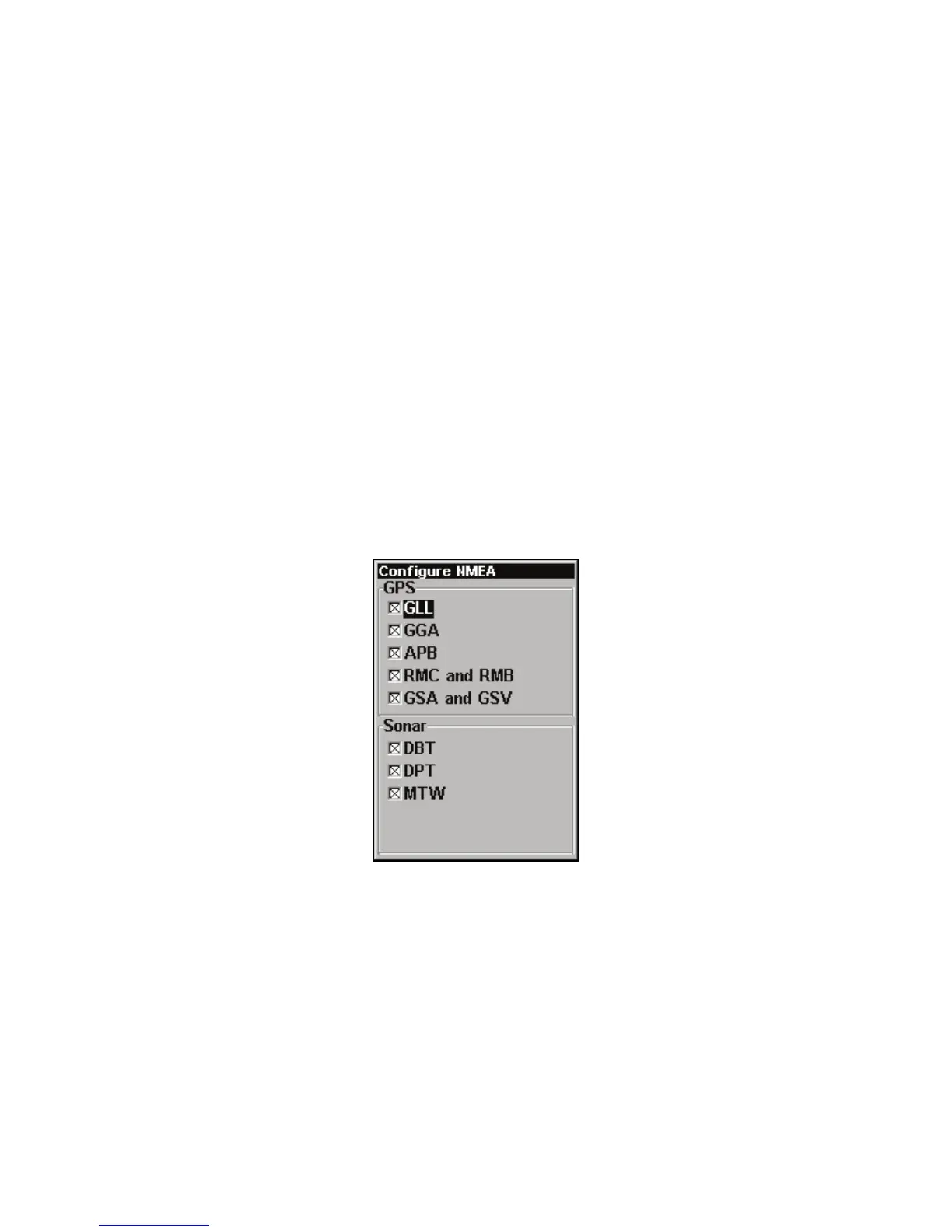
Configure NMEA
ou can configure the unit to use specific NMEA sentences. (The de-
fault setting has all NMEA sentences turned on.) From the Communi-
cation Ports menu, press ↓ to
CONFIGURE NMEA|ENT.
NMEA Sentences selection menu.
menu appears showing the prefixes of the available NMEA sen-
tences. A "X" in the checkbox next to a prefix means the prefix is
turned on. Use ↑ ↓ → ← to highlight a prefix, then press
ENT
to turn it
on (check) or turn it off (uncheck).


 To Next Page