54
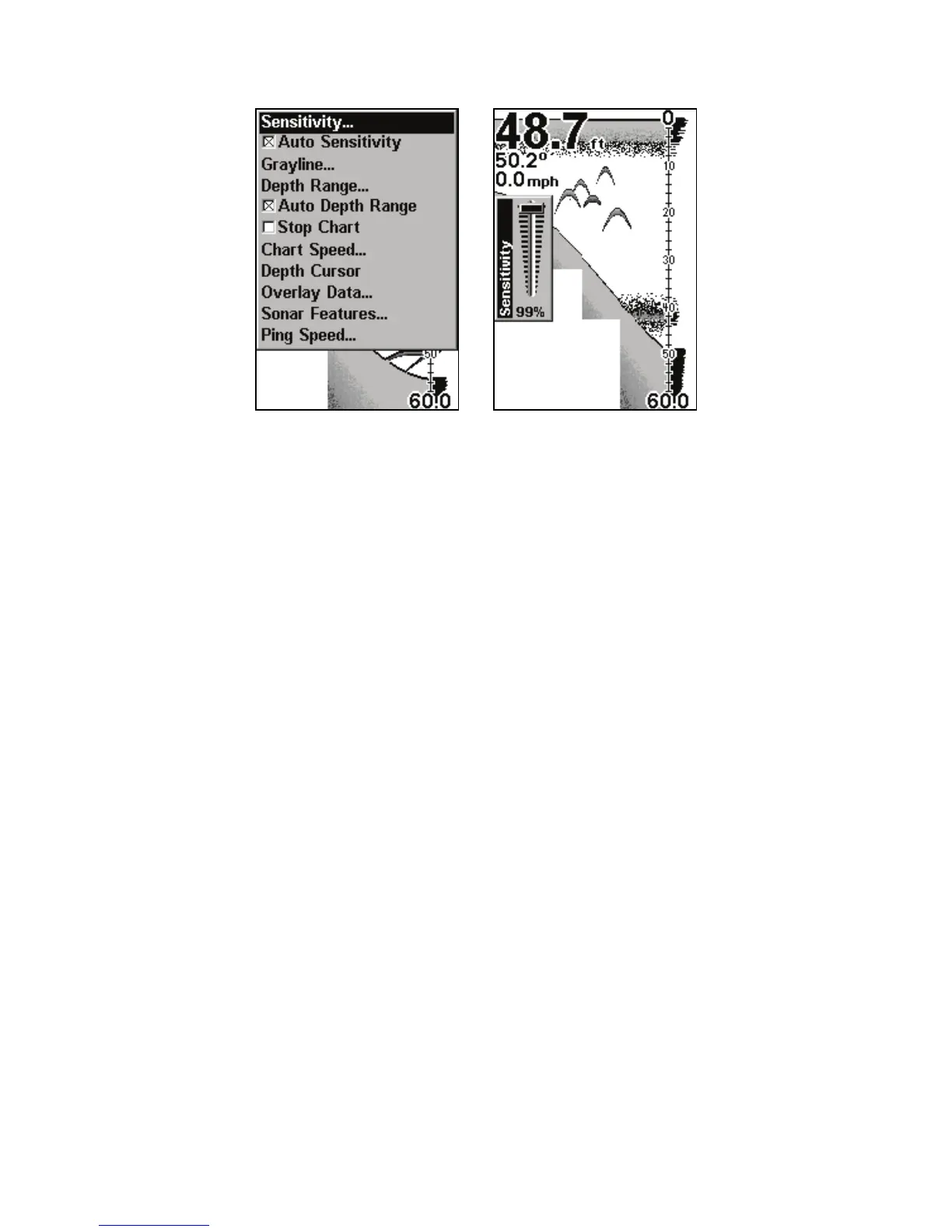
Sonar Menu with Sensitivity command selected (left).
Sensitivity Control Bar (right).
NOTE:
If you want to change the sensitivity in Manual Mode, turn off Auto
Sensitivity. From the Sonar Page, press
MENU|↓ to AUTO SENSITI
-
ITY
|ENT|↑ to SENSITIVITY|ENT. Press ↓ or ↑ to pick a different sensi-
tivity setting. When it is set at the desired level, press
EXIT.
Tip:
While you are experimenting and learning, it is possible to scram-
ble the settings so the sonar picture disappears from the screen. I
that happens, remember it is easy to switch back to full automatic
operation by restoring the factory default settings.
To Restore Factory Settings
1. Press
MENU|MENU|↓ to SYSTEM SETUP|ENT|↓ to RESET OP-
TIONS
|ENT.
2. A reset options confirmation message will appear. Select
YES
press ENT. All options are reset and the unit reverts back to the
original settings.



 To Next Page