Eagle Access Control Systems, Inc. www.EagleOperators.com
15
POWER FAIL OPERATION
INSTALLATION
In the event of a power failure, your Eagle-DC Gate Operator will operate on battery
back-up until AC power is restored or the batteries are completely discharged. Al-
ternatively your Eagle-DC gate operator can be set up to “hold open” (fail-safe) or
“hold closed” (fail-secure) until AC power is restored.
Following is the procedure for proper set-up of:
• BATTERY BACK-UP OPERATION
• AC Power Failure
- HOLD-OPEN or HOLD_CLOSED During AC power failure
• COMPLETE BATTERY DISCHARGE
BATTERY BACK-UP OPERATION
When installed correctly, your Eagle-DC
Gate Operator can provide up to 100 cy-
cles of operation during an AC power
Failure (Actual cycle count will vary
based on your gate and site conditions .
Consult your installing professional for
estimated number of cycles for your
gate system.
FOR BATTERY BACK-UP OPERATION
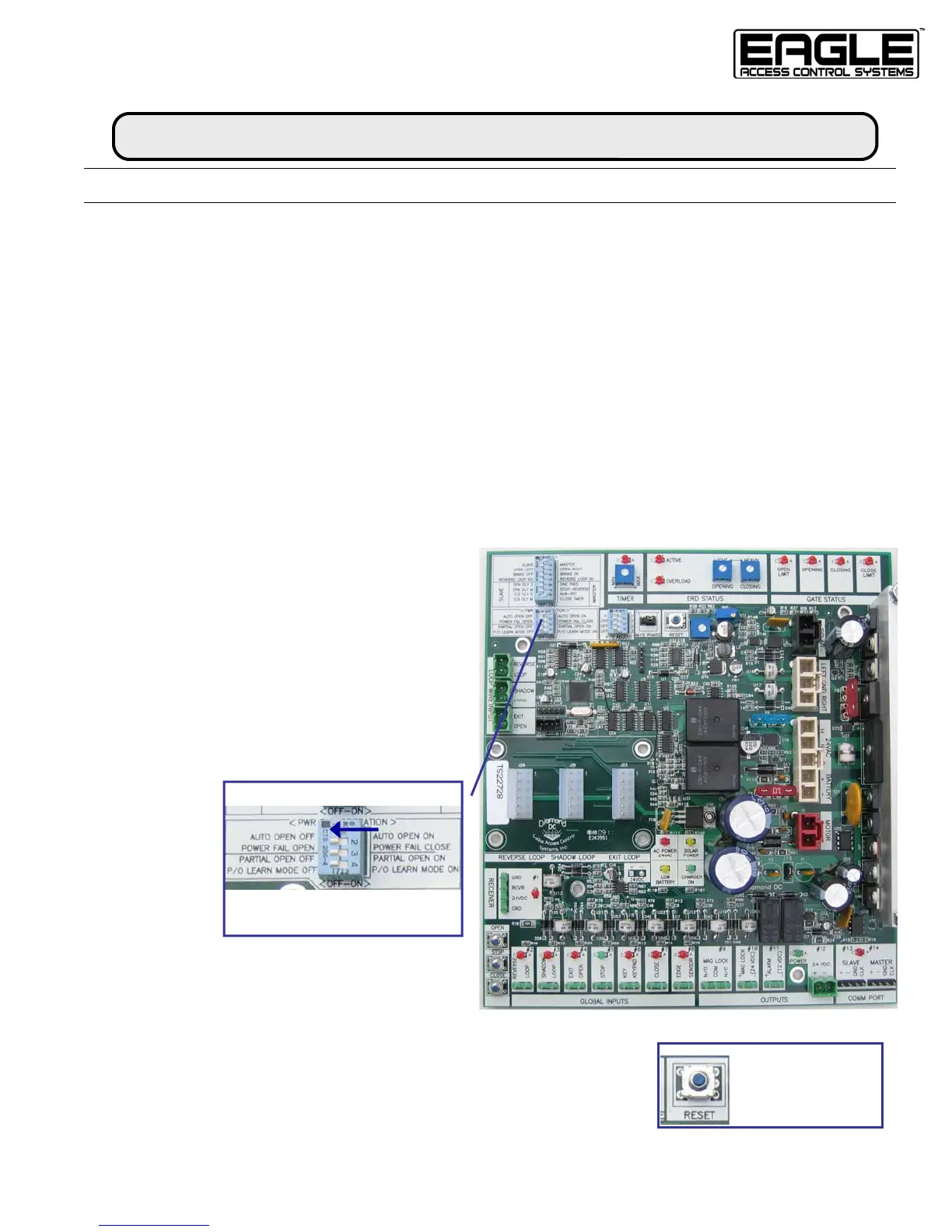
STEP 1. Find DIP Switch Panel Labeled
“PWR FAIL OPERATION”
S
TEP 2. Turn Switch 1 to the OFF position
RESULT. When AC power fails, the gate will remain opera-
tional until AC power is restored or battery voltage drains
minimum (see page 17).
PWR FAIL OPERATION
Battery Back-up Operation:
Switch 1 AUTO OPEN
OFF
RESET
Note:
Press RESET after
each programming
change



 To Next Page