Eagle Access Control Systems, Inc. www.EagleOperators.com
17
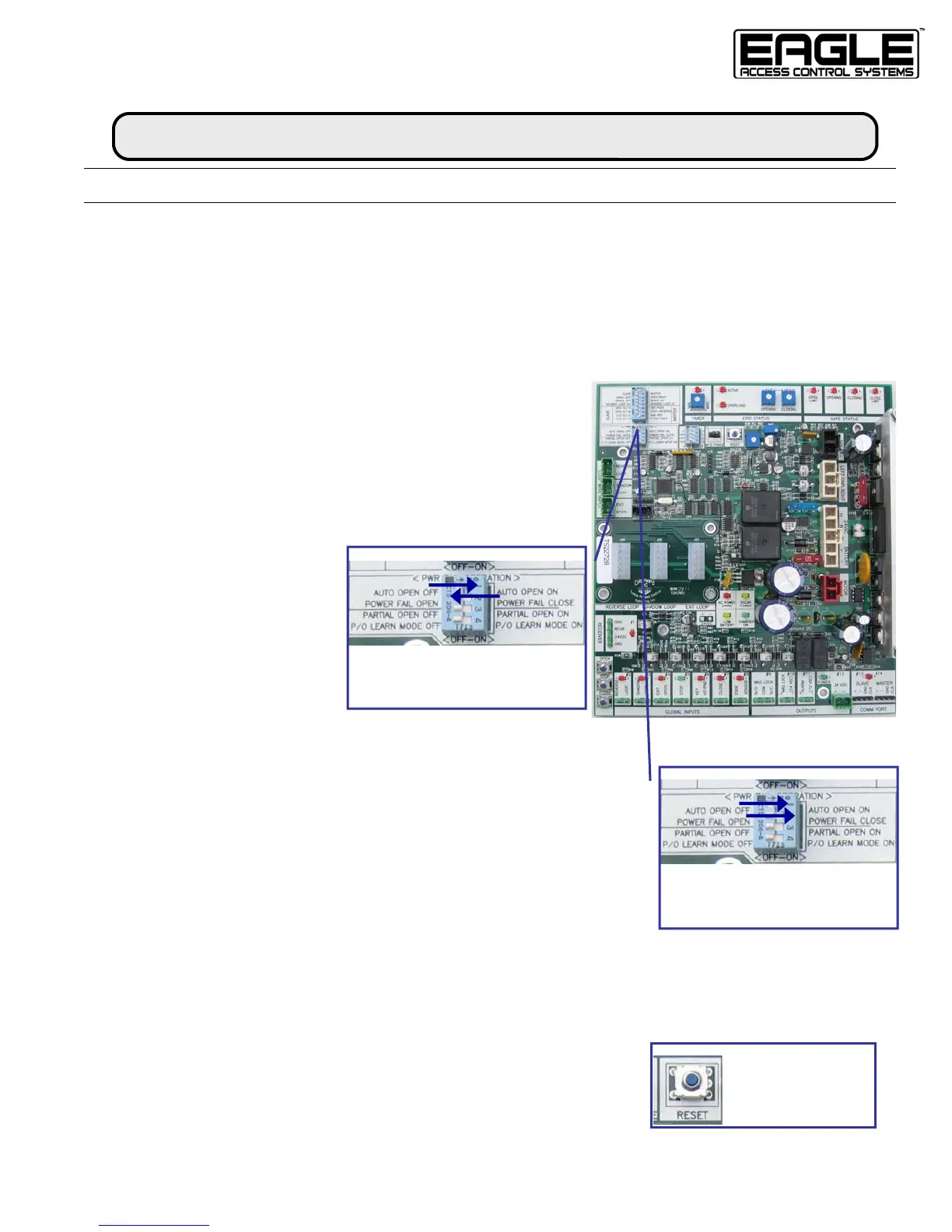
HOLD-OPEN / HOLD-CLOSED During AC Power Failure
If you do not want to use Battery Back-up Operation during an AC Power Failure,
you can choose to HOLD-OPEN (fail-safe) or HOLD-CLOSED (fail-secure) your gate
until the AC Power is restored.
HOLD-OPEN During AC Power Failure
S
TEP 1. Find DIP Switch Panel Labeled
“PWR FAIL OPERATION”
S
TEP 2. Turn Switch 1 to the ON position
STEP 3. Turn Switch 2 to the OFF position
RESULT. When AC power
fails, the gate will move to
the full open position and
remain open until AC
power is restored.
HOLD-CLOSED During AC Power Failure
STEP 1. Find DIP Switch Panel Labeled
“PWR FAIL OPERATION”
S
TEP 2. Turn Switch 1 to the ON position
STEP 3. Turn Switch 2 to the ON position
R
ESULT. When AC power fails, the gate will move to the full closed posi-
tion and remain open until AC power is restored.
PWR FAIL OPERATION
HOLD-OPEN:
Switch 1 AUTO OPEN
ON
Switch 2 POWER FAIL OFF
RESET
Note:
Press RESET after
each programming
change
POWER FAIL OPERATION (CONTINUED)
INSTALLATION
PWR FAIL OPERATION
HOLD-CLOSED:
Switch 1 AUTO OPEN
ON
Switch 2 POWER FAIL ON



 To Next Page