Control Board
FEATURE SELECTOR
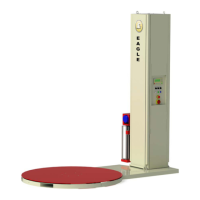
Switch 3: Motor Brake - If the "on" position
is selected, the gate will stop instantly when
on the limit switches. This is useful on
uphill / downhill applications and on all
Fail-Safe operators.
Eagle Access Control Systems, Inc. / (800) 708-8848 / www.eagleoperators.com
(11)
Slide Gate Operators / Eagle I
____________________
The Feature Selector
The selector uses an eight-station switch system that allows selection of the standard
features and customized installation settings. The switch description is as follows:
Note: The power should always be turned off when designating feature selector switches
The reset button is used to reset the micropressor.
IF YOU MAKE A CHANGE WITH THE SWITCHES, YOU
MUST USE THE RESET BUTTON TO APPLY CHANGES.
Note: If the power light is on and the operator does
not function, press the reset button once. If this does
not solve the problem, proceed with turning off the
power switch and then switching it back on again.
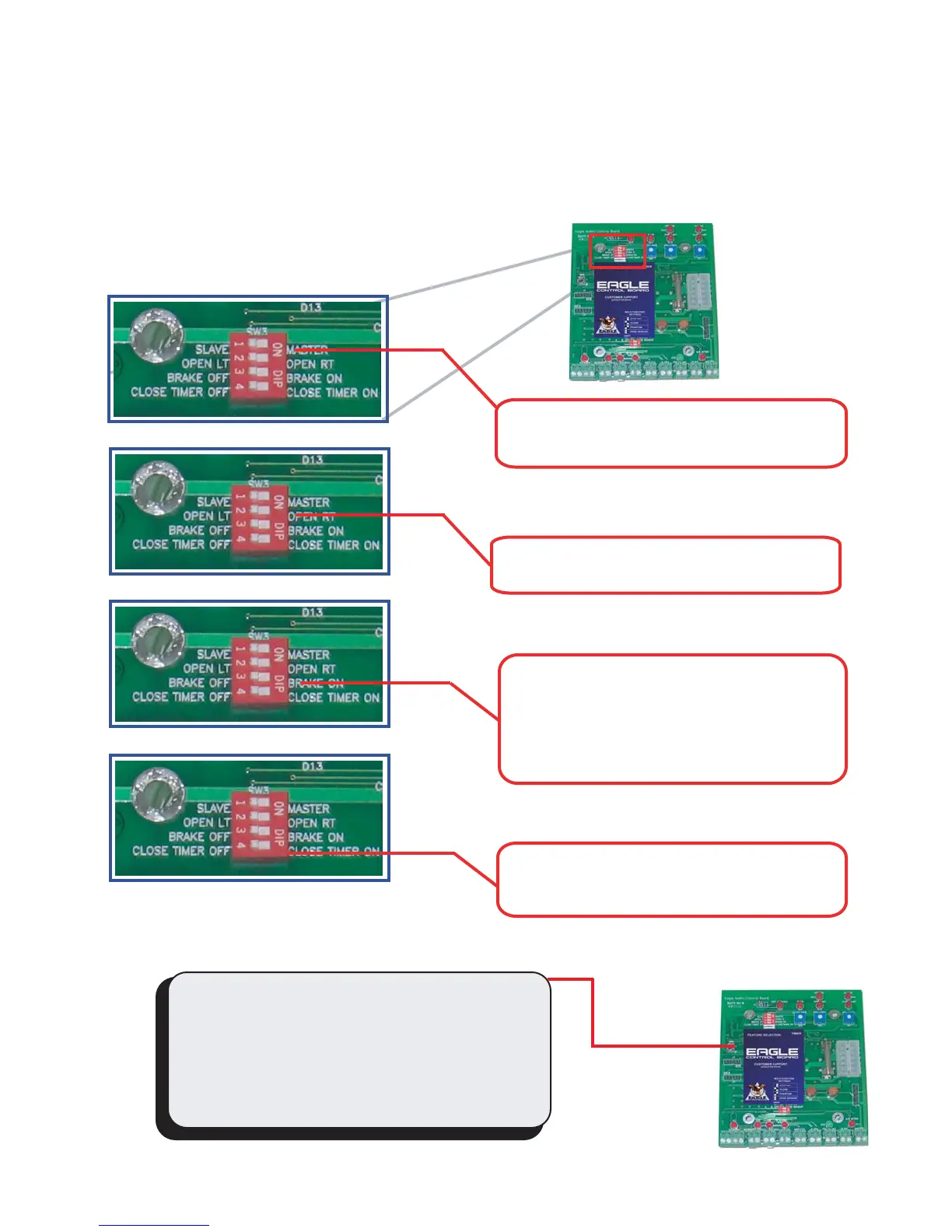
Switch 1: Slave/Master - Sets the operator
to work as Master or Slave.
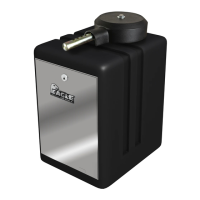
Switch 2: Gate Opening - Designates left or
right opening.
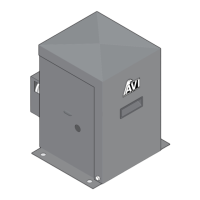
Switch 4: Close Timer (On/Off) - Sets the
Close Timer to the "on" or "off" position.


 To Next Page