- 9 -
4.6 LCD Display Operation
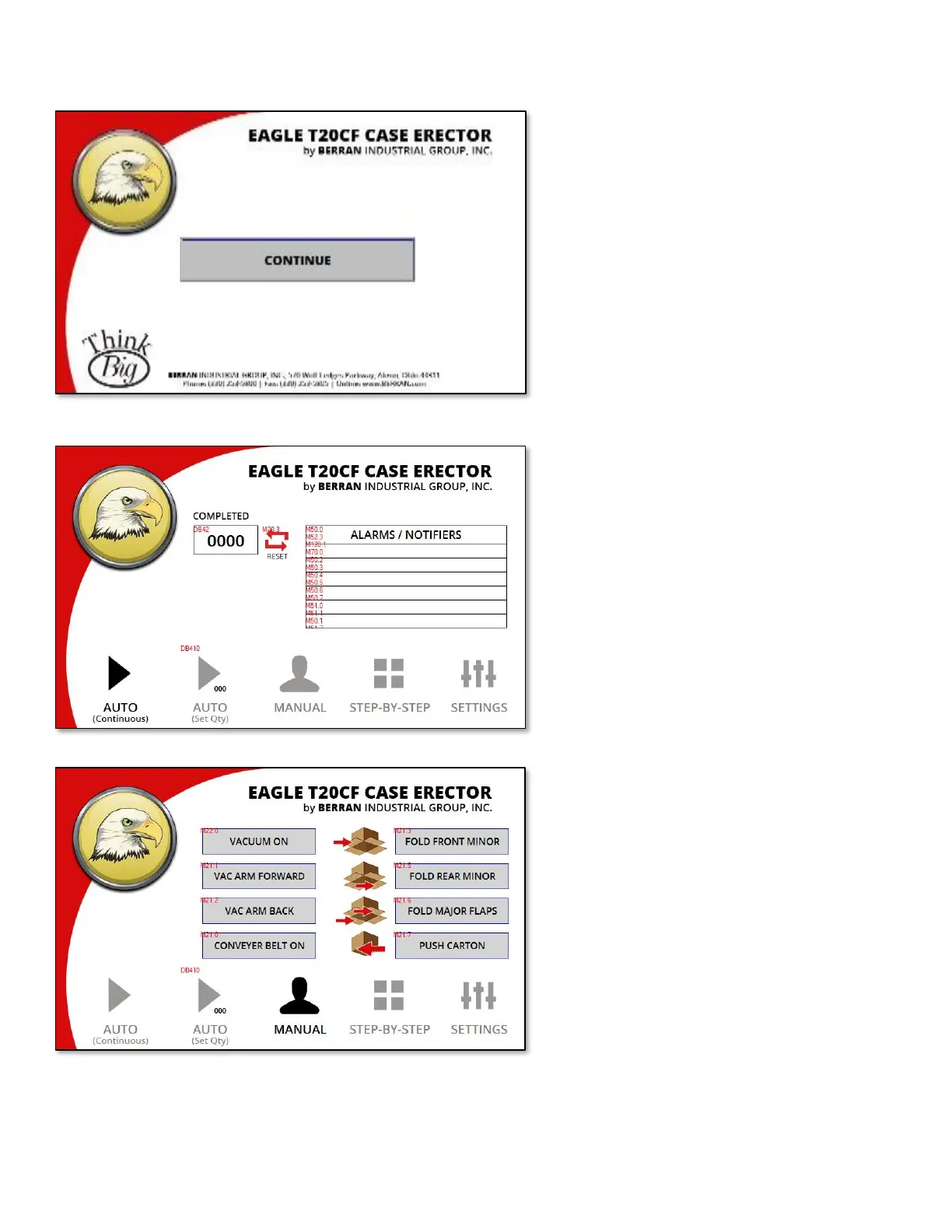
Start Screen
Once the machine has fully powered up, this
screen will be displayed. Continue by
pressing the button labeled “CONTINUE”.
Automatic Mode
There are two automatic operation modes.
In the first mode, the machine will run
continuously until carton stock has been
exhausted. The second mode, called “Set
Qty”, will erect a preset number of cartons
and will stop the machine once the preset
number of cartons have been completed.
Manual Mode
While in manual mode, the machine will
allow for operation in which it will pause
after each step and wait for input from the
operator before continuing.



 To Next Page