SH-TSX Product Manual - © EasyIO / www.easyio.eu
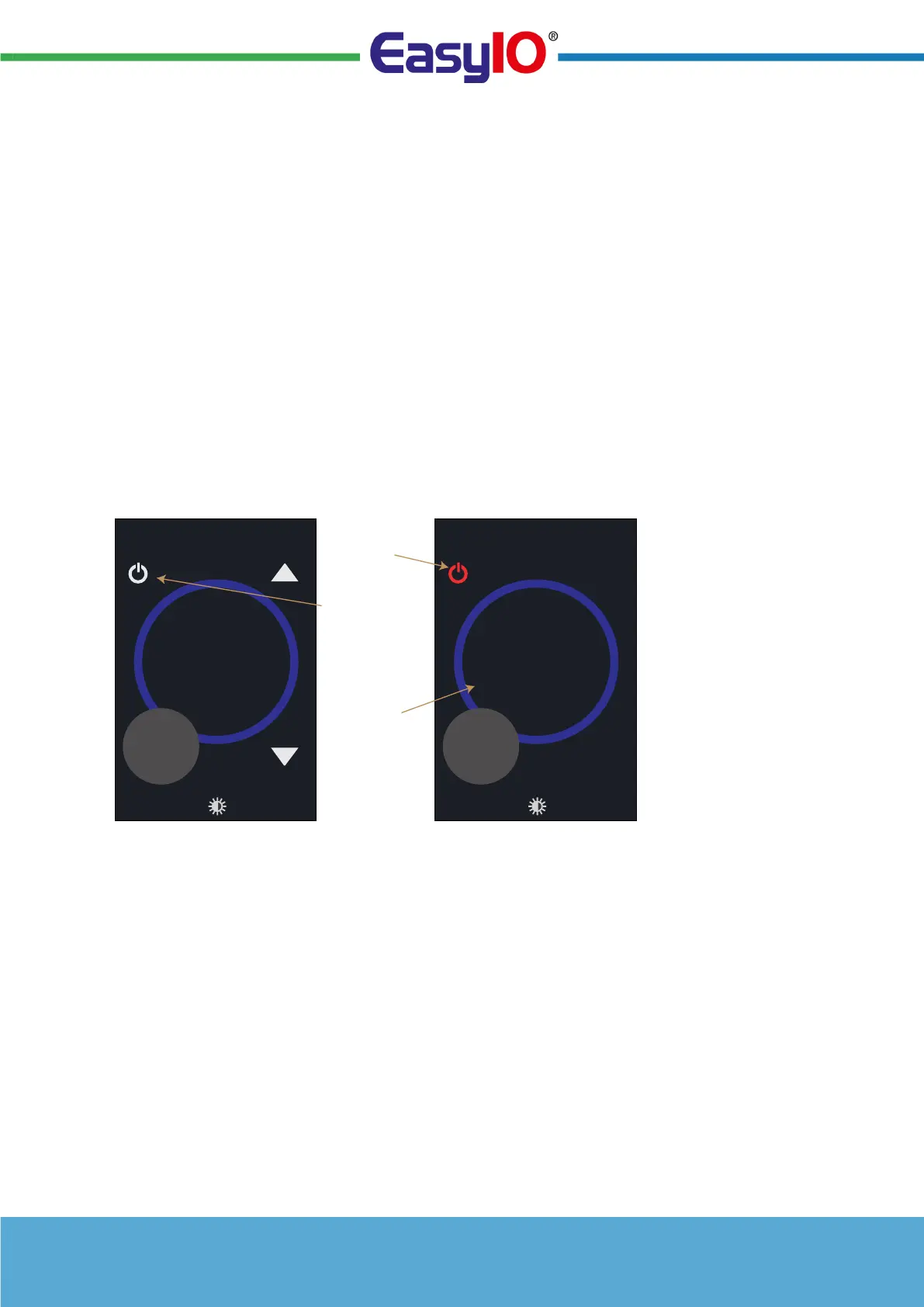
OFF Mode Icon
The SH-TSX can be switched to OFF mode via the touchscreen, digital volt-free input (e.g. time
clock) or via the communication network (system configuration). In the OFF mode the OFF icon is
displayed in red, the target display is dimmed and up&down buttons are hidden.
The OFF mode canbe cancelled bypressing the OFF icon. The system is designed so that the
last command controls the current state. E.g. if the SH-TSX has been overridden to OFF mode
via the network, or a digital input transition, the user can cancel the OFF mode by pressing the
OFF icon. Similarly a networked interface driven to OFF mode by the user can be overridden
back to COMFORT mode using the network master.
The OFF mode icon can be enabled / disabled:-
• DISABLED: Icon Not Visible (default)
• ENABLED: OFF Icon is displayed in the HOME SCREEN in the FUNCTION BASED ICON
area if the PARTY MODE has not been enabled. Otherwise it is displayed in the FURTHER
SETTINGS SCREEN.
OFF MODE
CANCEL ICON
Room
20
.1
°C
21.5
°C
OFF MODE
ICON TO
ACTIVATE OFF
MODE
Room
20
.1
°C
21.5
°C
OFF MODE ACTIVEOFF MODE INACTIVE
TARGET VALUE
‘DIMMED’
WHEN OFF
MODE ACTIVE


 To Next Page