SH-TSX Product Manual - © EasyIO / www.easyio.eu
Close for Night - when the contact closes the device goes to NIGHT MODE, where the user setpoint is
greyed out, the fan speed is set to a predetermined value, and where on return the fan speed goes to
Auto and the setpoint resets to Nominal setpoint.
Humidity Measurement (-RH option)
The models with RH option have a 2%rH accurate humidity sensor for room space humidity
measurement. The humidity reading is displayed inside the SMALL ACTION CIRCLE (display as
default enabled, option to disable through configuration pages) and available over the communication
network.
Touchscreen Calibration
The touchscreen can be re-calibrated by pressing the screen on power-up, or when returning from the
System Maintenance Screen pressing the screen during the reboot. Calibrate the screen by swiping to
the all four edges of the screen and then press OK to accept the new settings.
Language Selection
The SH-TSX user pages can be displayed in different languages by selecting the language from the
System Configuration pages.
Configuration Parameters
The thermostats are configured to operate in different modes via the configuration parameters
accessible through the maintenance mode.
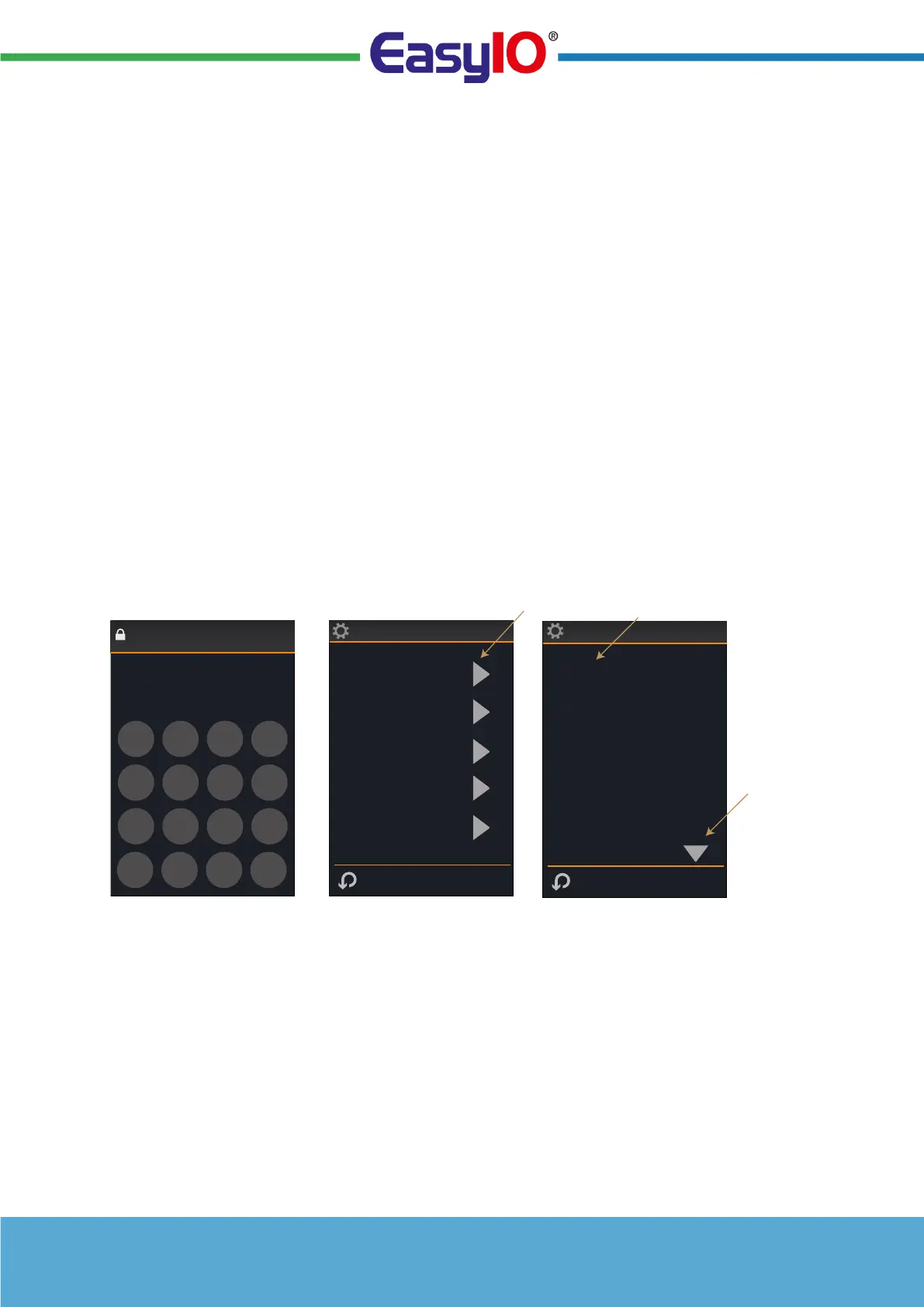
To enter the maintenance mode click the COG WHEEL icon in the FURTHER SETTINGS SCREEN
and enter the maintenance mode password (default 6666).
Note: The maintenance mode password can be changed in the configuration settings. Make sure that
you note the new password if changed.
Sensor 1 Source
Hardware
Input Settings
Sensor 2 Source
Network
Sensor 3 Source
Hardware
Digital Input Mode
Close for ECO
ENTER MAINTENANCE CODE FOR
MAINTENANCE MODE
CLICK TO ACCESS SETTINGS
GROUP
CLICK TO CHANGE
SETTING
ACCESS
MORE
SETTINGS
6666
89
56
-
23
Esc
OKDel
Maintenance Code
Enter Code
7
4
1
0
Operating Modes
Parameter Groups
Display
Control Settings
Inputs
System


 To Next Page