SH-TSX Product Manual - © EasyIO / www.easyio.eu
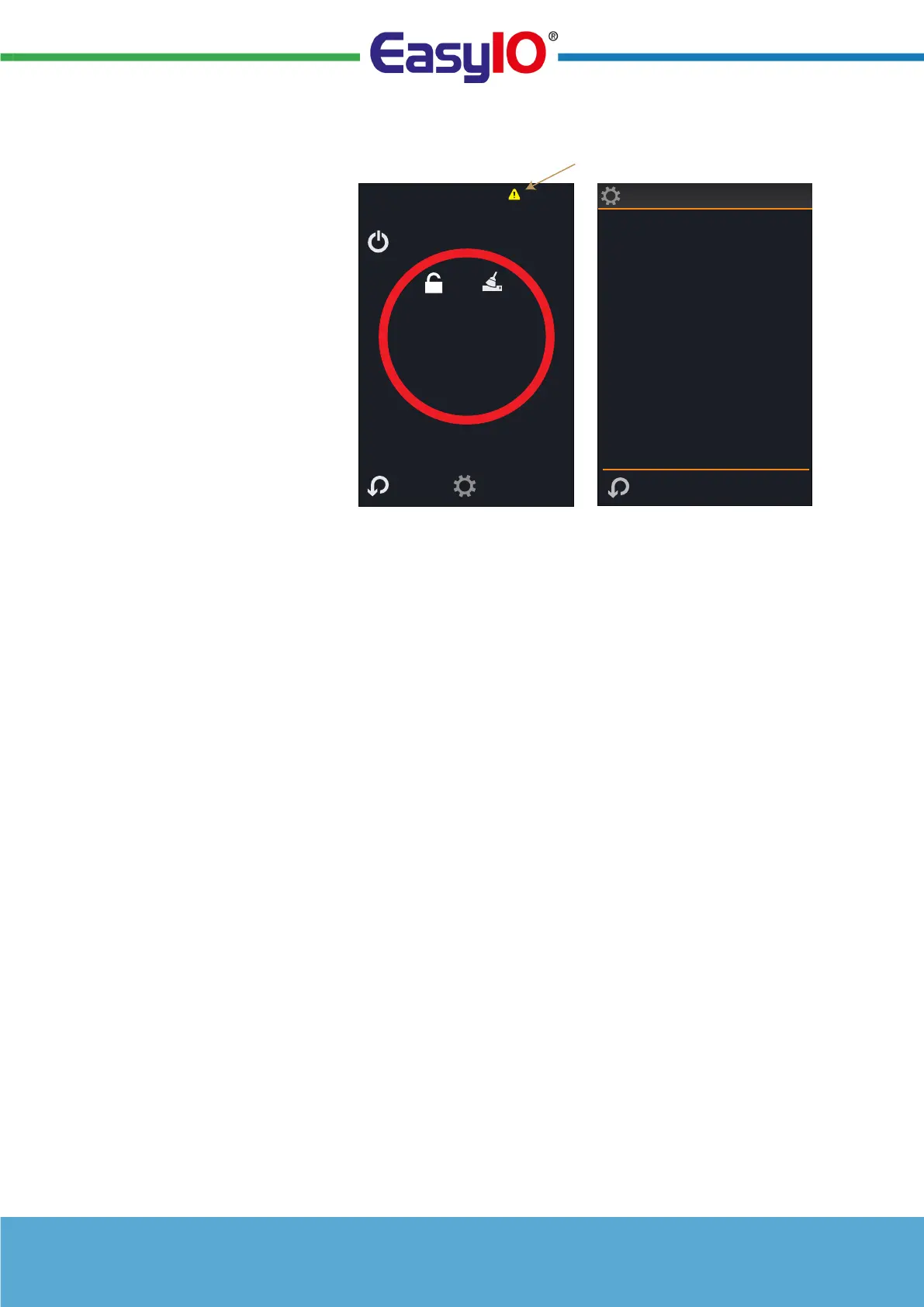
Alarm Display
When entering FURTHER
INFORMATION AND SETTINGS
screen and an alarm is active,
select the alarm icon for more
information.
The typical alarm reasons are:
• External sensor 1 (Res1)
fault (when activated; not
connected)
• External sensor 2 (Res2)
fault (when activated; not
connected)
• Built-in sensor fault
• Digital Contact Fault
Note: If the sensor source has been set to Network then the alarm is inhibited.
External Sensor RI1 and RI2 Inputs
A remote NTC10k3 sensor can be connected to the RI1 and RI2 input and used for the monitoring
purposes. The measurement is always available over the communications network. If configured the
reading is also showed on the display in the SMALL ACTION CIRCLE area.
DI Digital Volt-Free Input
The digital volt-free contact can be used to override the interface to ECO and OFF/FROST
modes, or for just monitoring purposed. The configuration options are:-
• Close for ECO Mode
• Open for ECO Mode
• Close for OFF Mode
• Open for OFF Mode
• Alarm
• Network
• Close for Night
• Disabled
"Close For" Configuration - The digital volt-free contact can be linked to e.g. external timer to switch
the thermostat to OFF or ECO mode (input delay timer).
"Open For" Configuration - The digital volt-free input can be used to activate ECO or OFF mode when
the contact opens. In this mode it can be connected to a window switch or door card switch.
Alarm Configuration - when the contact closes the "DI Contact Alarm" alarm message is displayed on
the screen.
Network option is selected when the digital input is used for monitoring purposes only.
FURTHER SETTINGS AND
INFORMATION
SELECT ALARM ICON FOR
MORE INFORMATION
Notifications
Internal Sensor Failure
External Sensor 1 Fault
External Sensor 2 Fault
Digital Contact Fault
Fri 19:43


 To Next Page