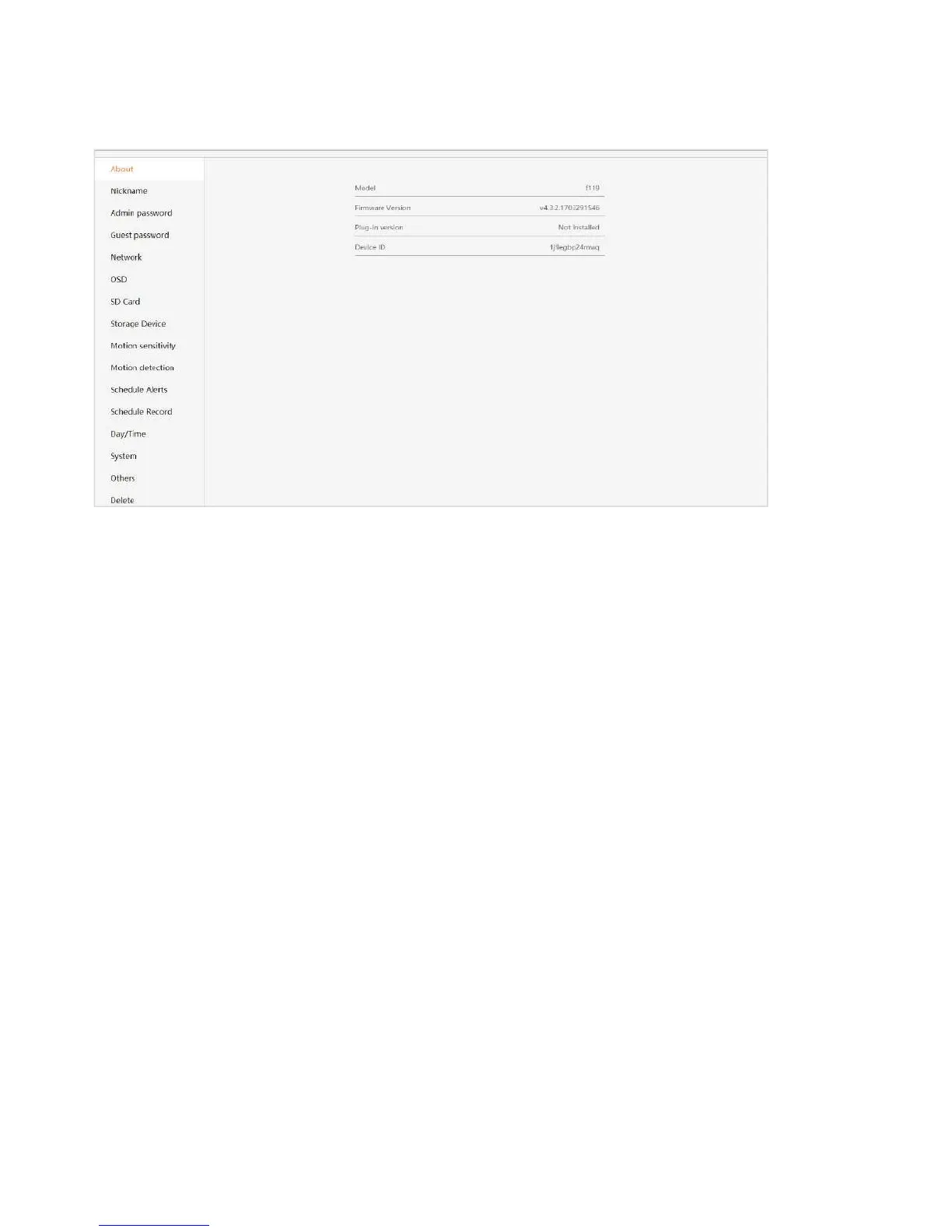
4.5 Settings
About:Provides information about your device.
Nickname:Set a user-friendly name for your device.
Admin Password:Change the Admin password for device.
Guest Password: Create a Guest password for device.
Network: Configure network settings.
OSD (On Screen Display): Modify the on-screen display settings.
SD Card: Enable the use of an SD Card. You can also format and unmount the SD Card.
Storage Device: Enable a Cloud Box for additional storage, then enter the device ID and
password.
Motion sensitivity: You can change the sensitivity settings for day and night operation separately
to improve motion detection.
Scheduling Alerts: Schedule specific times when alerts should be active.
Schedule Record : Schedule times when you want the camera to record. Options are either 24/7
or at specific times.
Date/Time: Set the date and time for the device.
System: Set System options such as restoring to factory settings, restarting, etc.
Others: Miscellaneous options such as flipping the camera view, adjusting
the audio, etc.
Delete: Delete the device.


 To Next Page